Set up once. Use everywhere.
Set up once, use everywhere: connect each agent once and they all share the same memory, on your local network or over the internet.
Two commands, then your browser.
Install, then ask for a one-time code. npm is the quickest (Linux and Windows), the Windows zip needs nothing else, Docker works anywhere, the native installer suits a Linux server.
npm install -g @codrihub/memora
memora                                 # keep it running
# in a second terminal:
memora-cli setup --minutes 15 # one-time code + link# 1. Download and unzip the Windows zip (link below)
# 2. In PowerShell, in that folder:
.\memora.exe
# 3. In a second PowerShell window:
.\memora-cli.exe setup --minutes 15docker run -d --name memora --restart unless-stopped -p 8400:8400 \
-v memora-data:/data -v memora-state:/state ghcr.io/codrihub/memora:latest
docker exec -it memora memora-cli setup --minutes 15curl -fsSL https://raw.githubusercontent.com/Codrihub/memora/main/scripts/install.sh | sudo sh
sudo memora-cli setup --minutes 15 # one-time code + linkgit clone https://github.com/Codrihub/memora.git && cd memora
mkdir -p data state && sudo chown -R 1000:1000 data state
docker compose up -d
docker compose exec -it gateway memora-cli setup --minutes 15git clone https://github.com/Codrihub/memora.git && cd memora
cargo build --release
MEMORA_VAULT=./data MEMORA_STATE=./state ./target/release/memora
# in a second terminal:
./target/release/memora-cli setup --minutes 15The Linux installer downloads the release for your CPU, checks it against the release SHA256SUMS and installs a hardened memora.service. With Docker your notes live in the memora-data volume.
Three steps to your brain.
- Open the link the setup command printed, enter the code and create your account.
- Choose the vault folder: Memora suggests one; any folder of Markdown notes works.
- Add an agent: Agents, then New agent. Pick the app (Claude Code, Cursor, Codex…) and paste the config it shows. One agent per app or device.
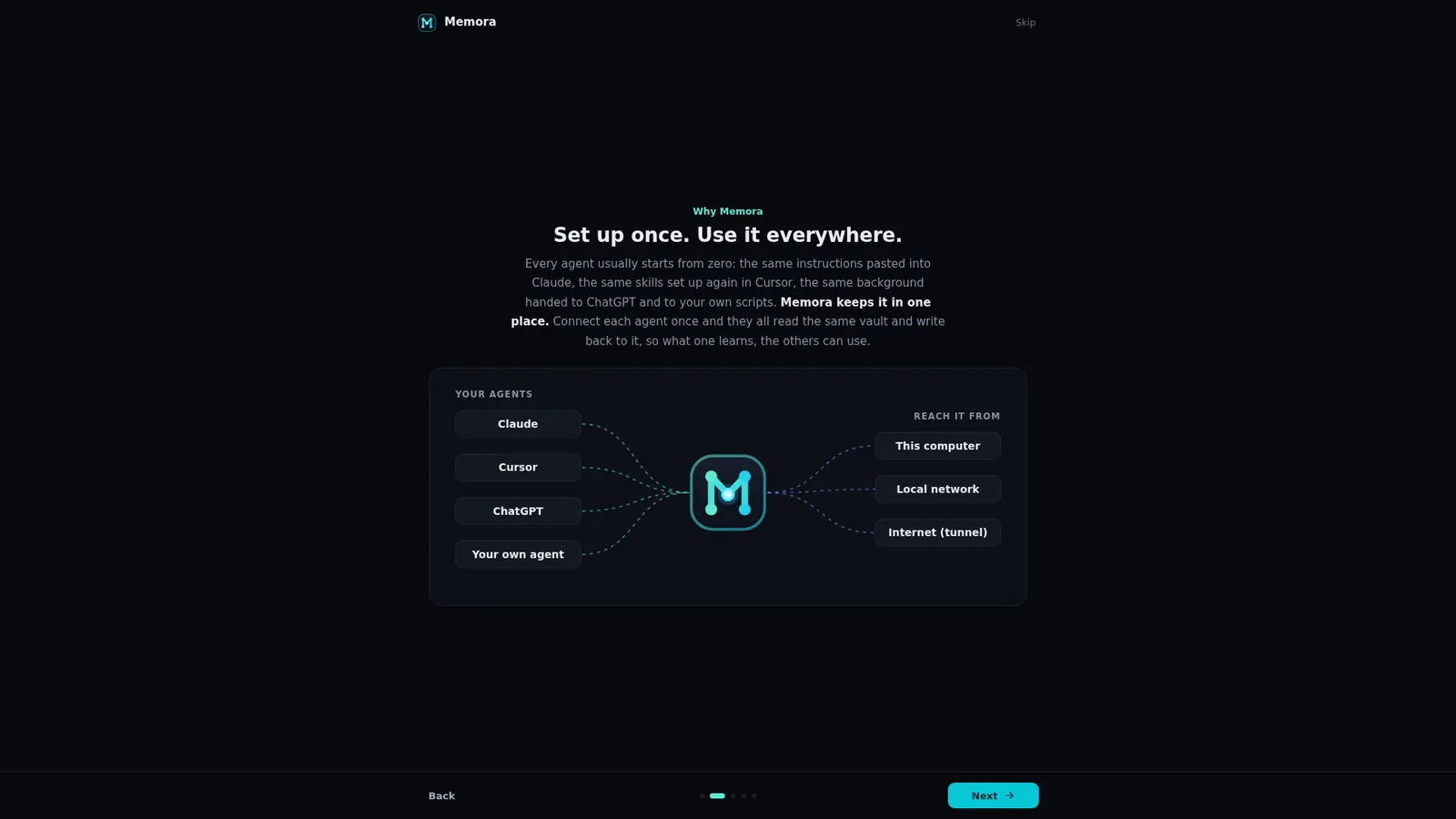
Reachable from anywhere you want.
Use it on this computer or the local network, or forward it to the internet through a tunnel or a reverse proxy on your own domain. Agents connect over MCP with their own key; you sign in from any browser, desktop or phone.
- localhostOn this computer only
- LANEvery device at home or in the office
- Cloudflare TunnelYour domain, no open ports
- TailscaleYour private network
- ngrokA quick public URL
- nginx / CaddyA classic reverse proxy with TLS
A few settings, sane defaults.
Settings come from the environment (systemd unit or .env for Docker) and can be overridden with memora-cli → /config.
MEMORA_PORT8400HTTP port for API, MCP, UI and WebSocketMEMORA_BIND127.0.0.1Bind address (0.0.0.0 in the container)MEMORA_STATEstateDirectory holding memora.dbMEMORA_VAULTemptySuggested vault folder; confirmed in the browserMEMORA_BASE_URLemptyPublic URL behind a reverse proxyMEMORA_DOMAINempty (any)Allowed hostnames; other hosts get 404MEMORA_TRUSTED_PROXIESemptyProxies whose forwarding headers are trustedBack up the vault folder and memora.db with memora-cli db backup, never a plain copy of the live file. Full docs live in the repository.
Give your AI
a memory that stays.
Self-host Memora in minutes. Your notes stay Markdown, your agents share one memory, and you decide who sees what.