Self-hosted, end to end
Run it on your laptop, a home server or a VPS. One process carries the app, the API, MCP and live updates on one port; the state database is a local SQLite file with no network port.
Memora is self-hosted: no cloud account, no third party holding your notes. You decide which agent sees what, from where, and with which tools.
Run it on your laptop, a home server or a VPS. One process carries the app, the API, MCP and live updates on one port; the state database is a local SQLite file with no network port.
Notes are plain Markdown files in a folder you choose, git-backed so every note has a history you can diff and restore. Nothing is locked in.
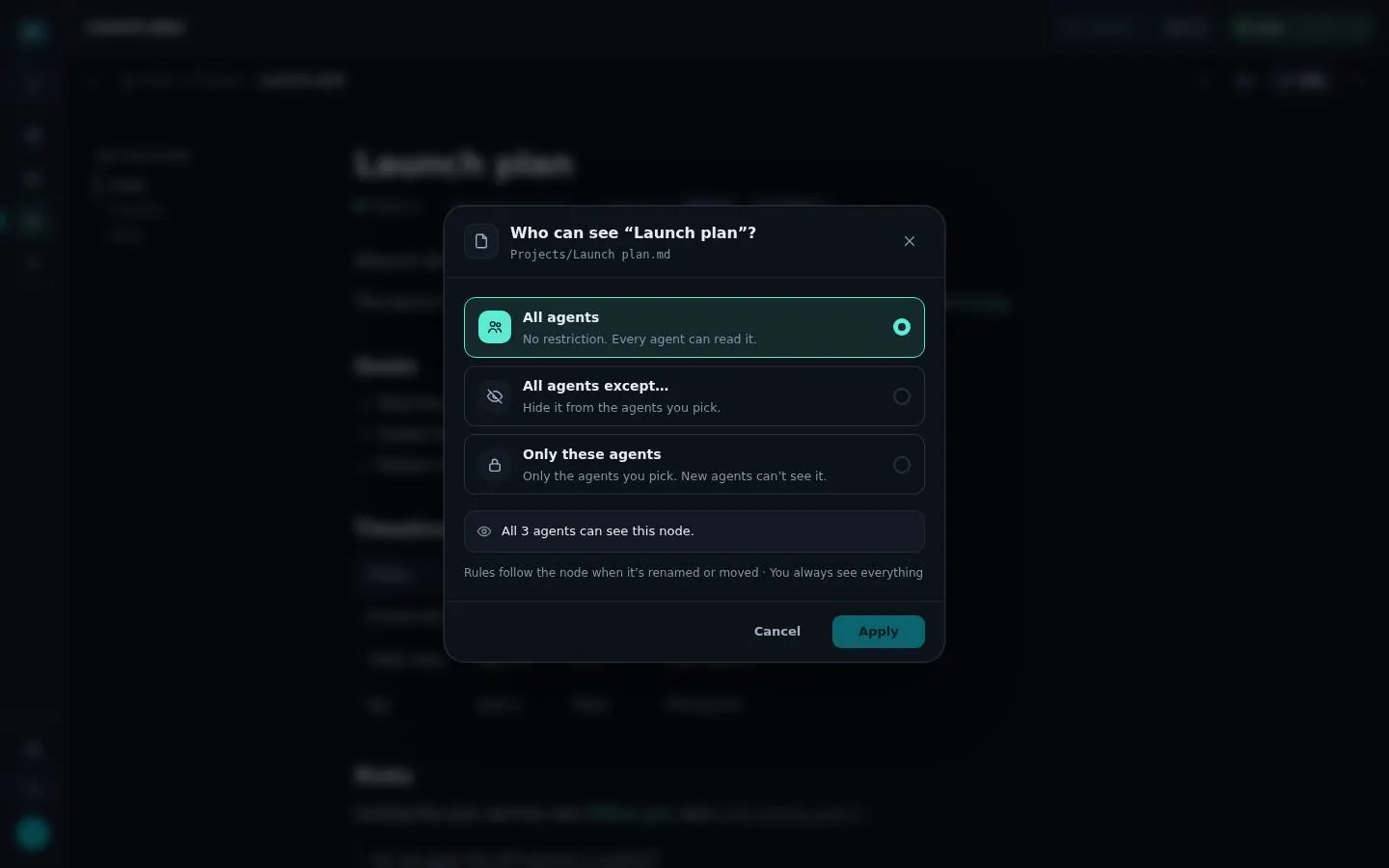
Limit any note or folder: who can see it?
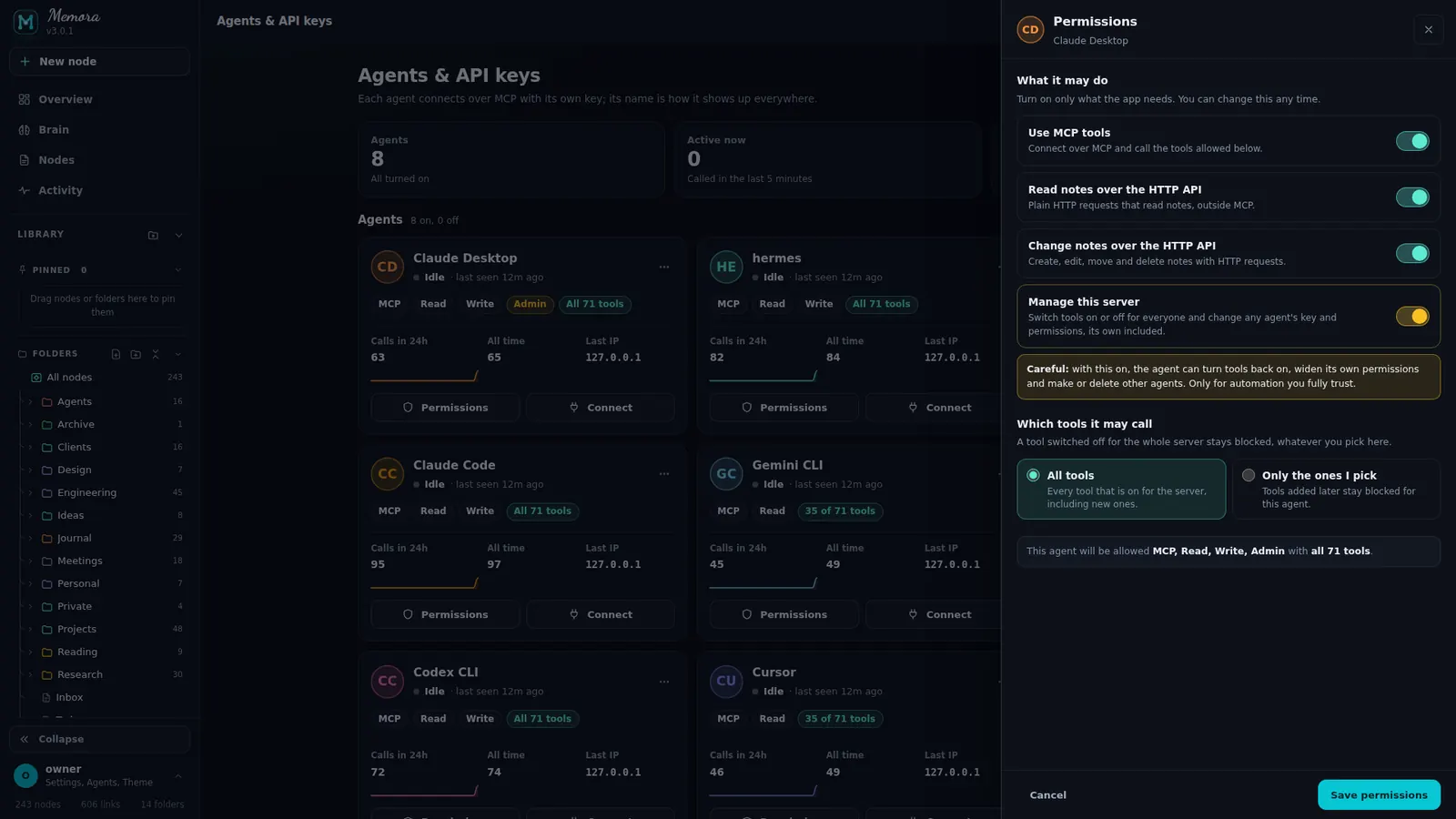
One key per agent with scopes and a tool list. Write tools need the write scope. Turn a key off, make a new one or delete it at any time.
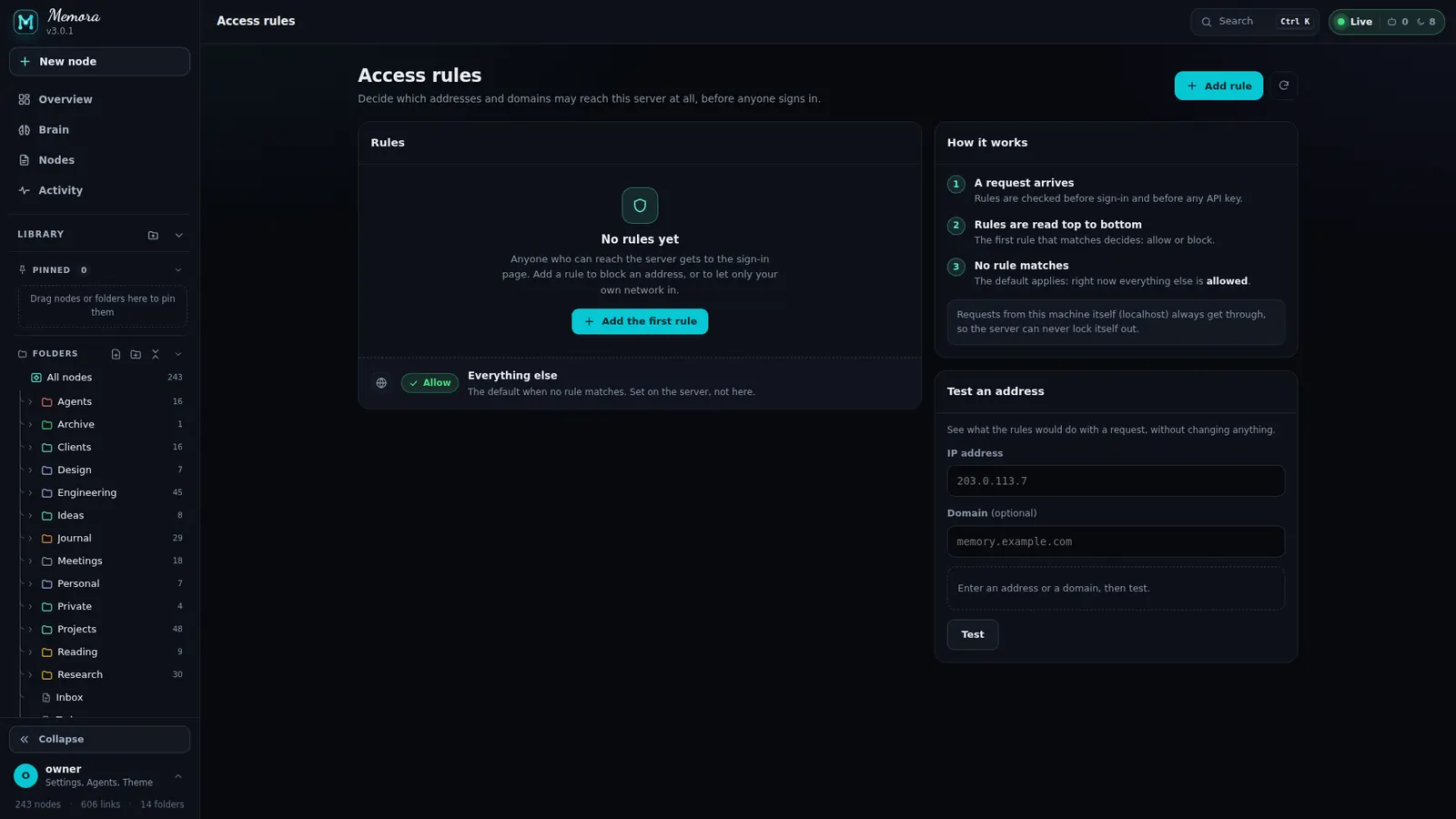
Allow or block by address, CIDR, range or domain. First match wins.
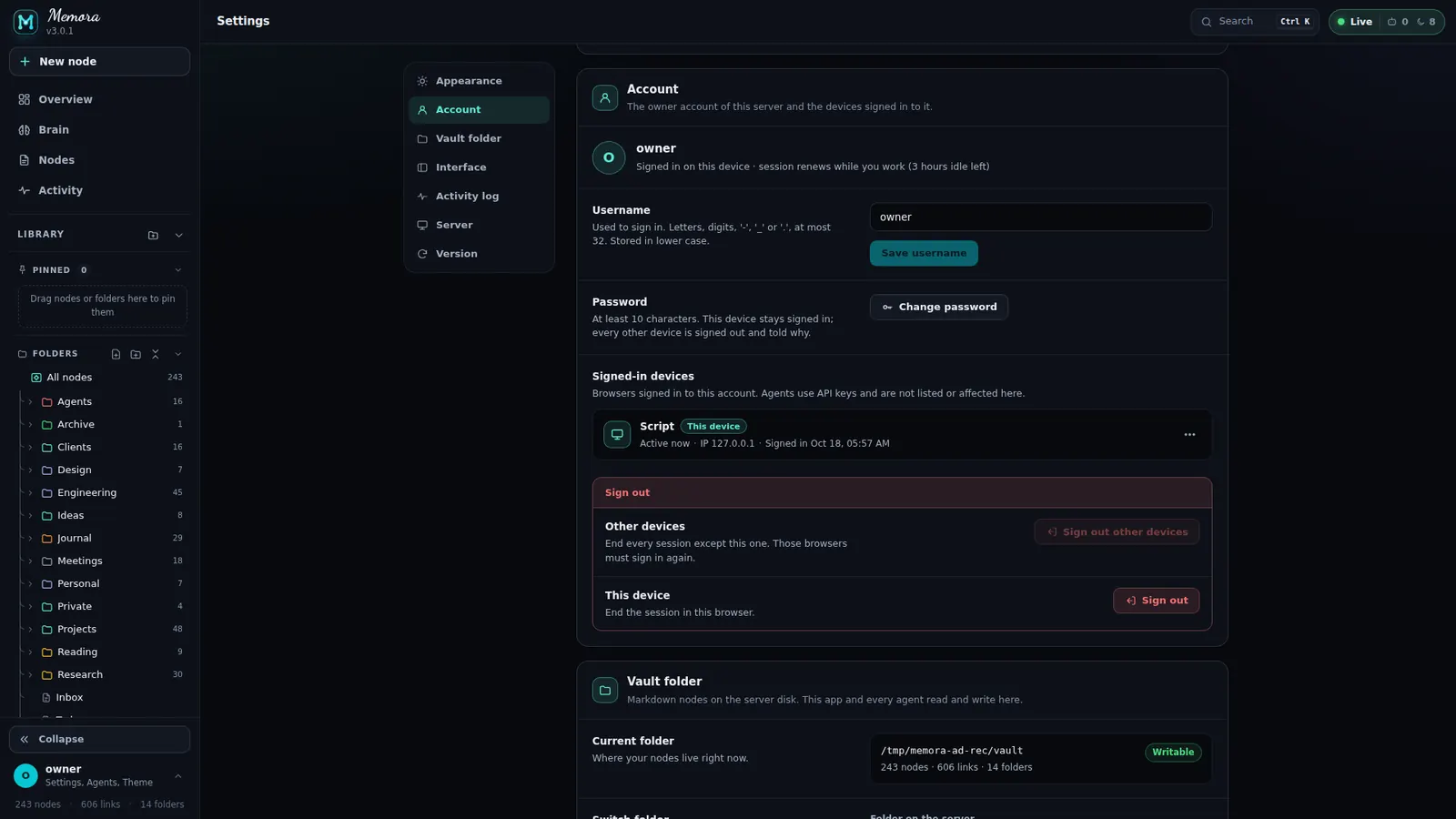
See every signed-in device, rename it, sign it out, or sign out all other devices. Changing your password signs out the others.
An unclaimed instance cannot be taken over by whoever finds the port: the console opens a short setup window with a one-time code (/web) and you finish in the browser.
From the Memora README. Terminate TLS at a reverse proxy before exposing Memora to the internet.
The owner password is hashed with argon2id. API keys and session ids are stored only as SHA-256 hashes; a key is shown once.
Session cookies are HttpOnly and SameSite=Lax, cookie writes are checked against the request origin, and pages use a nonce-based Content-Security-Policy.
Login and setup are rate limited with cooldowns; a wrong setup code closes the setup window.
Forwarding headers are trusted only from loopback and trusted proxies. Loopback always stays allowed, so access rules cannot lock you out.
Every rule and permission is a screen, not a config file. And every action shows up in Activity.
Self-host Memora in minutes. Your notes stay Markdown, your agents share one memory, and you decide who sees what.