Privacy per agent
Limit any note or folder to all agents, all except some, or only the ones you choose.
hermesClaude CodeCursorChatGPTCodex CLIGemini CLI
A self-hosted memory vault: your notes as plain Markdown, wired into a living brain that your AI agents read and write over MCP. What they learn stays.
npm install -g @codrihub/memoraWorks with the agents you already use
The real Memora interface with a demo vault. Pick a view.
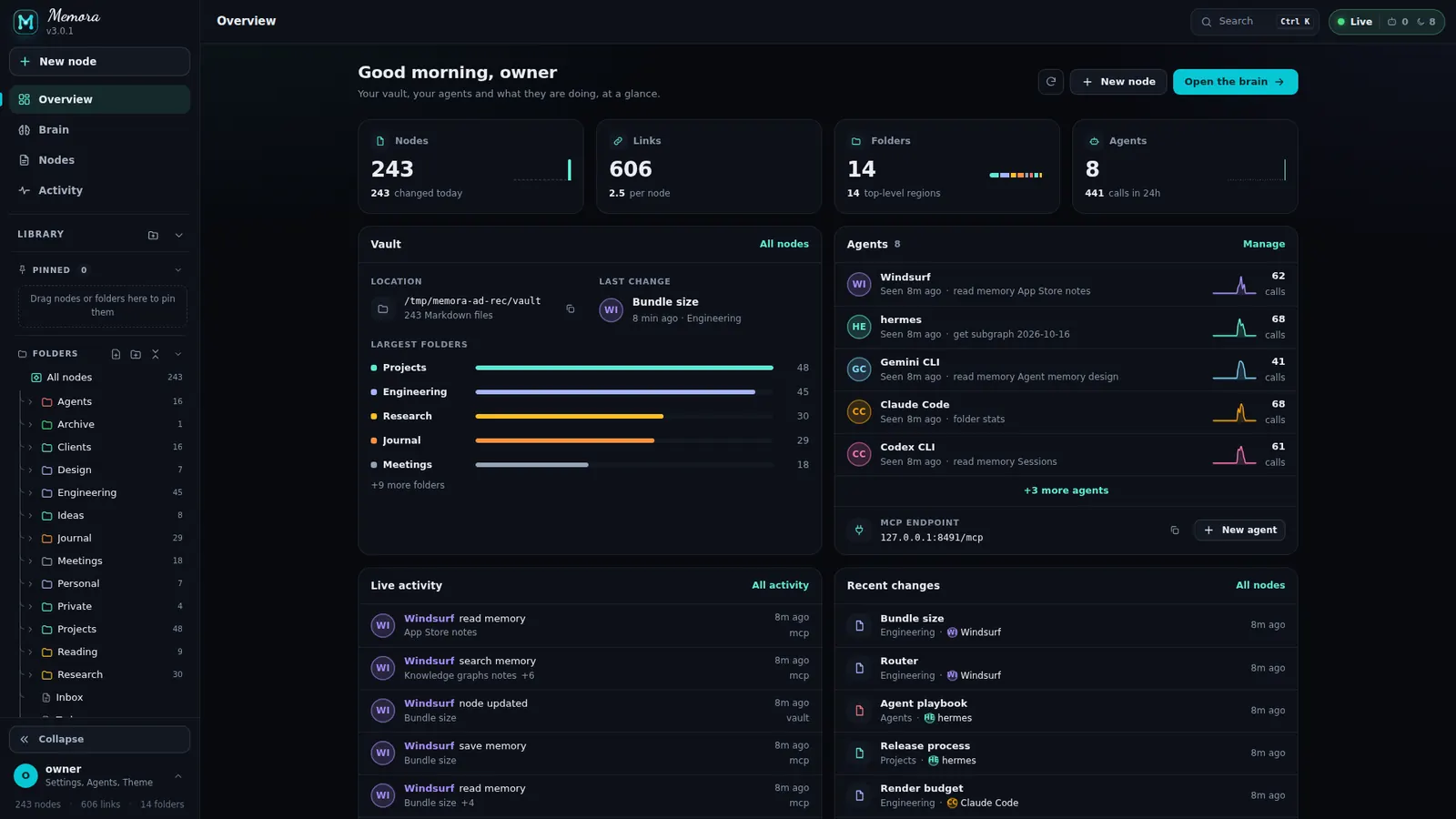
Your vault, your agents and what they are doing, at a glance: nodes, links, folders, agents with the MCP endpoint, live activity and recent changes.
Every note as a node in its folder region. Open a region and it grows, close it and it folds into a hub. Agents light up the notes they touch.
The same vault as a force graph with Force, Radial and Clusters layouts, folder hubs and hulls, pinning and a tag filter.
Cards in frames, one frame per folder. Move a card to another frame and the Markdown file moves with it.
Every read, write, search and sign-in, live: by day, by agent or as a summary, with filters, search and JSON / CSV export.
One key per agent with its own scopes and tool list. Turn a key off, make a new one or connect an app with a ready-made config.
Every note is a Markdown file in a folder you choose. Memora reads the vault and turns each note into a point in the brain.
Each top-level folder gets its own colour and its own region, so you can see where your knowledge lives.
Expand a region and its notes spread out into their sub-folders, node by node.
Collapse a folder and its notes pull into one hub. A huge vault stays readable.
Wikilinks become connections. When an agent reads or writes over MCP, the notes it touches light up live.
Every note is a Markdown file in a folder you choose. Memora reads the vault and turns each note into a point in the brain.
Each top-level folder gets its own colour and its own region, so you can see where your knowledge lives.
Expand a region and its notes spread out into their sub-folders, node by node.
Collapse a folder and its notes pull into one hub. A huge vault stays readable.
Wikilinks become connections. When an agent reads or writes over MCP, the notes it touches light up live.
Set up once, use everywhere: connect each agent once and they all share the same memory, on your local network or over the internet.
https://memora.codrihub.tech/mcpMemora is self-hosted, so your notes never leave your machine. Every agent gets exactly the access you give it.
Limit any note or folder to all agents, all except some, or only the ones you choose.
One key per agent with its own scopes and tool list. Turn it off or make a new key any time.
Allow or block by address, CIDR, range or domain. First match wins.
Every agent usually starts from zero. Memora keeps what they learn in one place, on your laptop, a home server or a VPS. What one agent learns, the others can use.
/web for a one-time setup code./mcp prints.5 minutes 42 seconds of the real Memora interface, animated. With music, so turn your sound on.
See every note and link in 3D, as a force graph or laid out on a board.
Markdown with wikilinks, backlinks, outline, reading settings and autosave.
Every read, write, search and sign-in, live, by day or by agent.
One key per agent with its own scopes and tool list, or OAuth.
Hide a note or a folder from some agents, or show it to only a few.
Responsive app with a touch brain controller. Installable as a PWA.
Self-host Memora in minutes. Your notes stay Markdown, your agents share one memory, and you decide who sees what.
