One key per agent
Keys look like memora_live_…, are shown once and stored only as a hash. Each key has scopes and an optional tool pick list.
mcpreadwriteadmin
Memora speaks the standard Model Context Protocol: JSON-RPC 2.0 over the Streamable HTTP transport. Any MCP client that supports remote HTTP servers can connect.
https://memora.codrihub.tech/mcpIn Agents & API keys choose New agent: a name, a colour and its scopes. The key is shown once, with Copy.
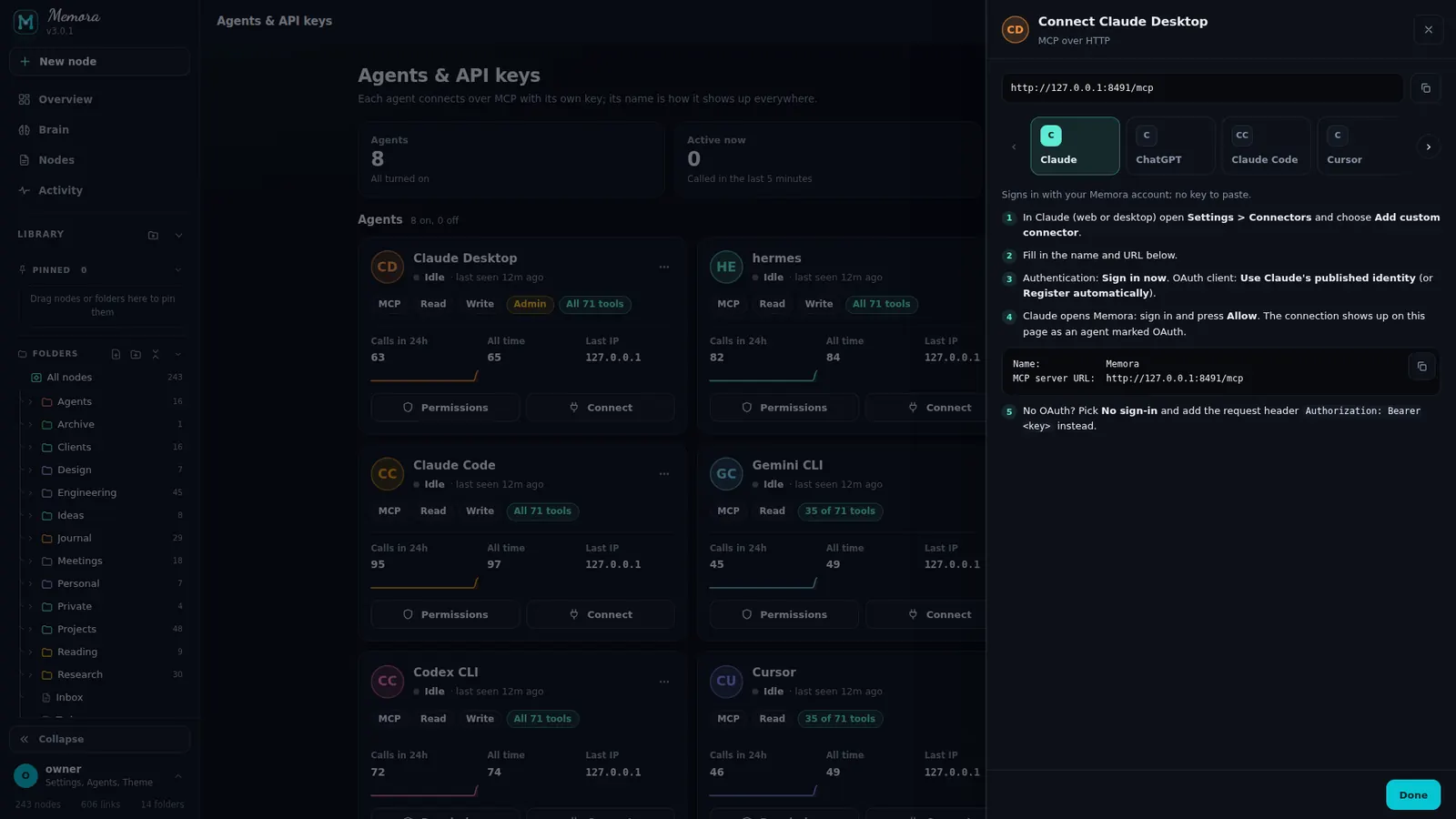
Pick your app in Connect and Memora prints a ready-made config with your endpoint and key. OAuth clients only need the URL.
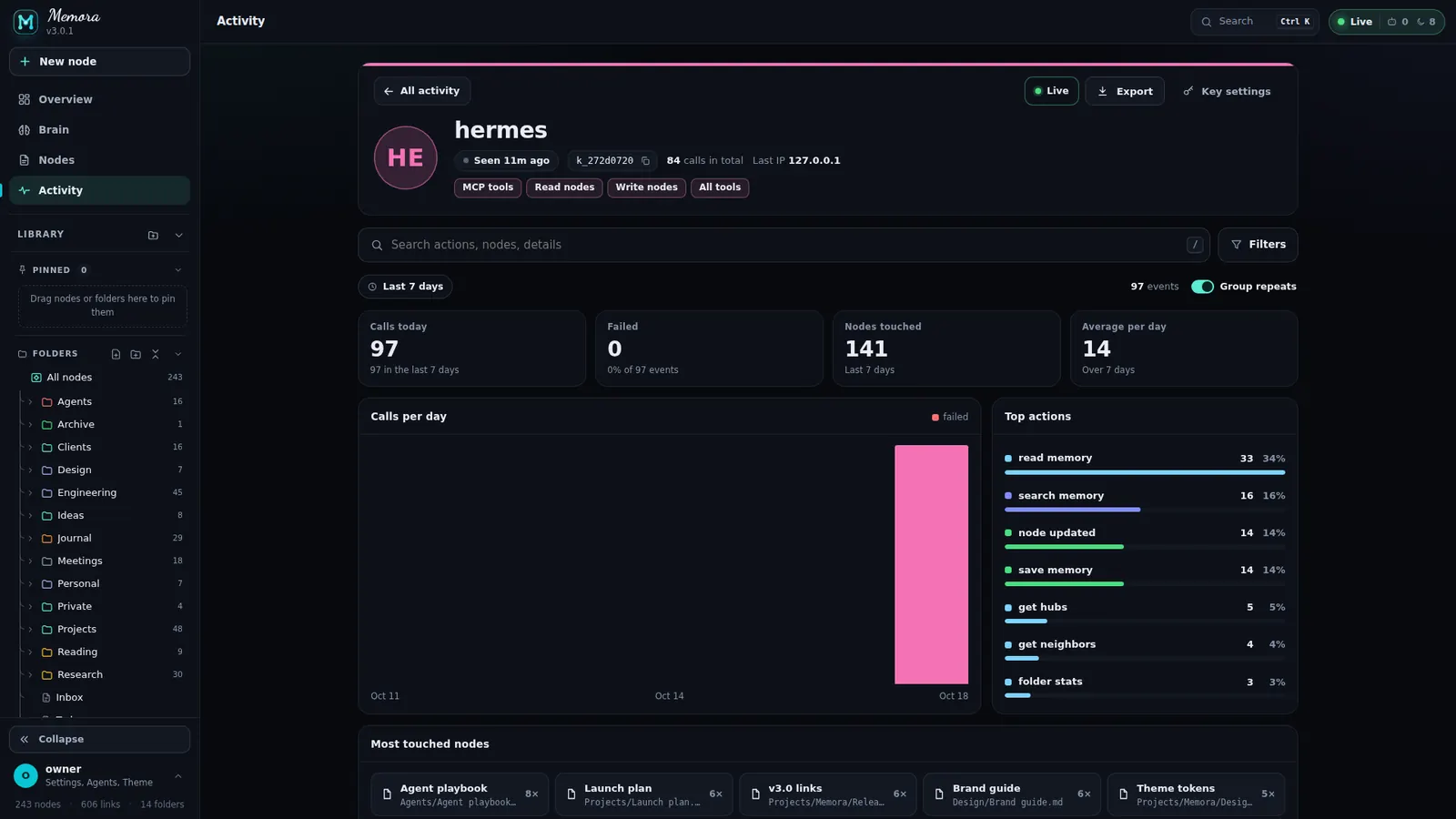
The agent shows up by name in Activity and on the brain. Every read, write and search is logged as it happens.
The same snippets Memora shows in its Connect sheet. Replace the placeholder with your own domain and the agent's key.
claude mcp add --transport http memora https://memora.codrihub.tech/mcp \
--header "Authorization: Bearer <your-agent-key>"{
"mcpServers": {
"memora": {
"url": "https://memora.codrihub.tech/mcp",
"headers": {
"Authorization": "Bearer <your-agent-key>"
}
}
}
}{
"servers": {
"memora": {
"type": "http",
"url": "https://memora.codrihub.tech/mcp",
"headers": {
"Authorization": "Bearer <your-agent-key>"
}
}
}
}[mcp_servers.memora]
url = "https://memora.codrihub.tech/mcp"
bearer_token_env_var = "MEMORA_KEY"
# in your shell:
export MEMORA_KEY=<your-agent-key>{
"mcpServers": {
"memora": {
"httpUrl": "https://memora.codrihub.tech/mcp",
"headers": {
"Authorization": "Bearer <your-agent-key>"
}
}
}
}{
"mcpServers": {
"memora": {
"serverUrl": "https://memora.codrihub.tech/mcp",
"headers": {
"Authorization": "Bearer <your-agent-key>"
}
}
}
}Name: Memora
MCP server URL: https://memora.codrihub.tech/mcp
Authentication: OAuth (sign in, then Allow)curl -s https://memora.codrihub.tech/mcp \
-H "Authorization: Bearer <your-agent-key>" \
-H "Content-Type: application/json" \
-H "Accept: application/json, text/event-stream" \
-d '{"jsonrpc":"2.0","id":1,"method":"tools/list"}'Auth header Authorization: Bearer <key> or X-API-Key. Discovery card at /.well-known/mcp.json, a readable tool catalog at /tools.
A replay of a real multi-agent run against a test vault: eight agents reading, searching and writing at once.
Give each agent its own key, or let MCP clients that support authorization connect with only the URL. You approve them in the browser and they appear as keys you can restrict or revoke.
Keys look like memora_live_…, are shown once and stored only as a hash. Each key has scopes and an optional tool pick list.
Tools that change the vault only run for keys with the write scope. A read-only agent simply gets "tool not allowed".
Apps in Memora's Connect carousel. Each agent gets its own key, so each shows up under its own name.
From reading one note to git history, soft locks between agents and vault health checks. Switch any tool off for everyone, or limit a single key to a pick list.
get_stats, search_memory
list, read, create, save, patch, move, rename, delete
neighbours, subgraph, path, hubs, broken links
get, search, add, remove, set tags
list_folders, create_folder
frontmatter queries, similar notes, suggest links, tag merges
git history, diff, restore, snapshot
batch create, merge, templates, bulk replace
soft locks, @agent mentions, assignments
events, presence, logs, digest, health, folders
set my name and colour, list actors
export and import Markdown zips
todos, follow-ups, validate a note, pins
Self-host Memora in minutes. Your notes stay Markdown, your agents share one memory, and you decide who sees what.