Everything Memora does today.
29 areas, every one real and working in the current release. Screens are from the actual app with a demo vault.
Markdown notes, folders, tags and the overview.
The brain in 3D, the graph, the canvas and the map tools around them.
Keys, permissions, tools, access rules and every call, live.
Search, live status, settings, onboarding and the phone app.
Markdown notes, folders, tags and the overview.
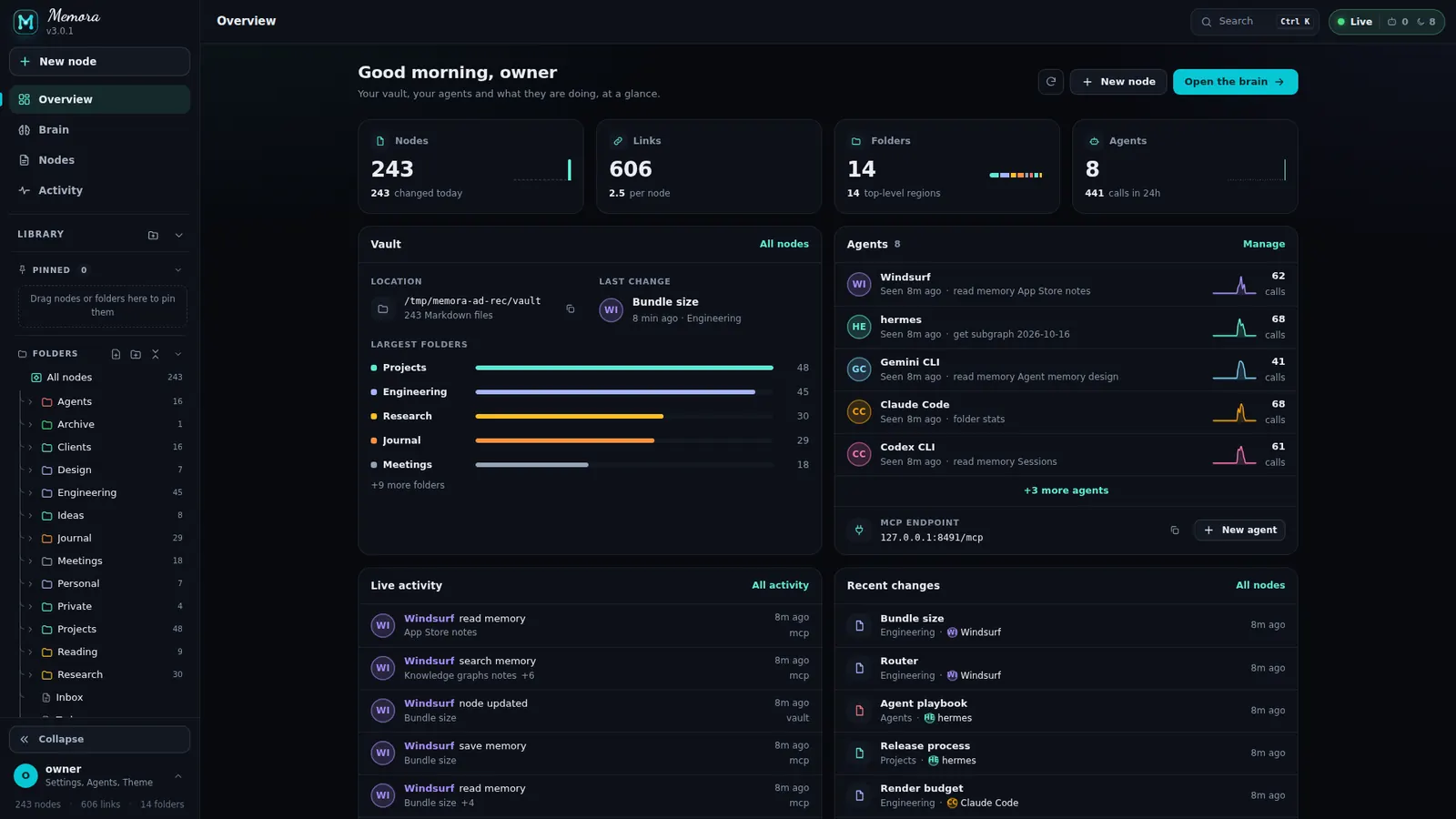
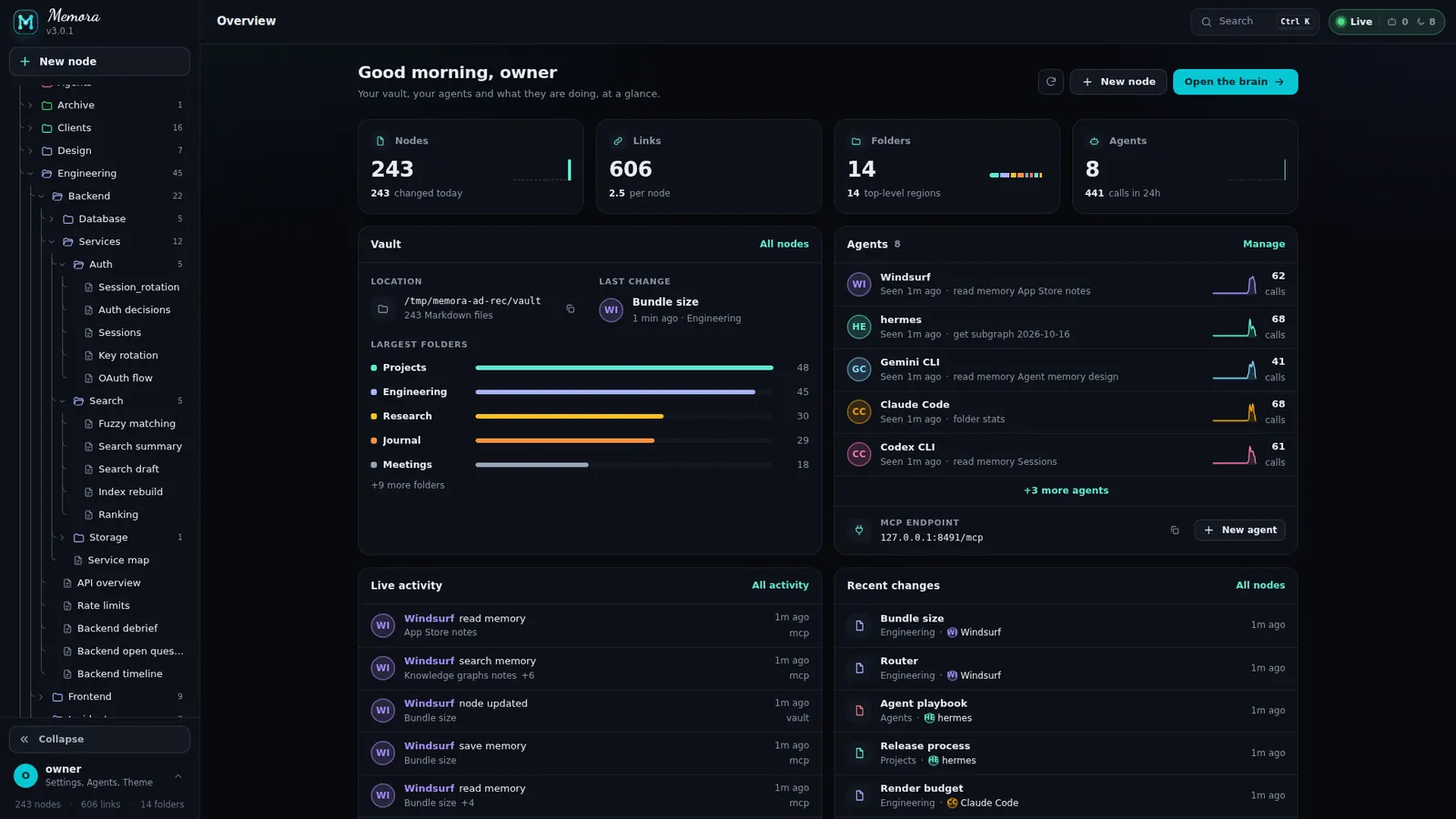
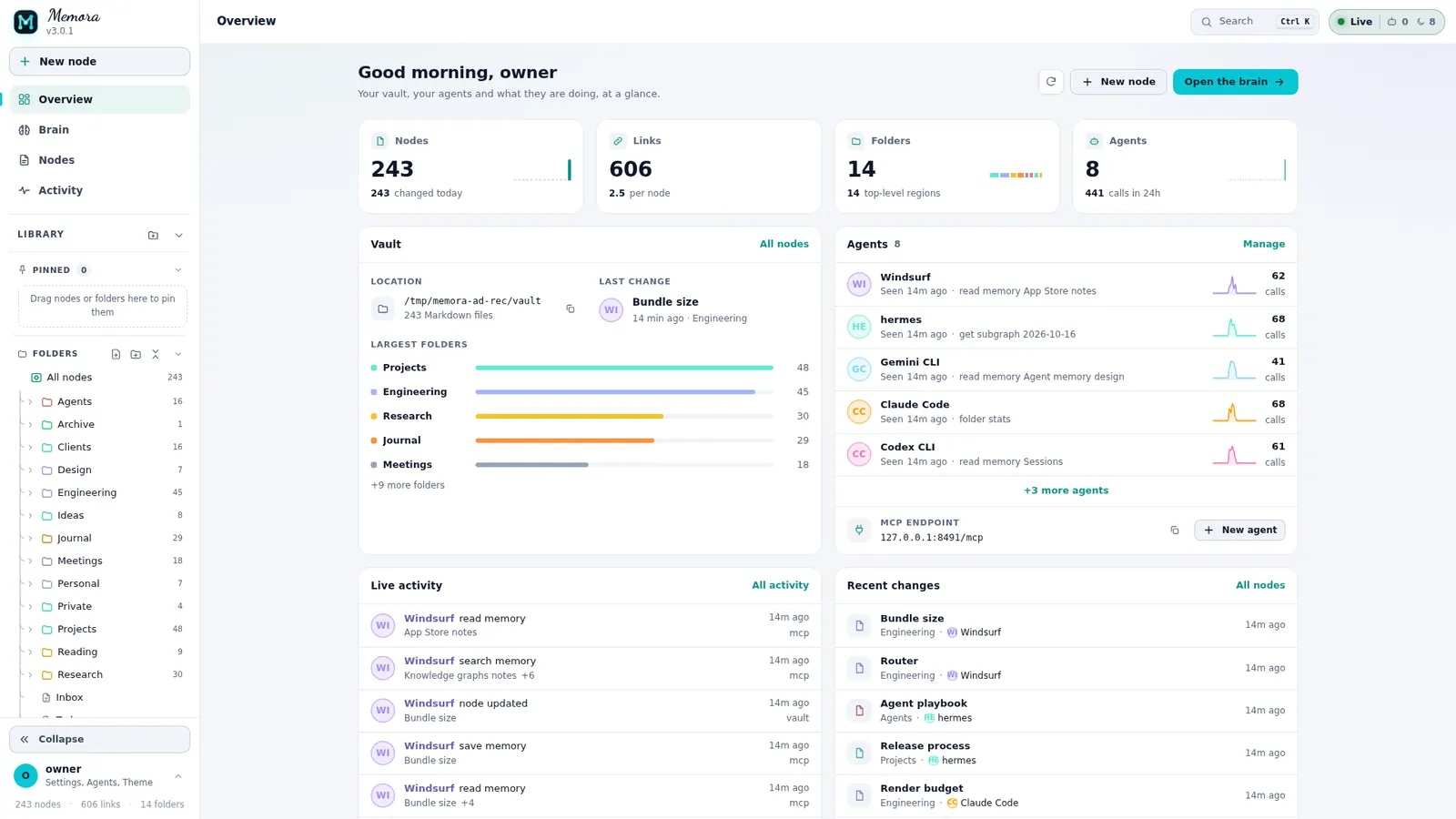
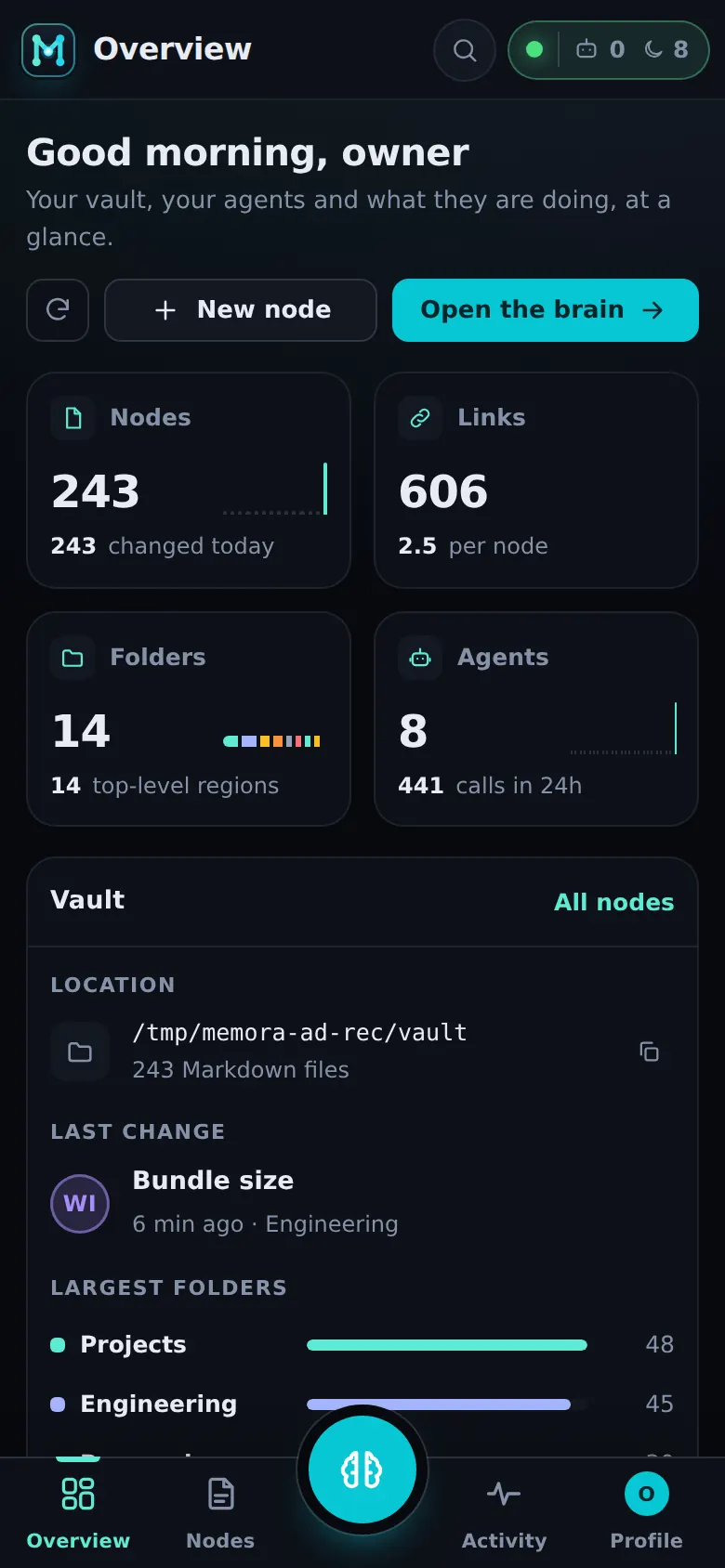
Your vault, your agents, at a glance.
A greeting header with Refresh, New node and Open the brain, then the numbers and cards that matter.
- KPI tiles with mini bars: Nodes, Folders, Links (opens the Graph) and Agents
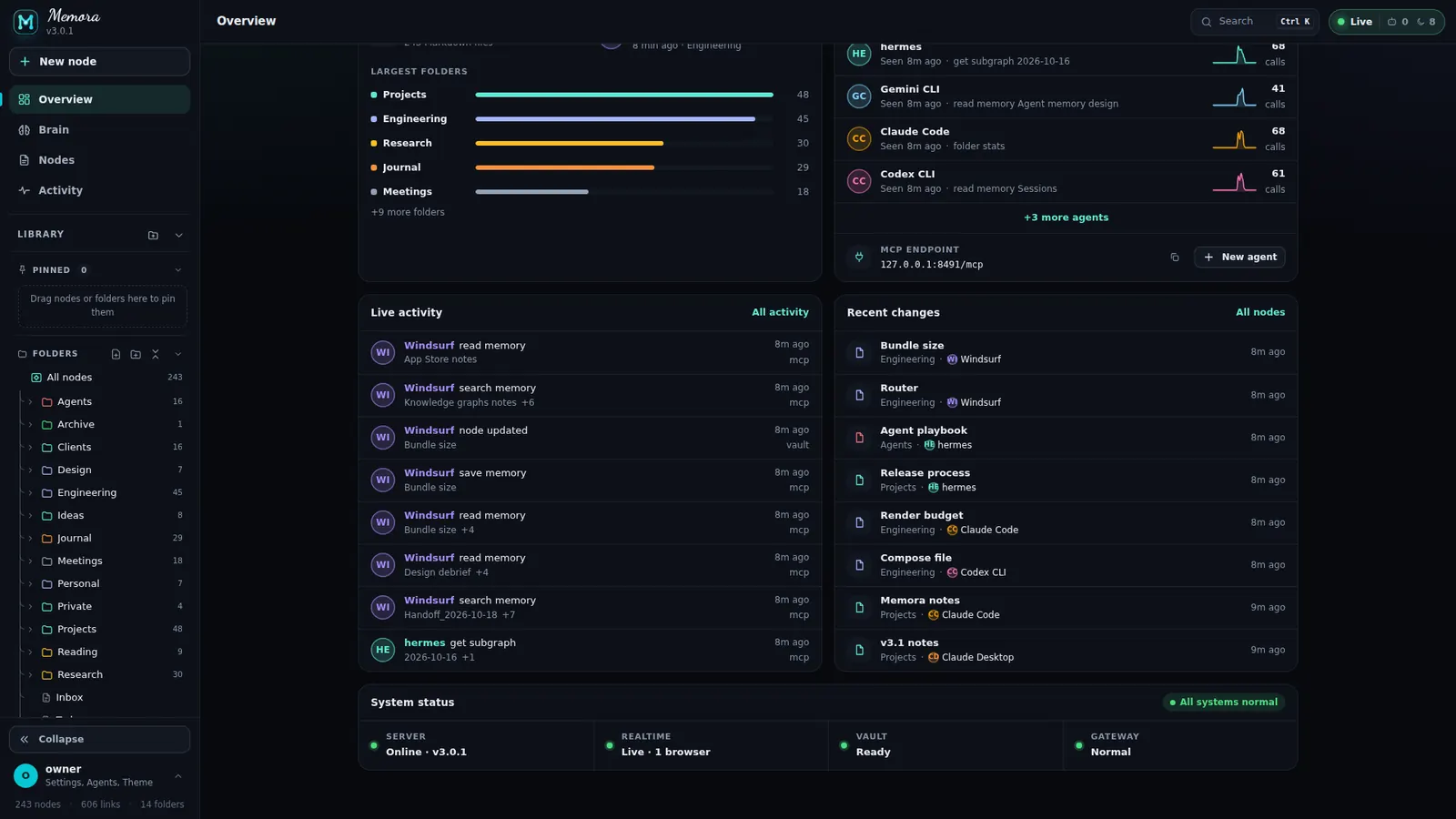
- Cards: Vault (location, last change, largest folders), Agents with the MCP endpoint and copy, Live activity (24 h), Recent changes
- System status: Server, Realtime, Vault, Gateway, "All systems normal" or "Needs attention"
- A first-run card while the vault is empty, and friendly empty states
Plain Markdown. Nothing locked in.
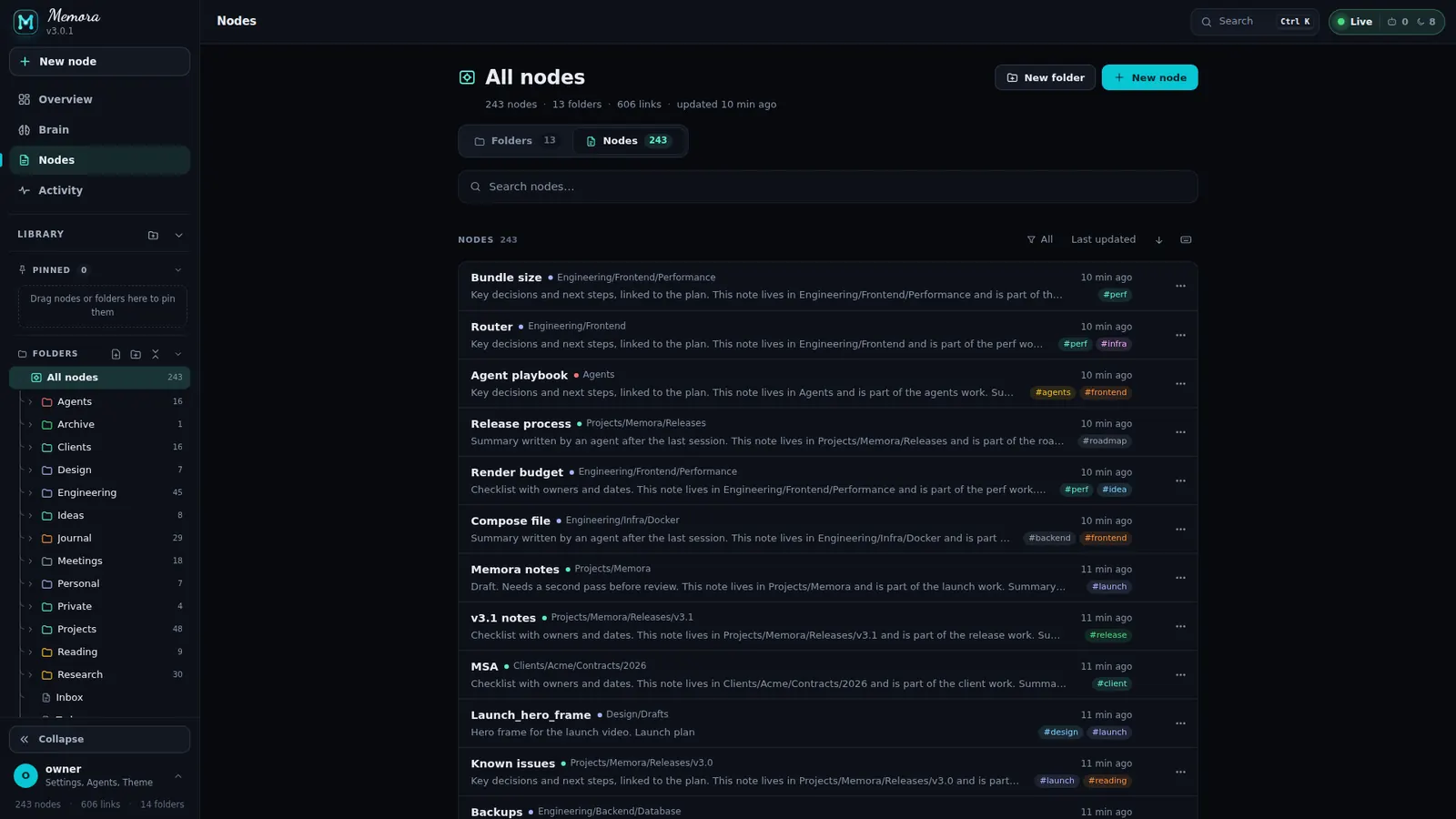
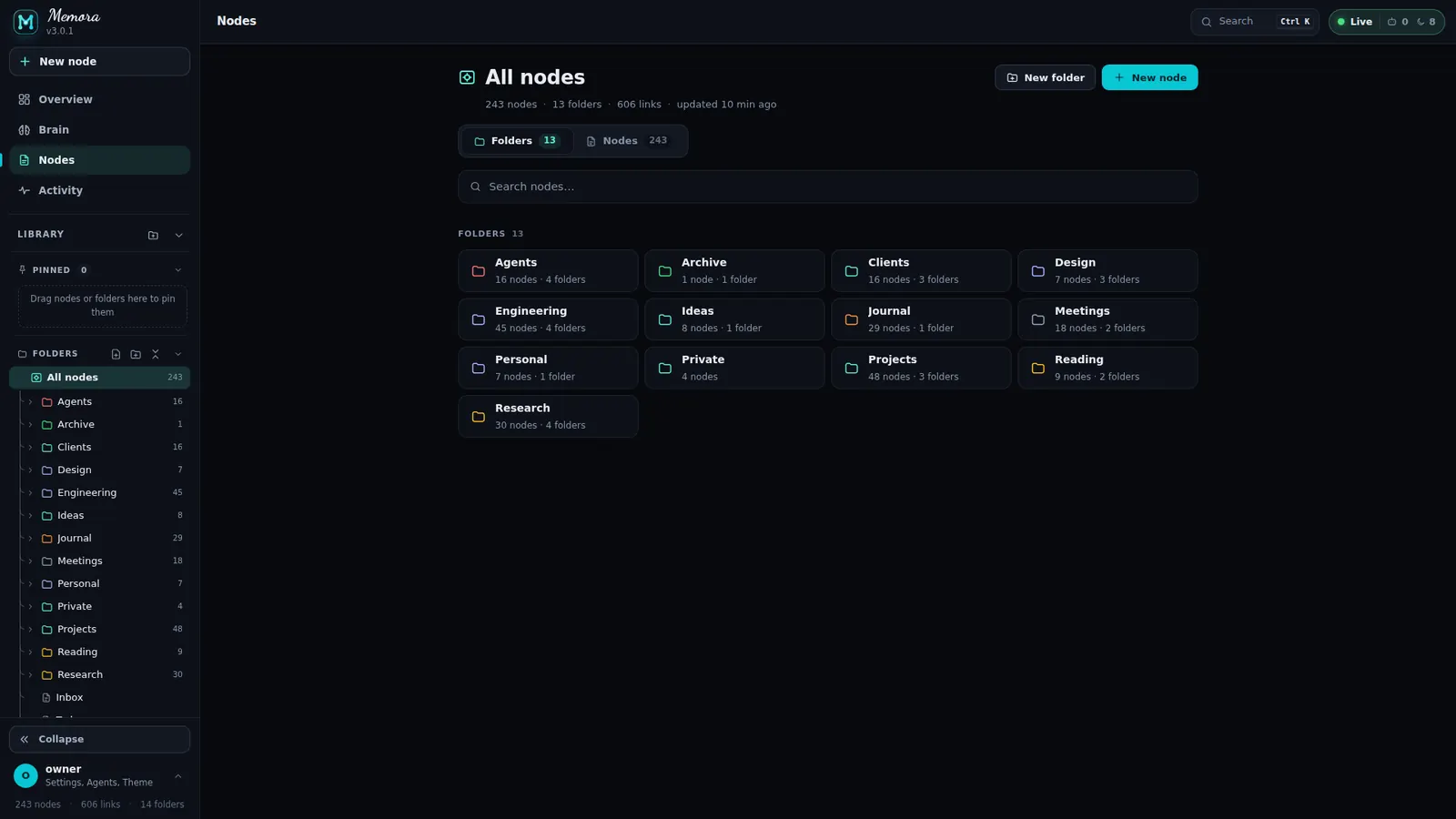
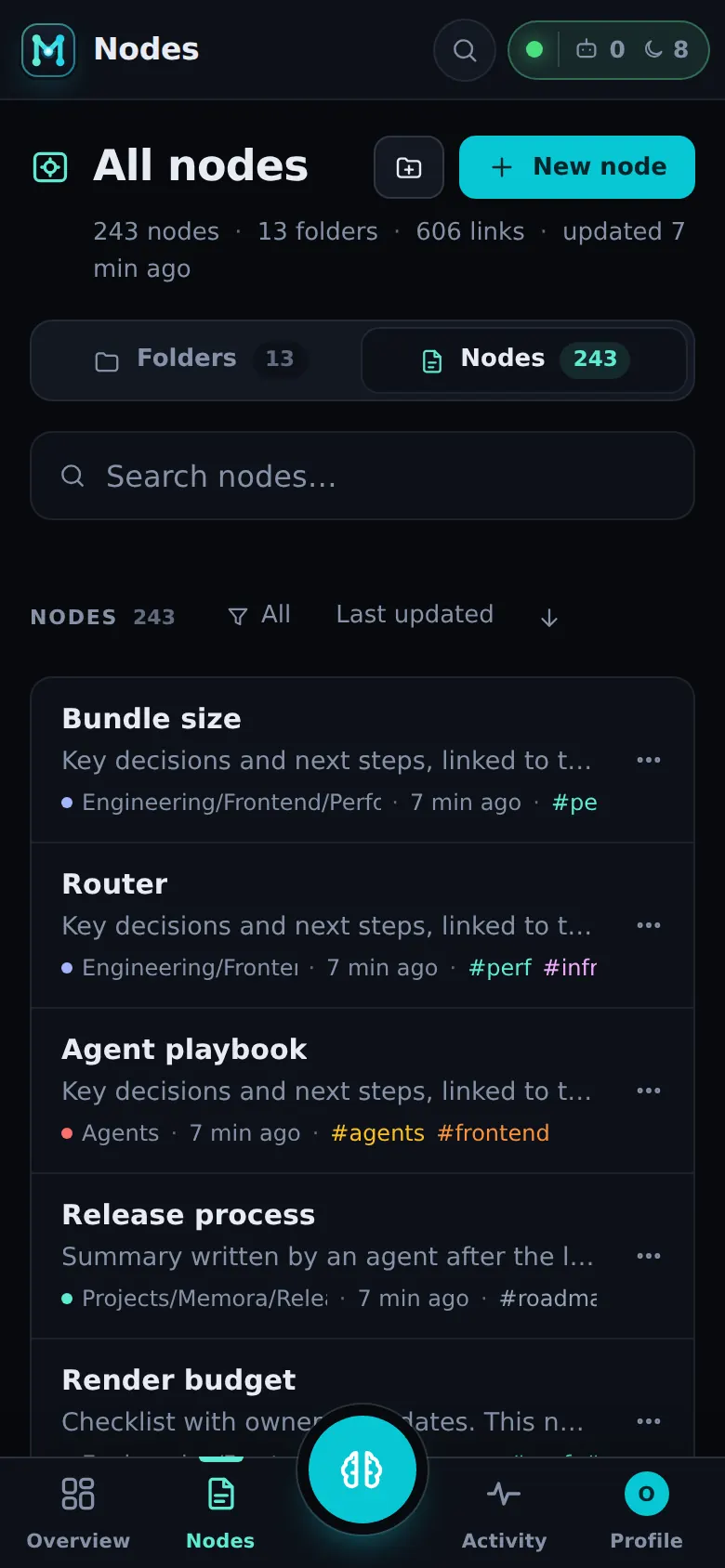
Notes stay Markdown files in a folder you choose. In Memora every note is a node you can browse by folder, filter, sort and move.
- Folders / Nodes tabs with counts and an animated pill; breadcrumb from All nodes, Up, New folder, New node
- Search nodes full width, with did-you-mean when nothing matches
- Filters: All, Agent activity, Last 24 hours, Pinned; sort by updated, name or folder, either direction
- Multi-select (Space, Shift+arrows, Ctrl+A) with a bulk bar: Move, Pin, Delete, Clear
- Dialogs: New node with a location picker, New folder, Move picker, Folder look (colour, icon or emoji)
A folder tree that keeps up.
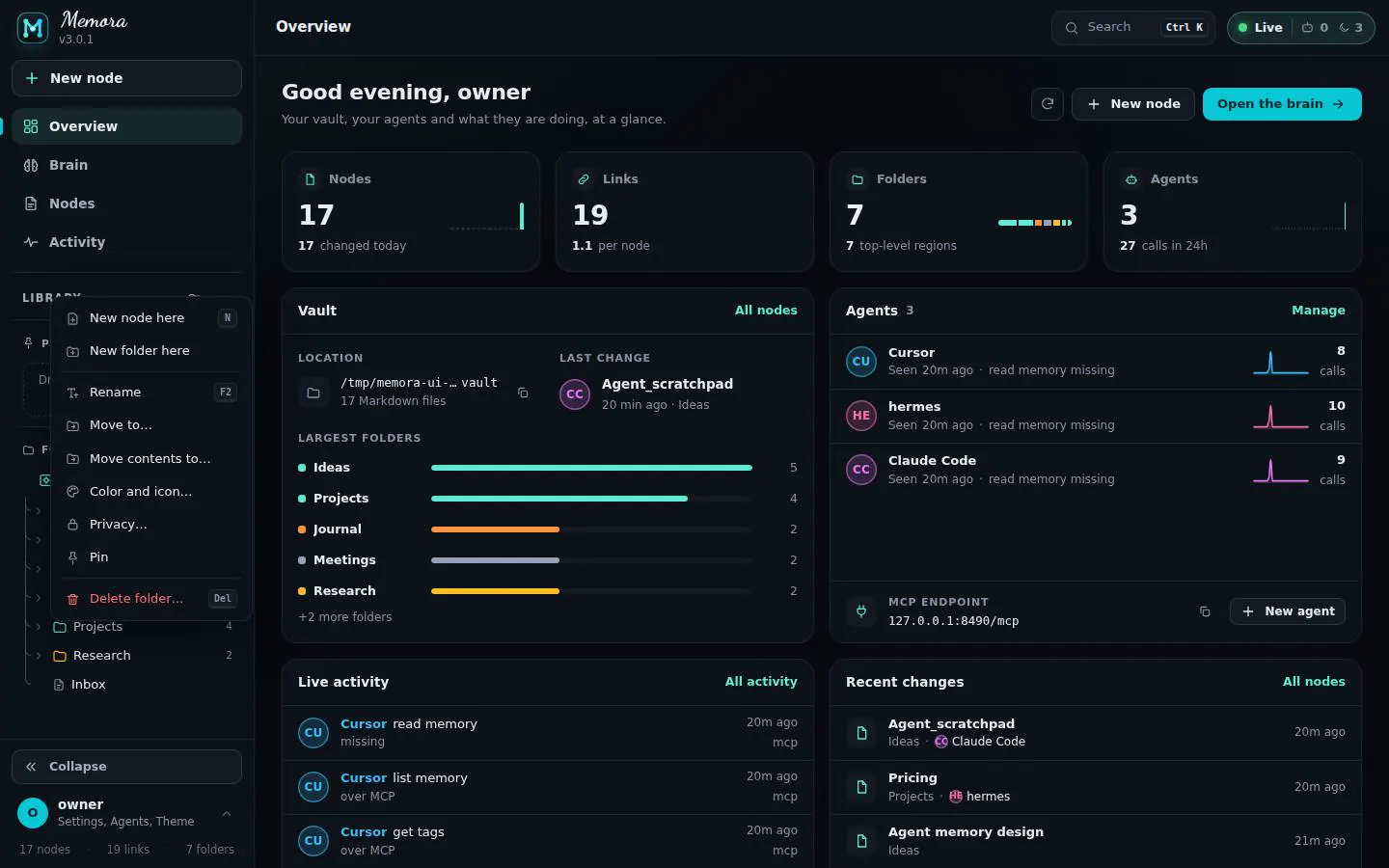
The sidebar holds the brand, New node, the main pages and your Library: Pinned and Folders.
- Three shapes: full sidebar on desktop, an icon rail (remembered), a swipe-to-close drawer on phones
- Drag and drop into folders with auto-expand; drag pins to reorder
- Pins on the server: they follow renames and moves, show on every device, and agents can pin over MCP
- Folder menu: new node or folder here, rename, move, move contents, colour and icon, privacy, pin, delete
- Node menu: open, rename, move, pin, privacy, copy wikilink; undo toasts for move and rename
- Full keyboard tree: arrows, Enter, F2 rename, Del, P pin, N new
Read it like a book.
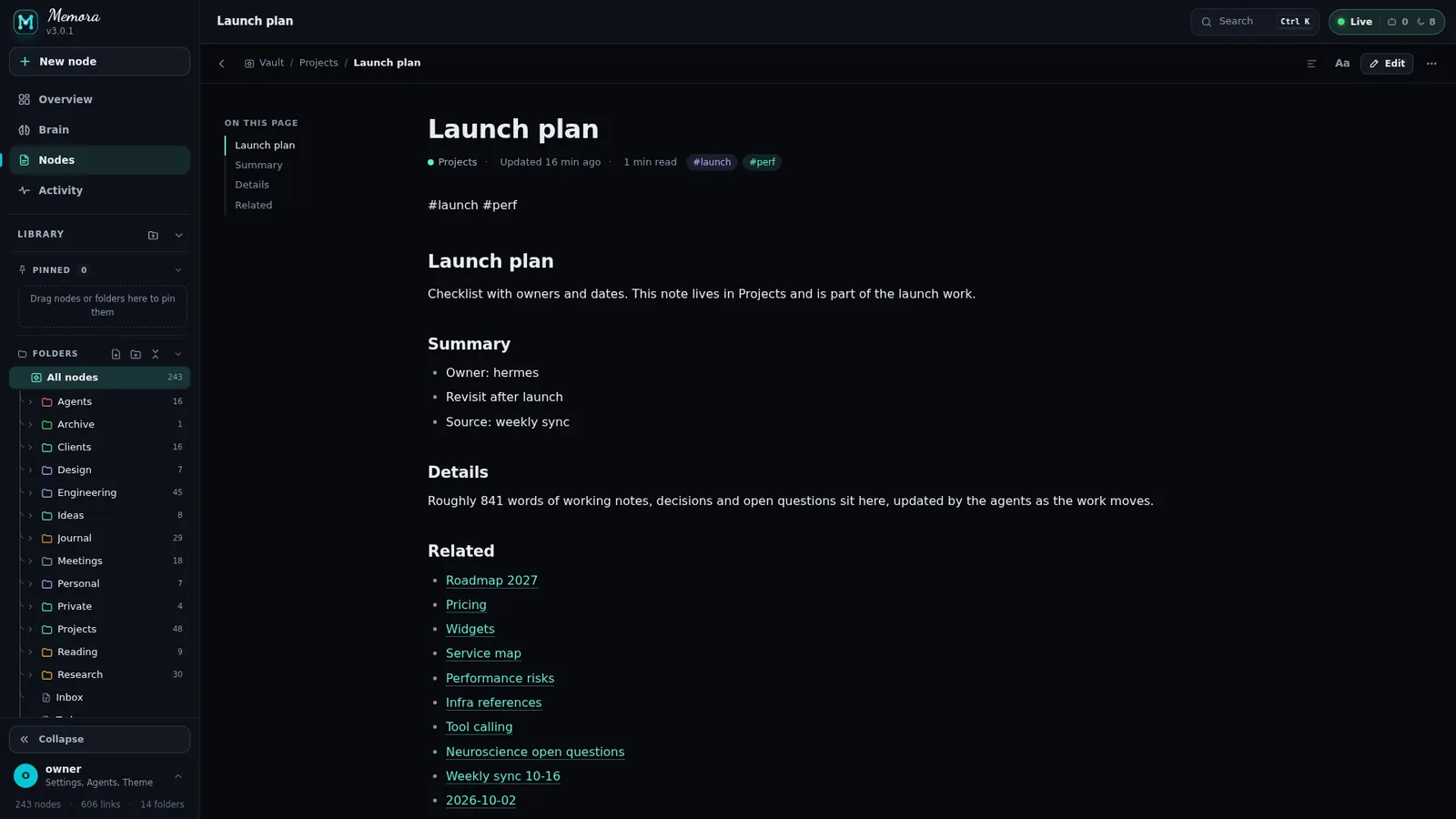
Markdown with wikilinks, missing-link creation, images in a lightbox gallery and scrollable tables.
- Top bar: back, breadcrumb, save state, Contents, Aa, Edit / Done, More
- Header: title (double-click to rename), updated time, agent touches, tag chips
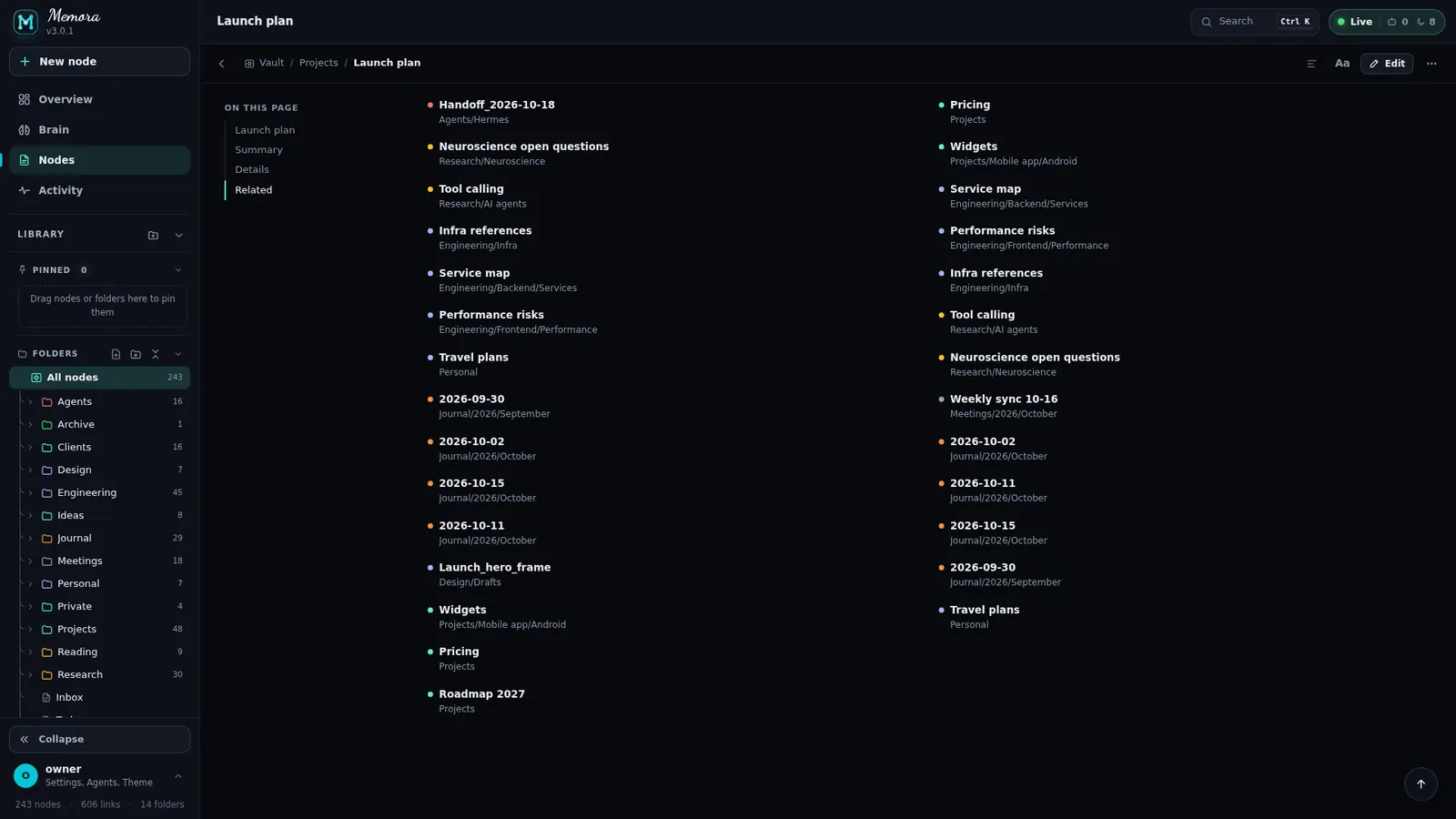
- Outline rail "On this page" on wide screens; Backlinks and Links out at the end
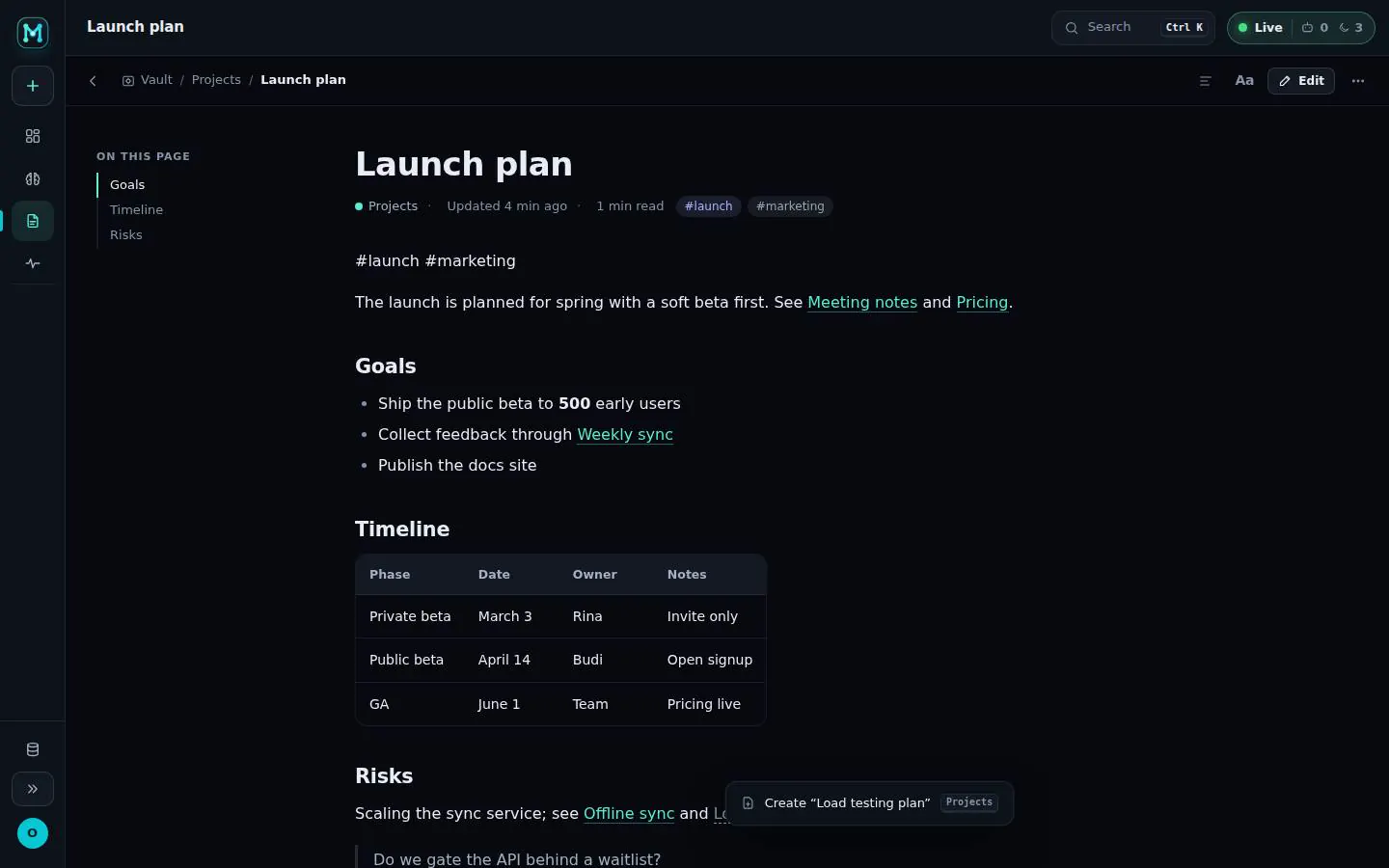
- Lightbox with arrows, swipe, zoom and Open original; missing links offer Create "X"
Your page, your way.
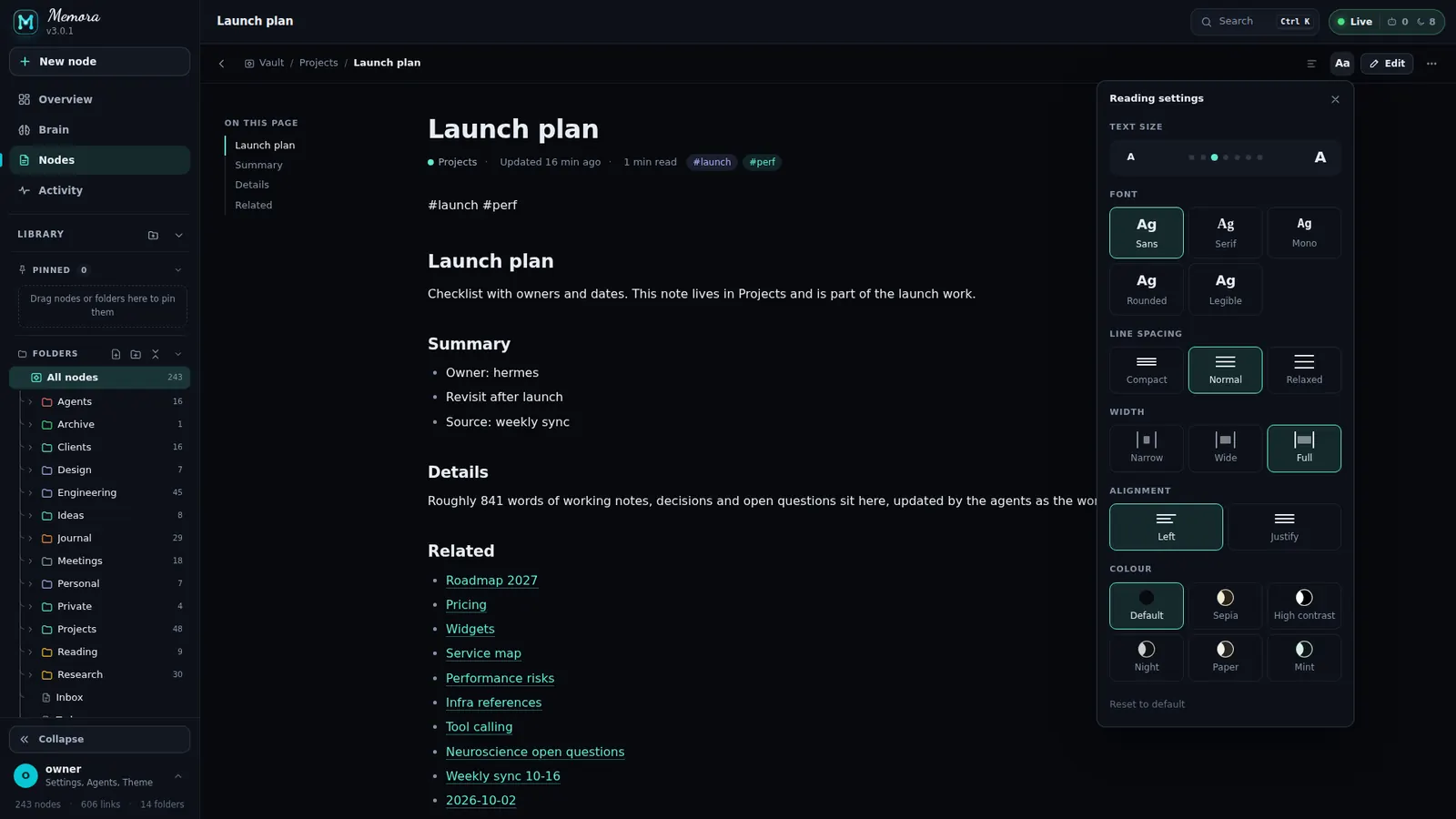
The Aa panel (a sheet on phones) tunes reading, with Reset to default.
- Size: 7 steps from 13 to 24 px
- Font: Sans, Serif, Mono, Rounded, Legible
- Line spacing, width (Narrow, Wide, Full) and alignment (Left, Justify)
- Colour: Default, Sepia, High contrast, Night, Paper, Mint
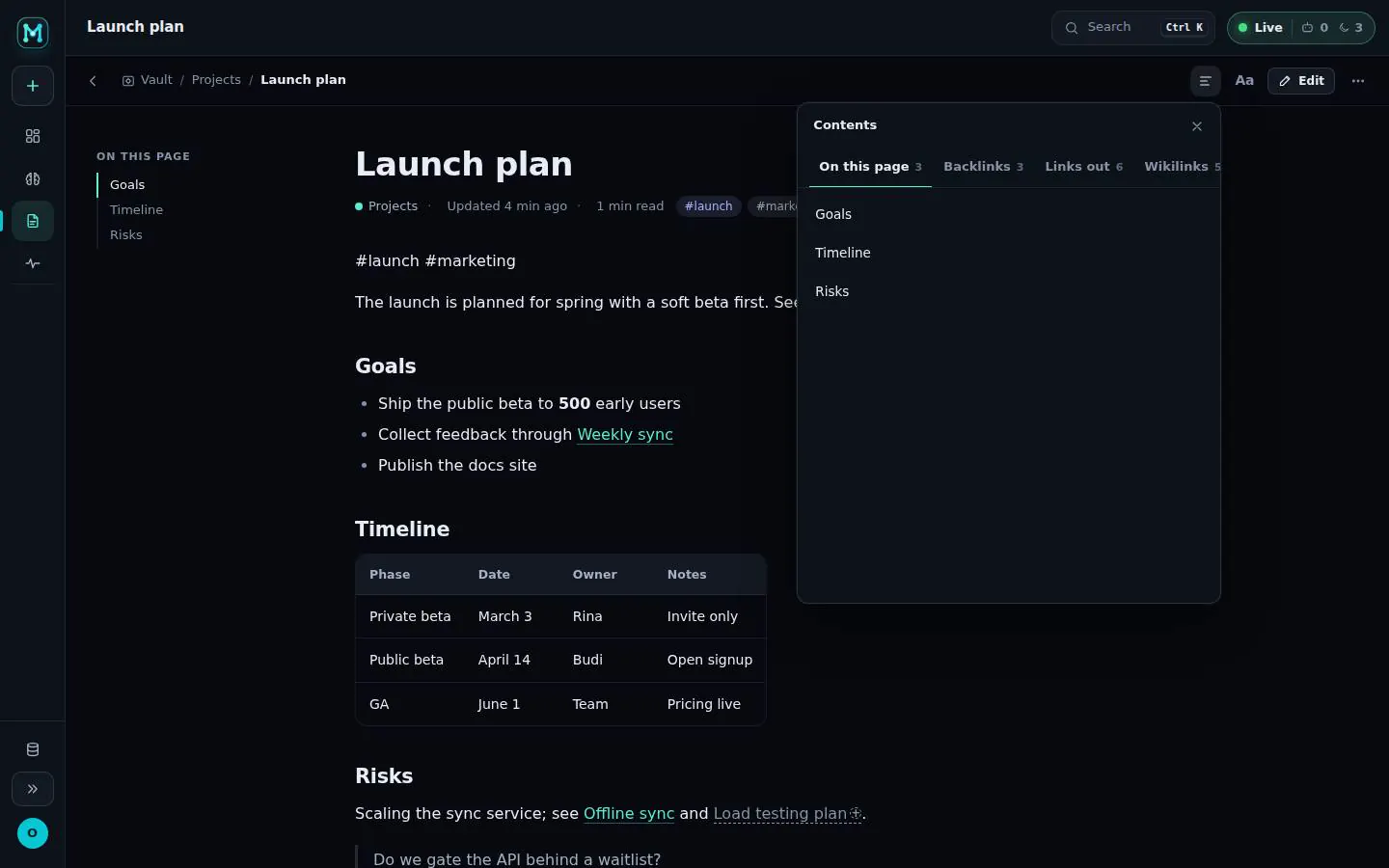
- Contents panel: on this page, backlinks, links out, wikilinks
Edit in place. Never lose a word.
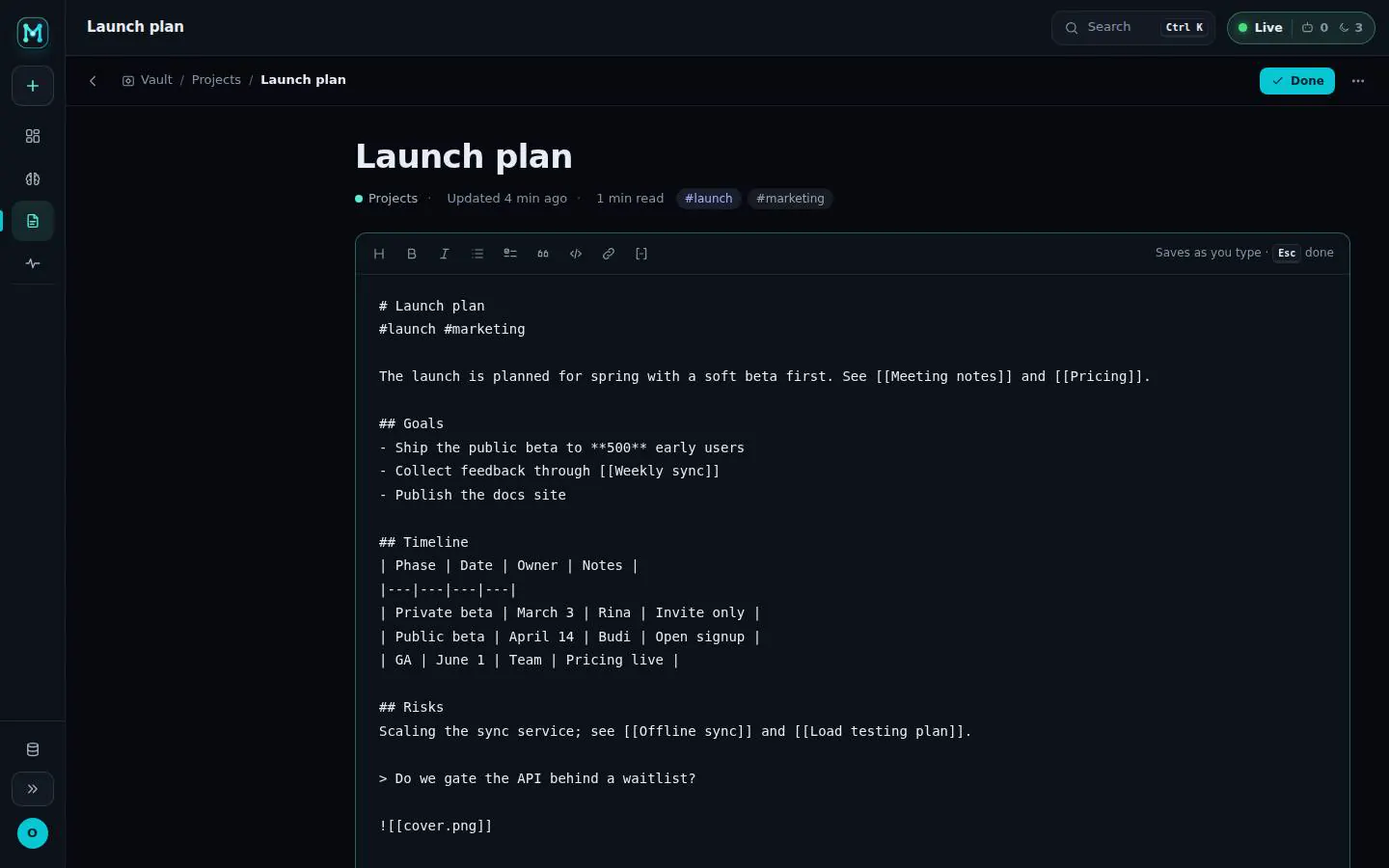
Press E to edit. Autosave tracks every keystroke and protects you when an agent edits the same note.
- Toolbar: Heading, Bold, Italic, List, Task, Quote, Code, Link, Wikilink
- [[ autocomplete for wikilinks
- Autosave: Saved / Saving / Failed / Conflict
- Conflict banner: Compare, Use theirs, Keep mine
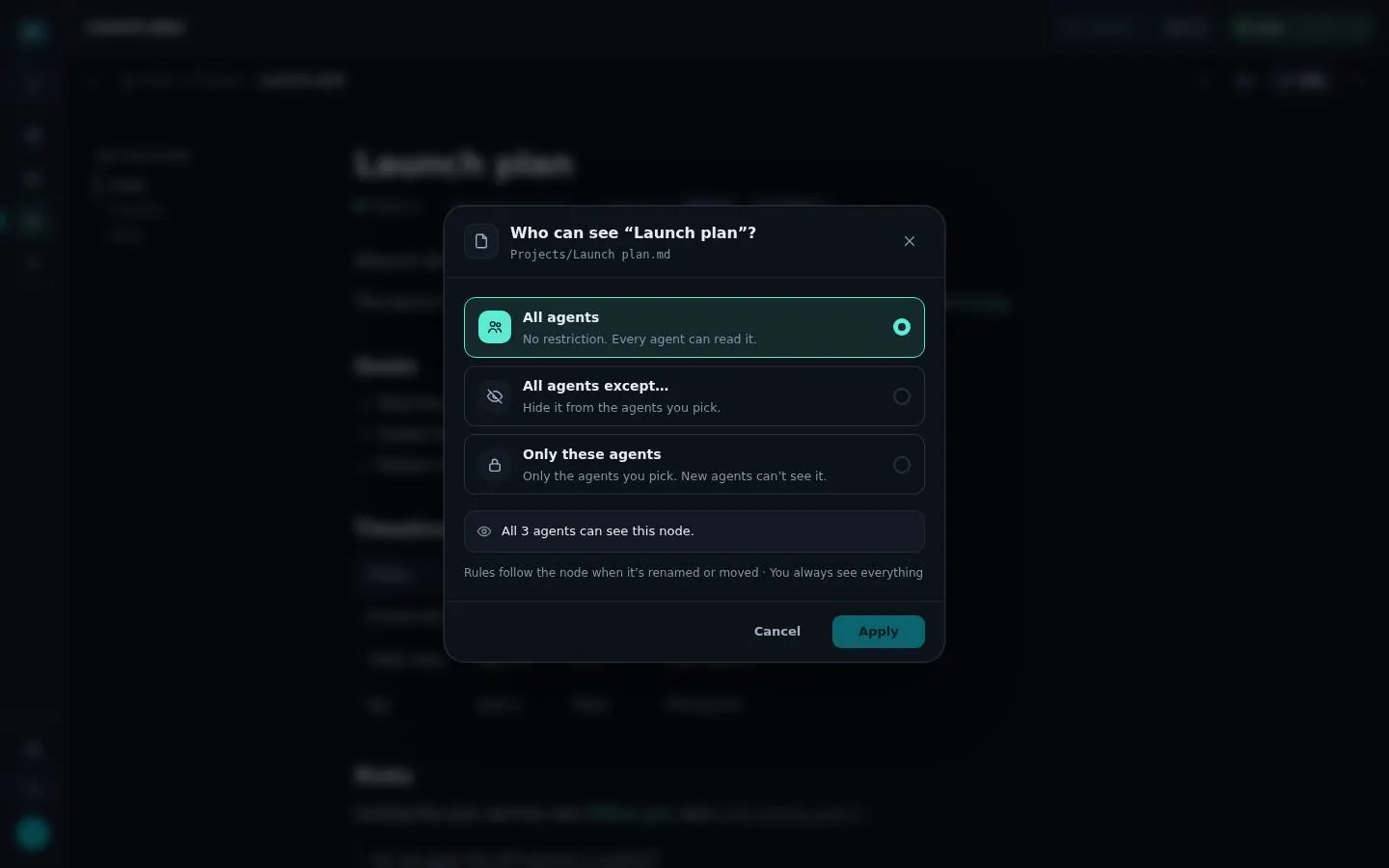
"Who can see this note?"
Any note or folder can be limited, from the tree menu or the reader.
- All agents, All agents except… or Only these agents, with an agent checklist
- Agents locked by a folder rule are marked
- Private items show a lock in the tree
- Centred dialog on desktop, a sheet on phones; Apply only after a change
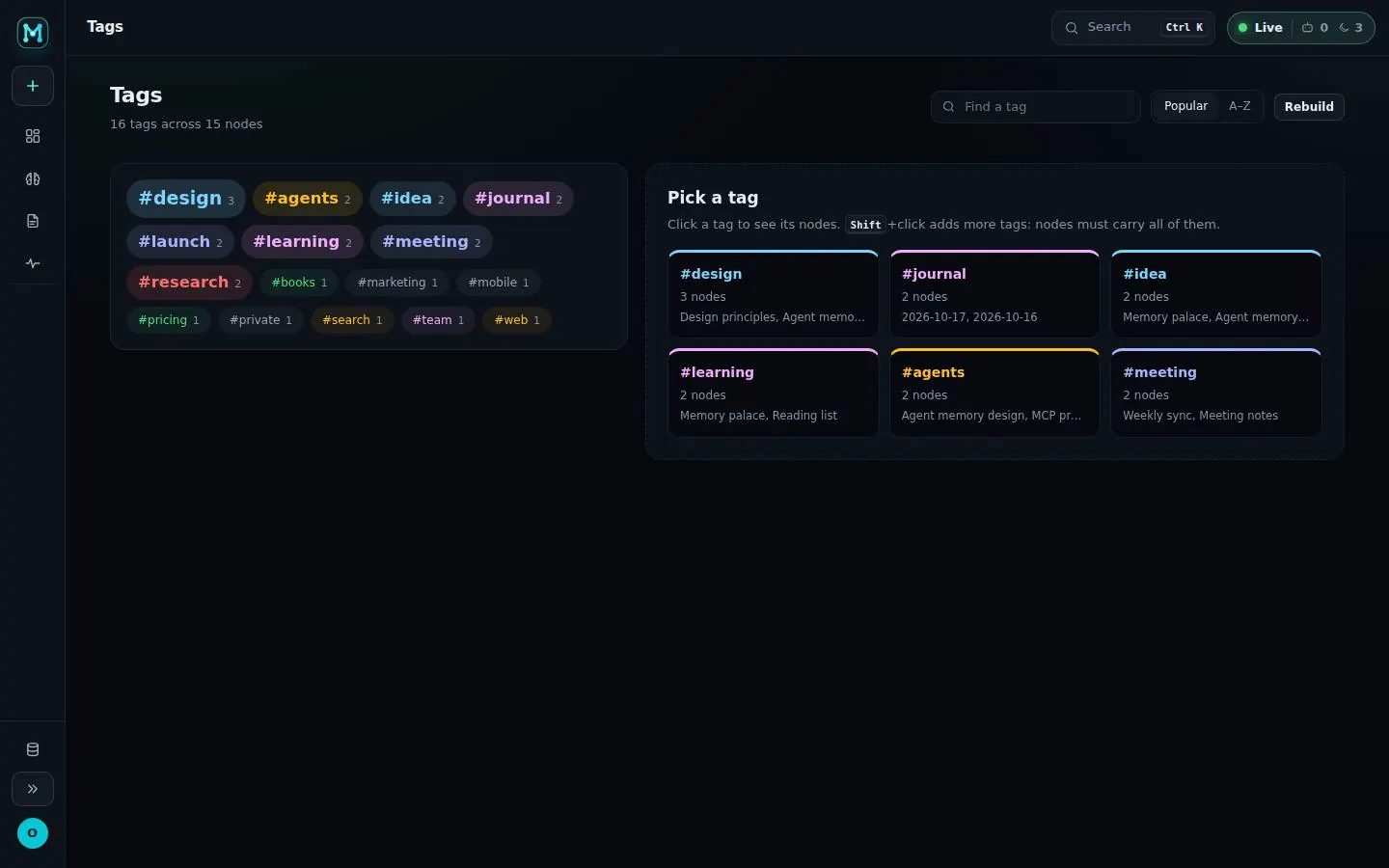
Tags that connect the dots.
A tag cloud with search, sorting and related tags, plus a node list with a preview panel.
- Find a tag, sort Popular or A–Z, Rebuild
- Click to pick, Shift+click to require several; selected pills and Related tags
- Preview peek panel next to the node list (phones open the node)
The brain in 3D, the graph, the canvas and the map tools around them.
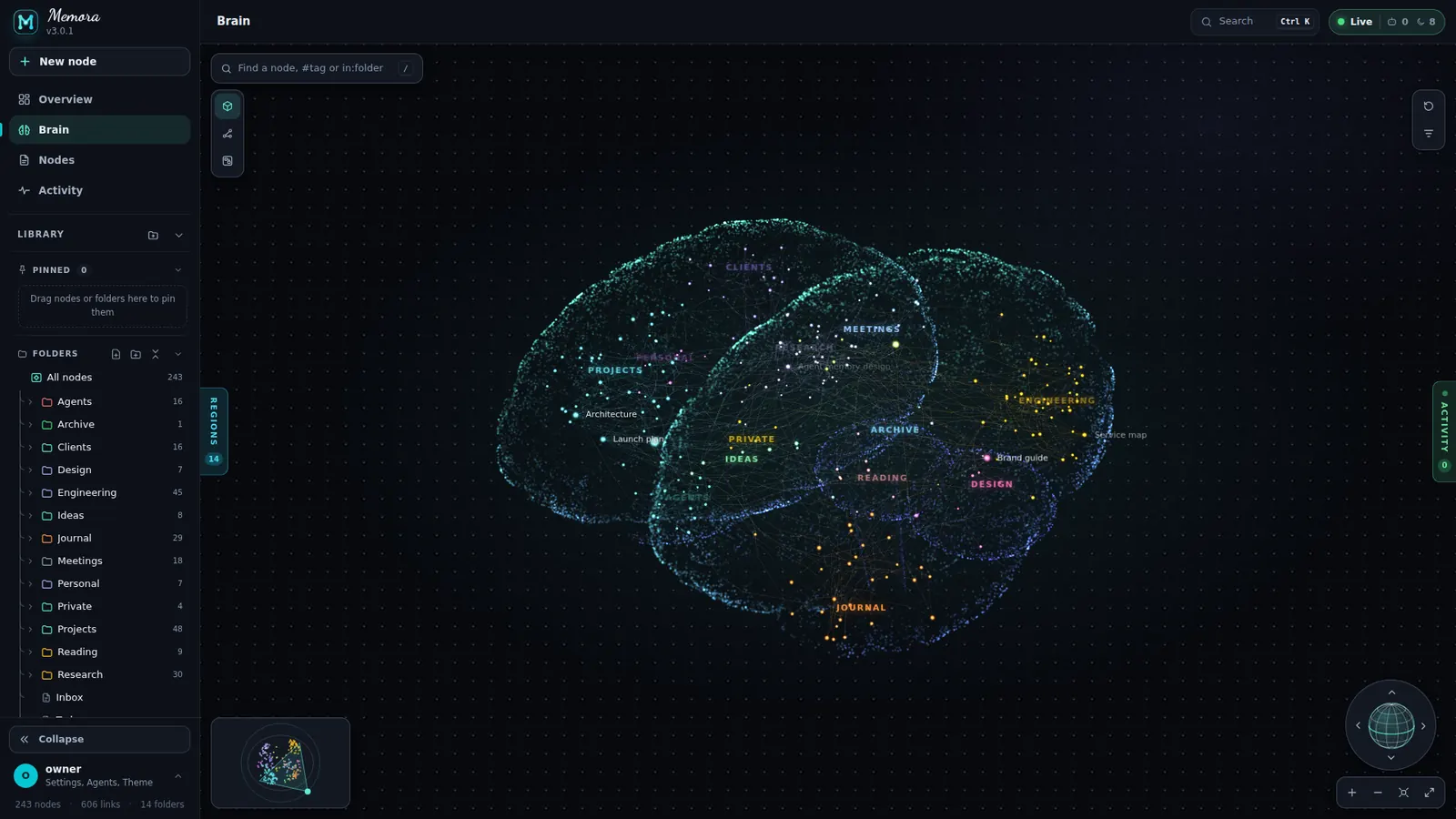
A living brain of everything you know.
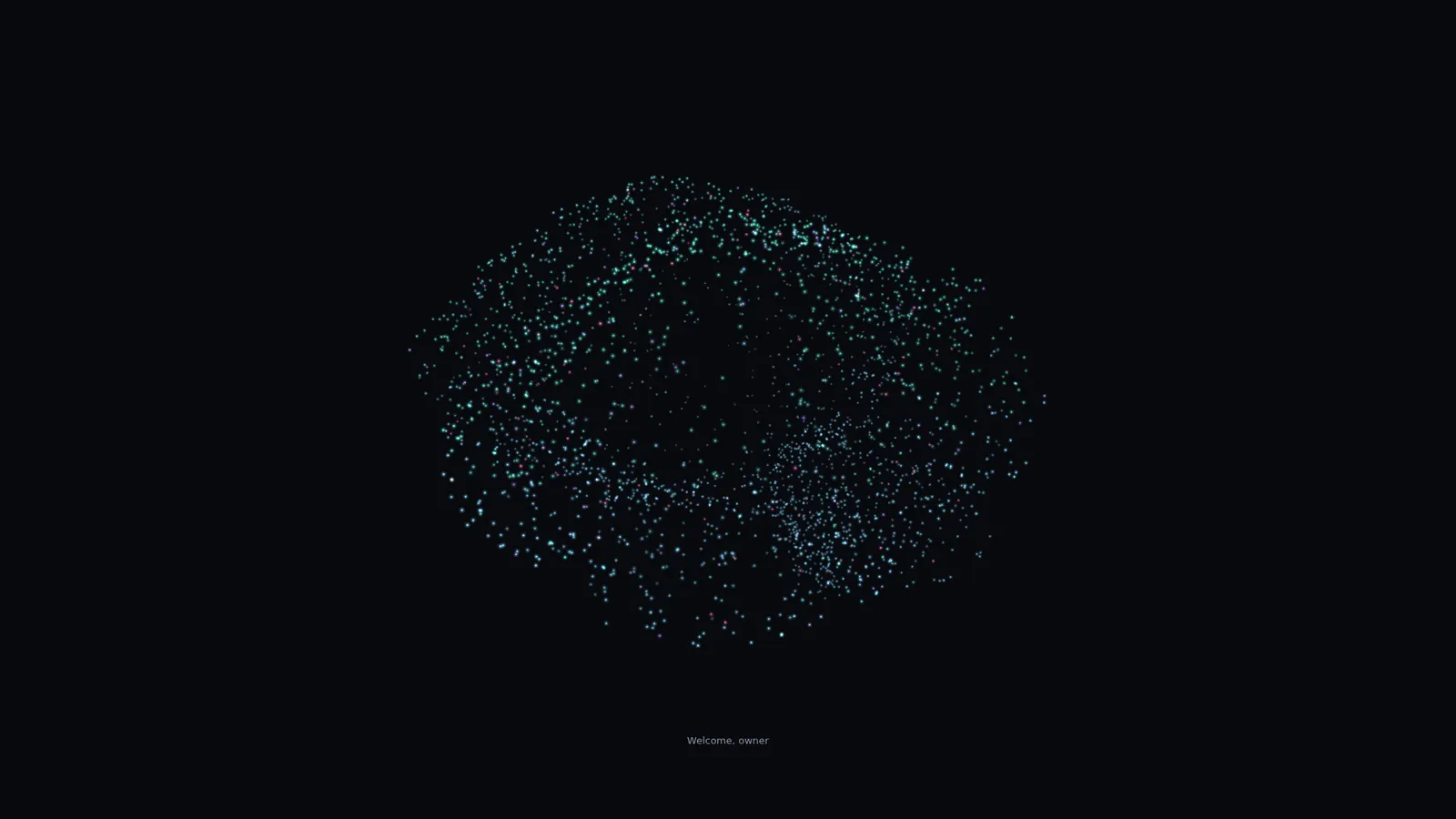
Thousands of particles shape a cortex; every note sits in its folder region. A boot splash morphs the M mark into the brain.
- Auto-rotate resumes 2 s after you let go and pauses while a node is selected; toggle "Rotate when idle"
- Regions: open a folder and the brain grows, close it and it folds back into a hub
- Live: agents light up the notes they touch
- Fewer particles on small screens
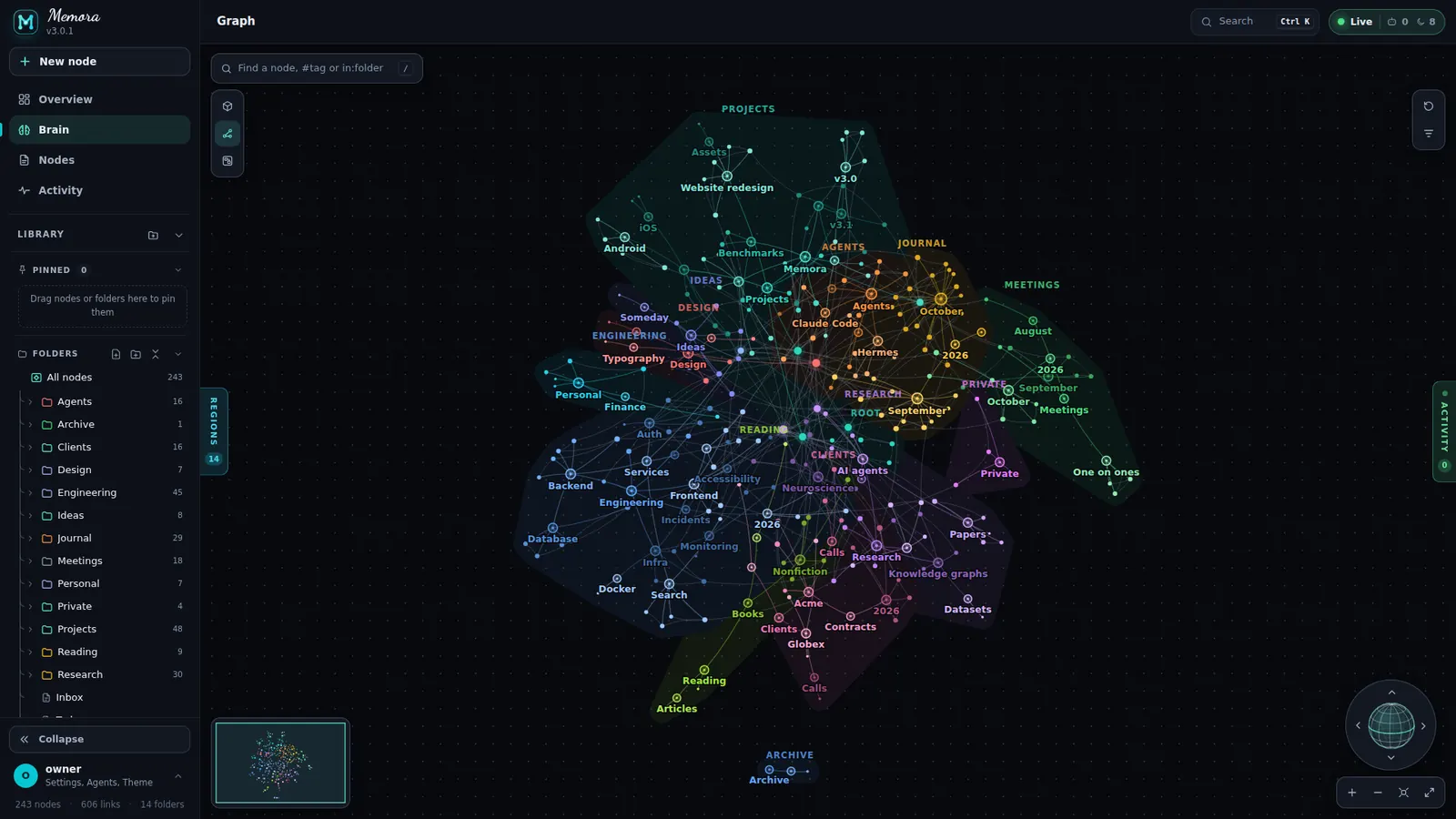
Every link, laid bare.
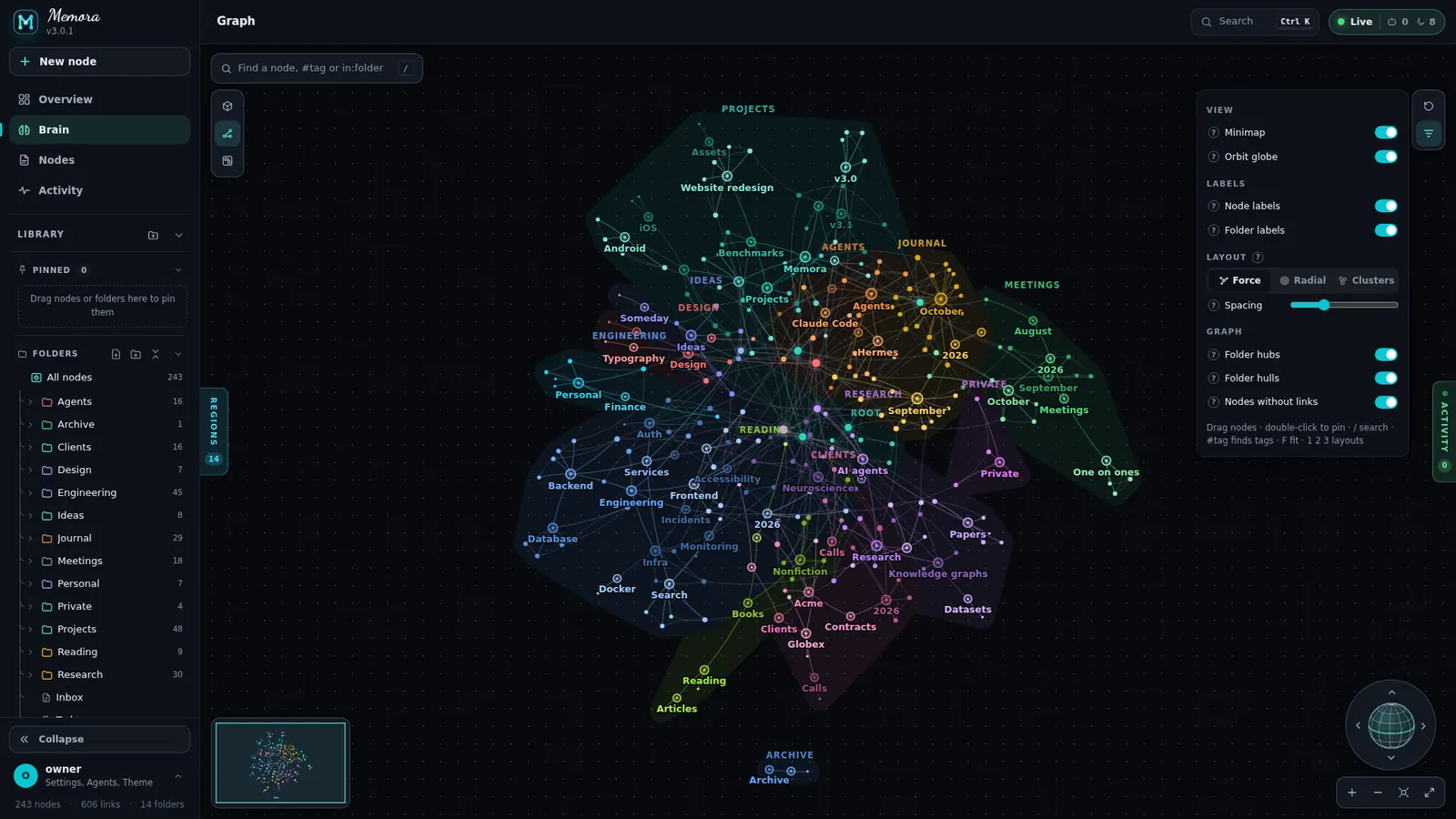
The same vault as a force graph.
- Layouts: Force, Radial, Clusters (keys 1/2/3) with a spacing slider each
- Toggles: Folder hubs, Folder hulls, Nodes without links
- F fits; P or double-click pins a node; tag filter
Lay it out on a board.
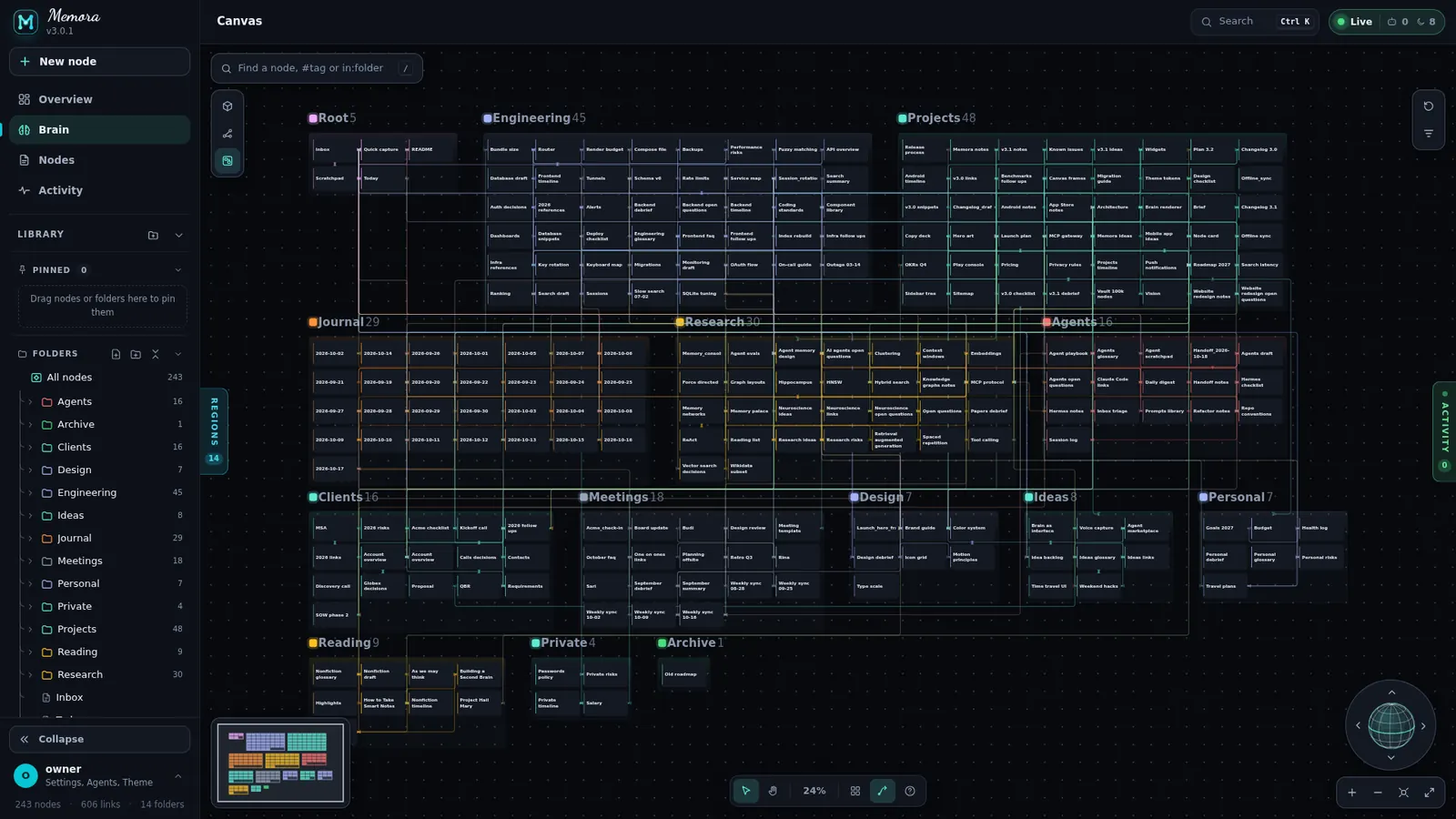
Cards in frames, one frame per folder. Move a card to another frame and the file moves too.
- Toolbar: Select V, Hand H, 100%, Tidy T, Wikilinks L
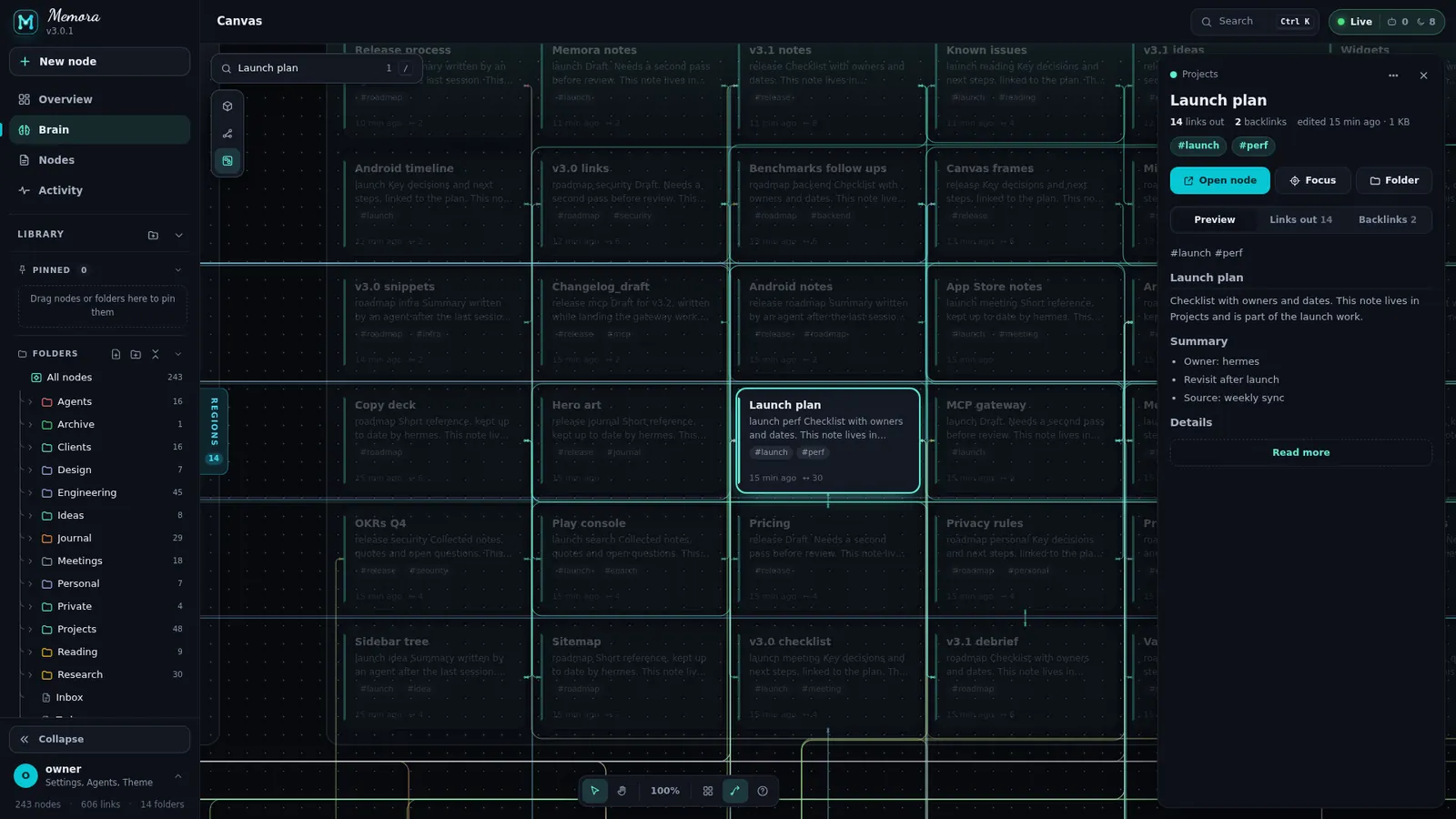
- Selection bar: preview, open, focus, align ×6, distribute ×2, tidy
- Frames: drag, rename, tidy, colour, resize
- Undo with Ctrl+Z (last 20 moves and renames); pinch and long-press drag
Tools that follow every map.
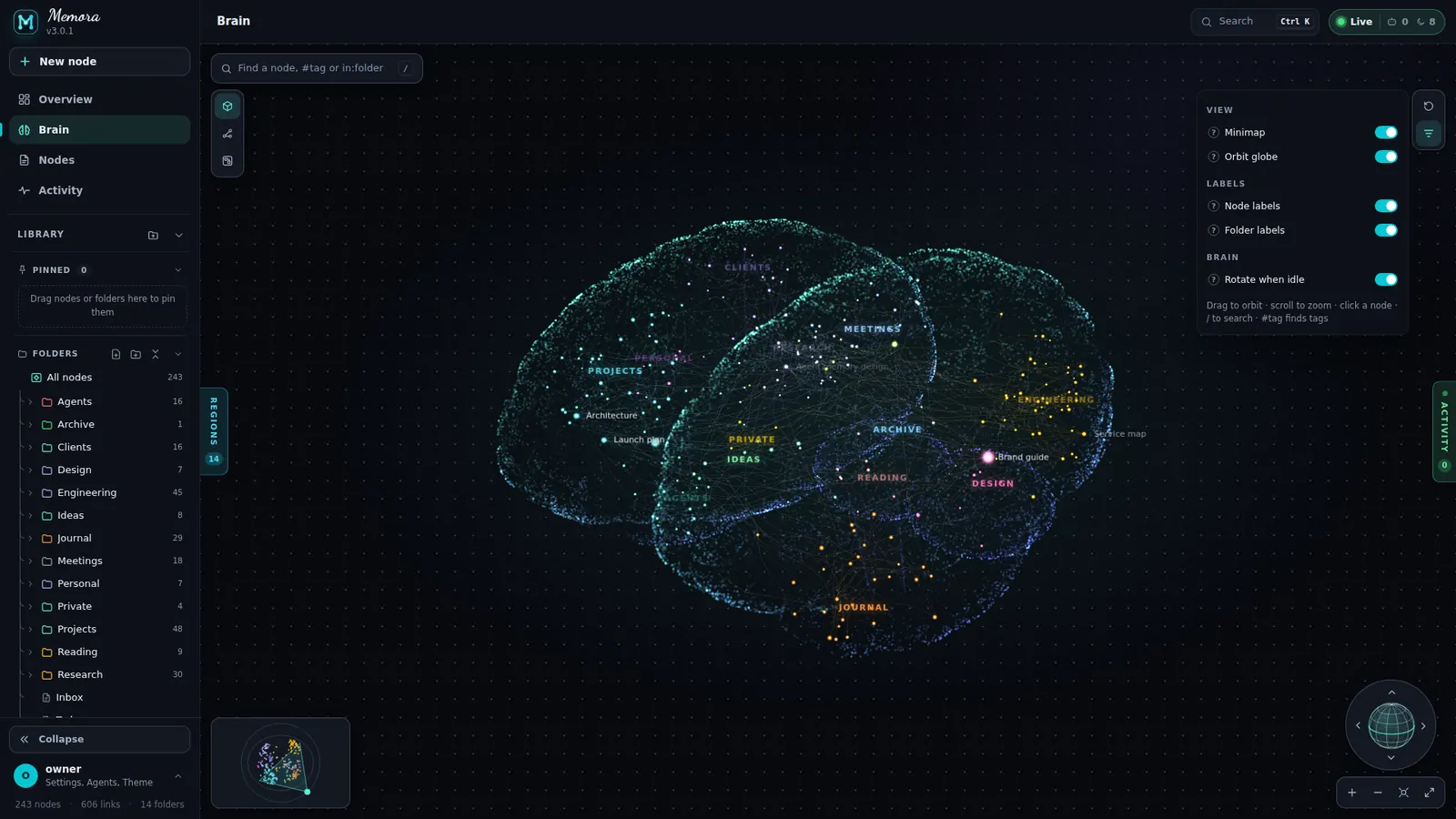
Brain, Graph and Canvas share the same chrome, so you only learn it once.
- Mode buttons 3D / Graph / Canvas, Reset (glows when anything differs) and Filter with a badge
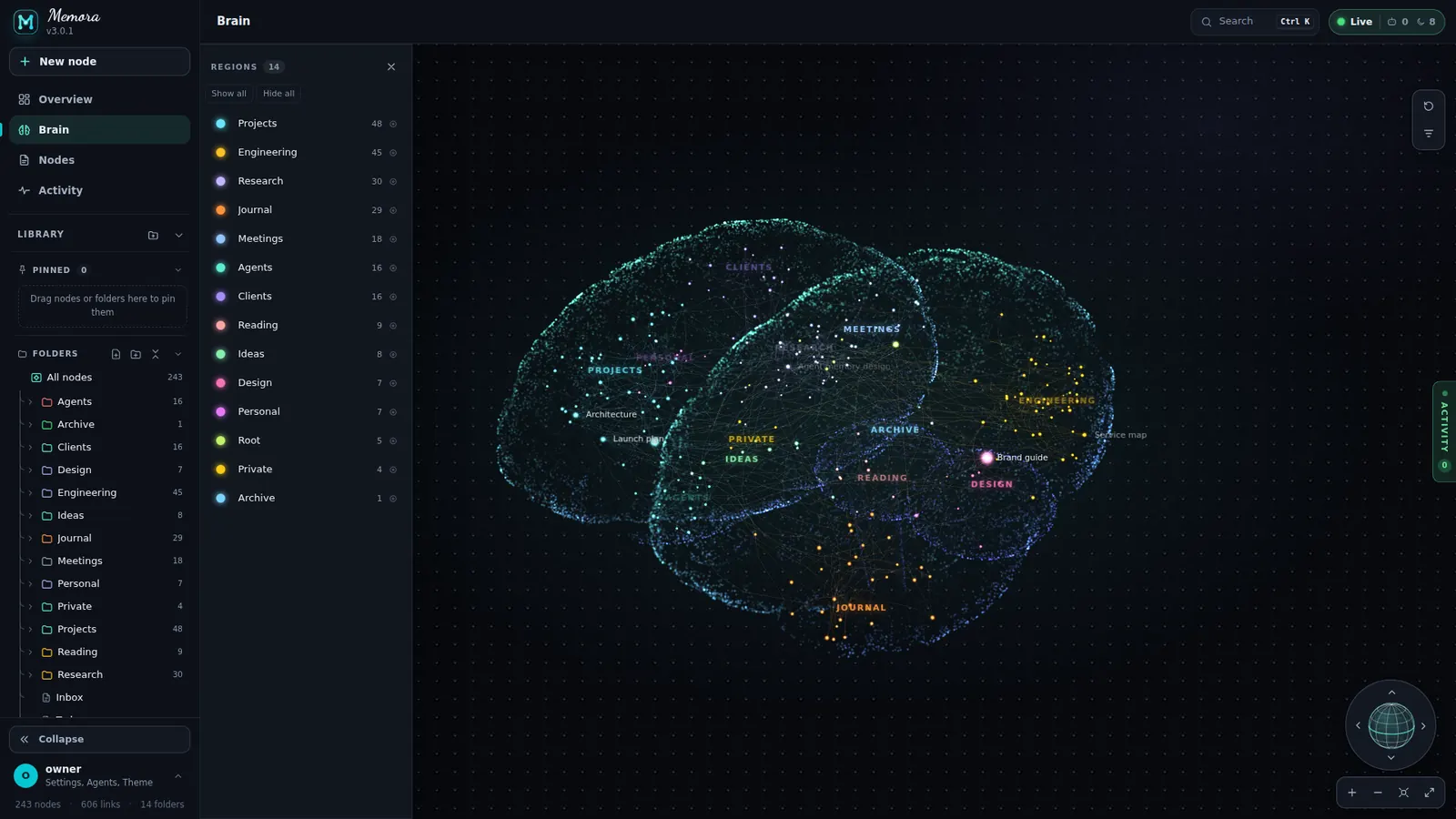
- Regions drawer: per-folder visibility, show all / hide all, click to fly there
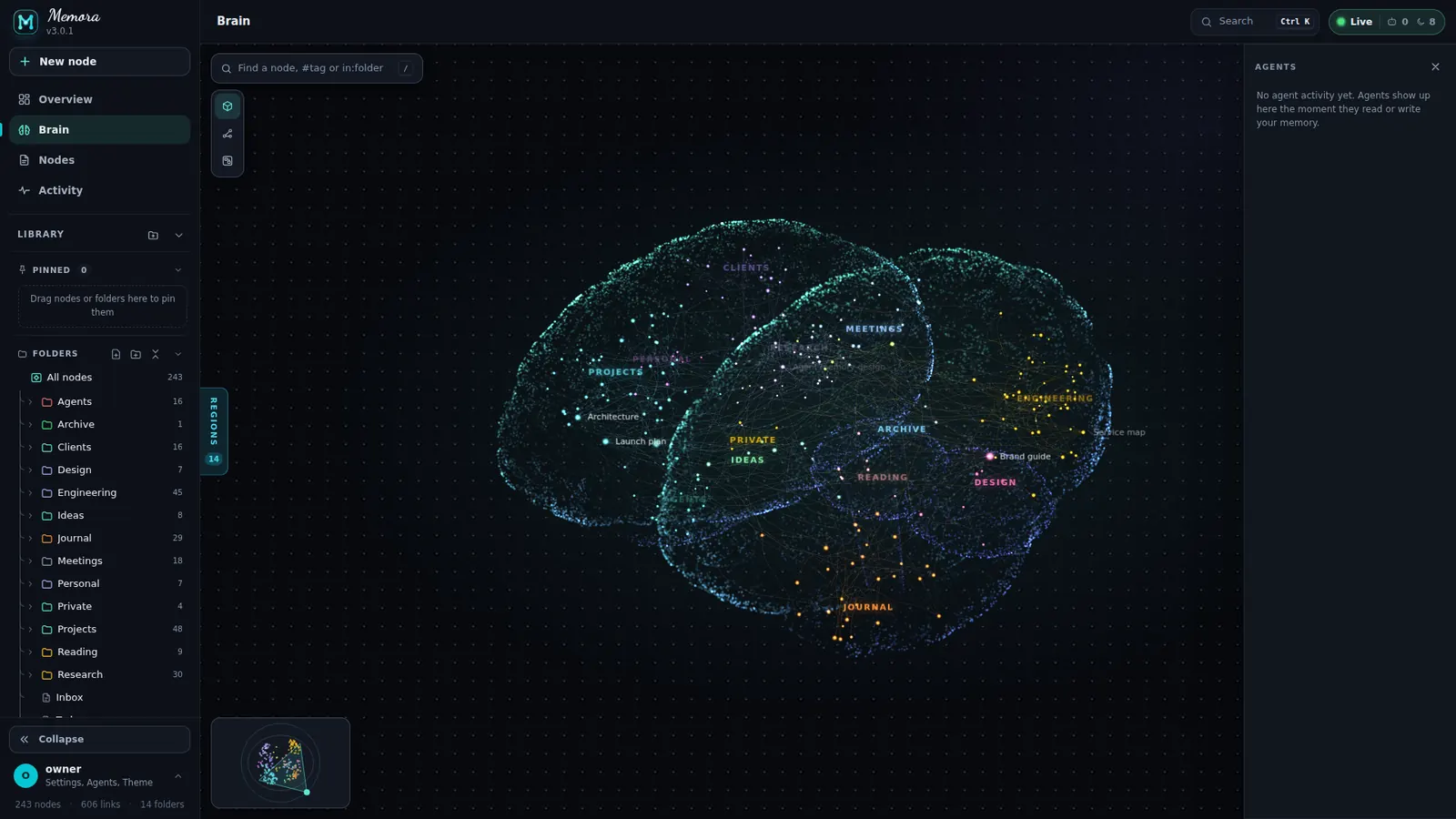
- Activity drawer: glows with a running light while agents work
- Minimap, orbit globe, zoom, fit and full screen; filter panel for labels and per-view options
Search the map, light the matches.
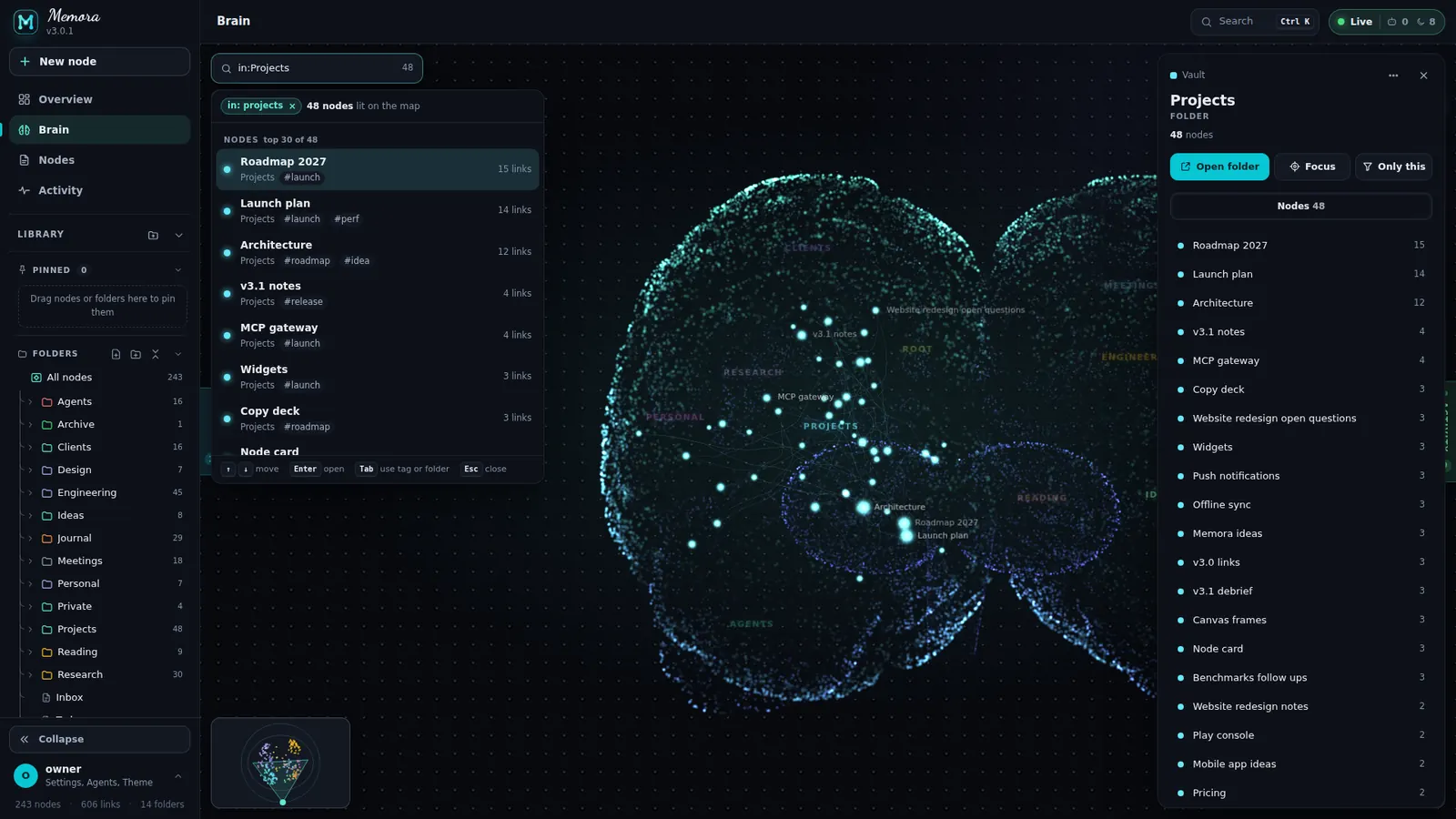
The finder on every map understands plain text, #tag and in:folder.
- Empty field: Recent, Most connected and tips
- Typing: Tags, Folders and Nodes with reason badges and highlighted letters
- Matches light up on the map; "did you mean" and "N more are lit"
- ↑ ↓ Enter, Tab completes, Esc
Click a node. Everything about it.
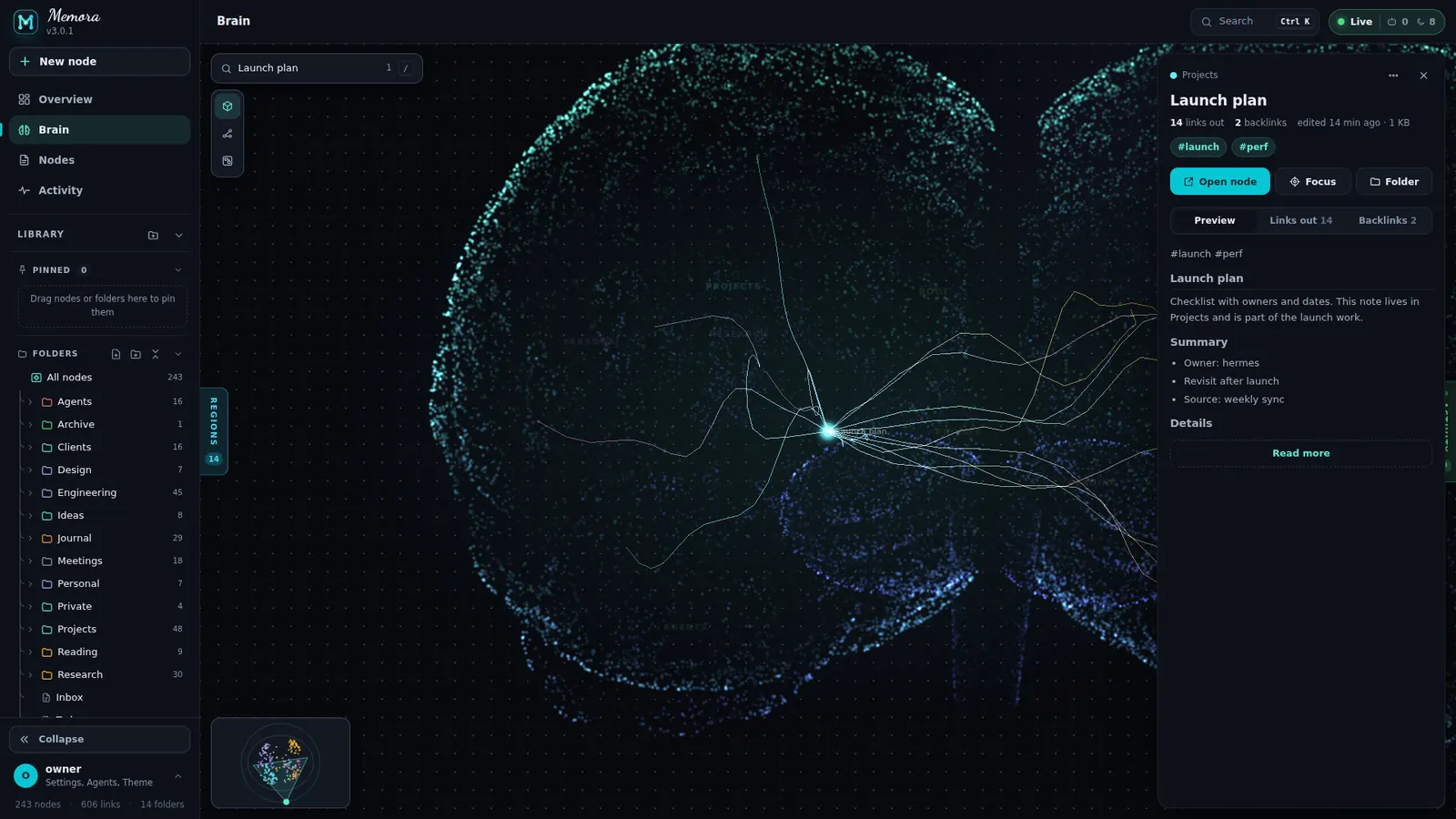
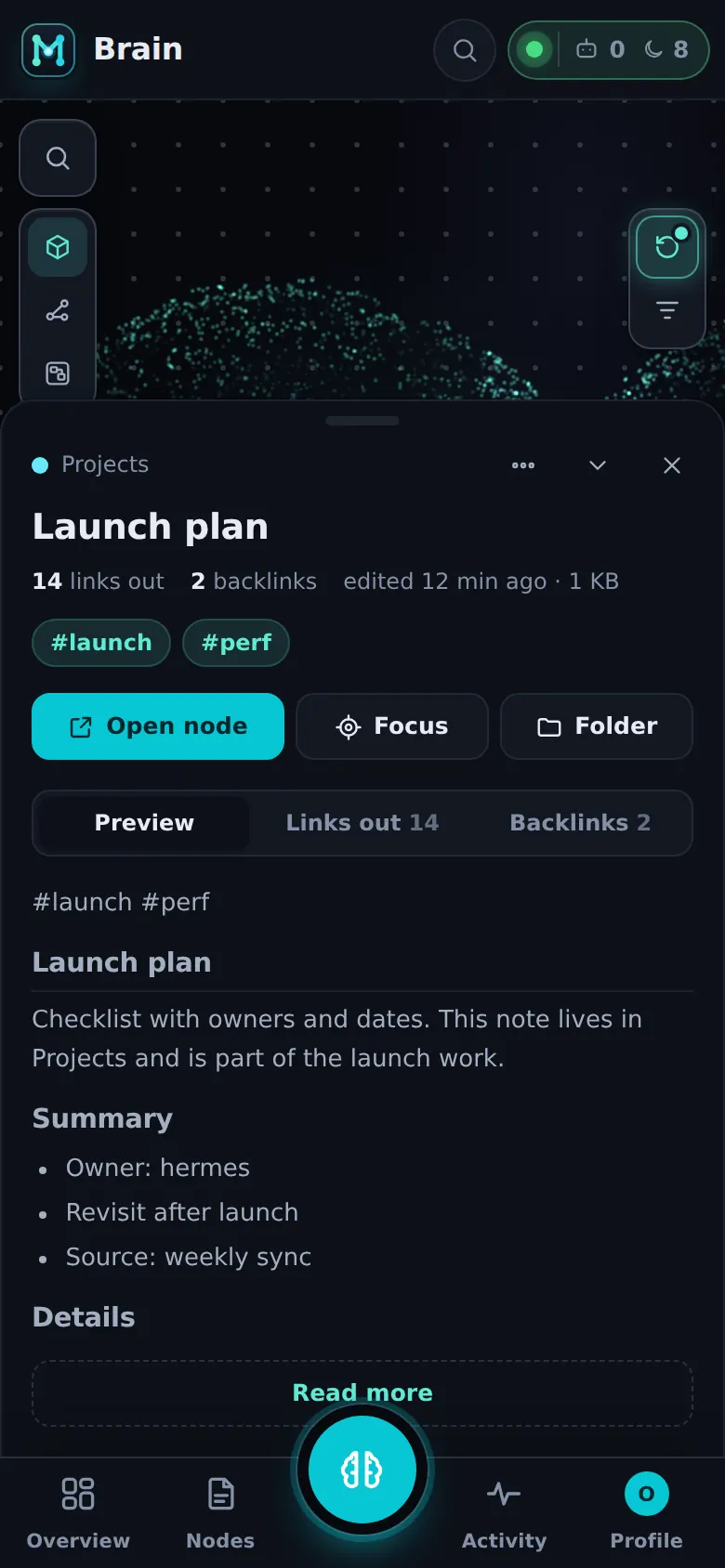
A right panel on desktop and tablet, a bottom sheet on phones.
- Node card: breadcrumb, title, stats, tags; Open node, Focus, Folder; tabs Preview, Links out, Backlinks
- Folder card: Open folder, Focus, Only this; Nodes tab
- Phone fold / peek: a swipe down folds the card to its title bar
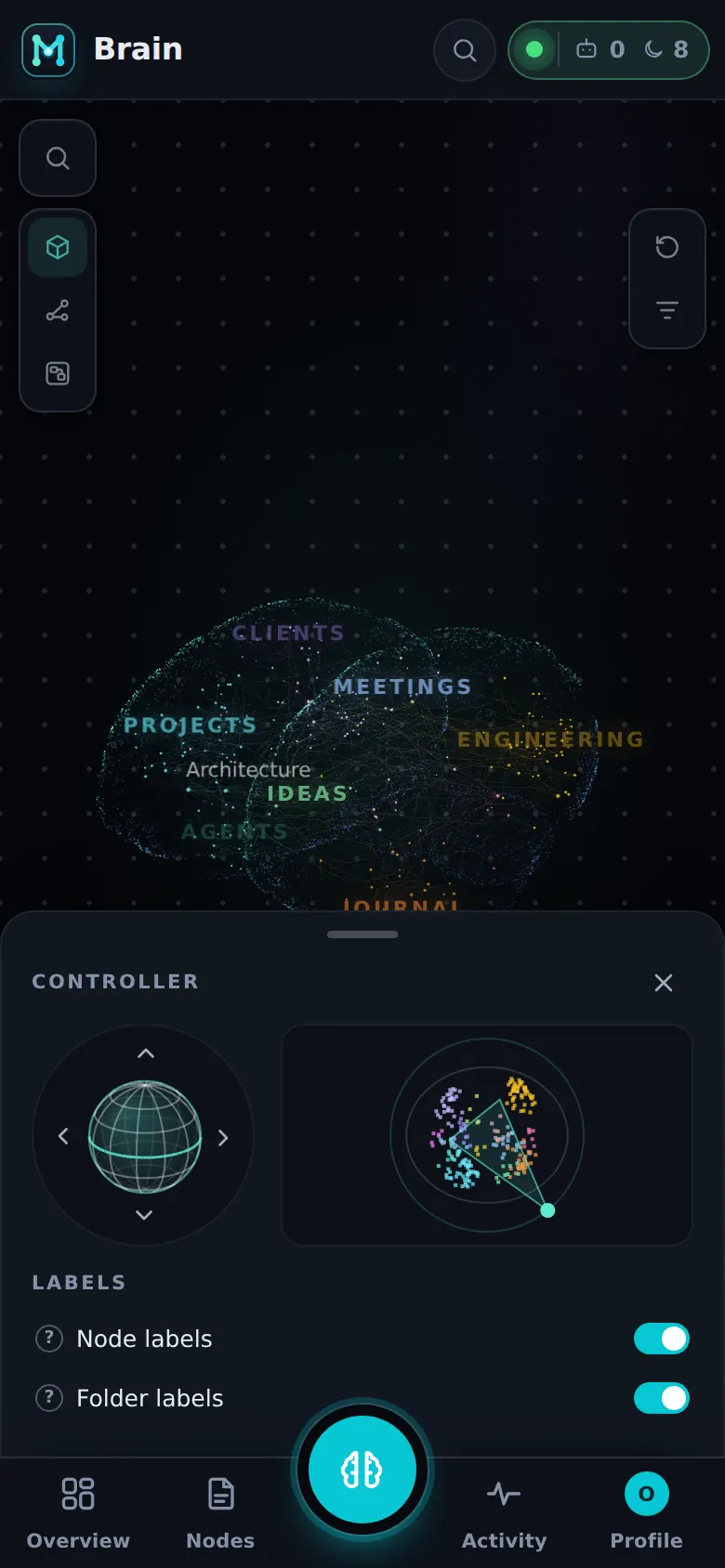
A brain made for thumbs.
On phones the globe, minimap and labels move into a Controller bottom sheet.
- Gamepad button opens the controller
- Touch orbit, pinch zoom, tap to select
- Short screens slim every control
Keys, permissions, tools, access rules and every call, live.
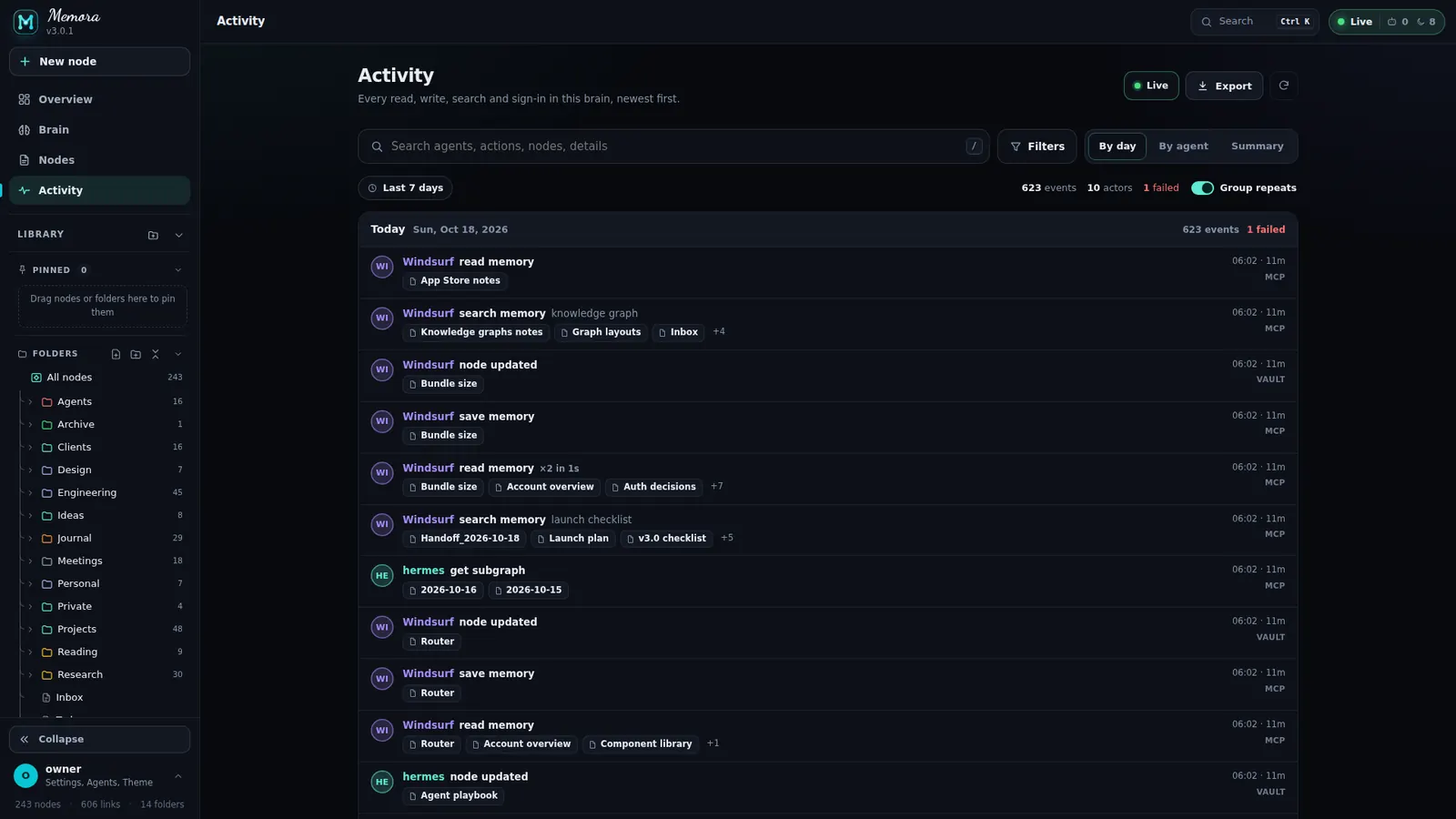
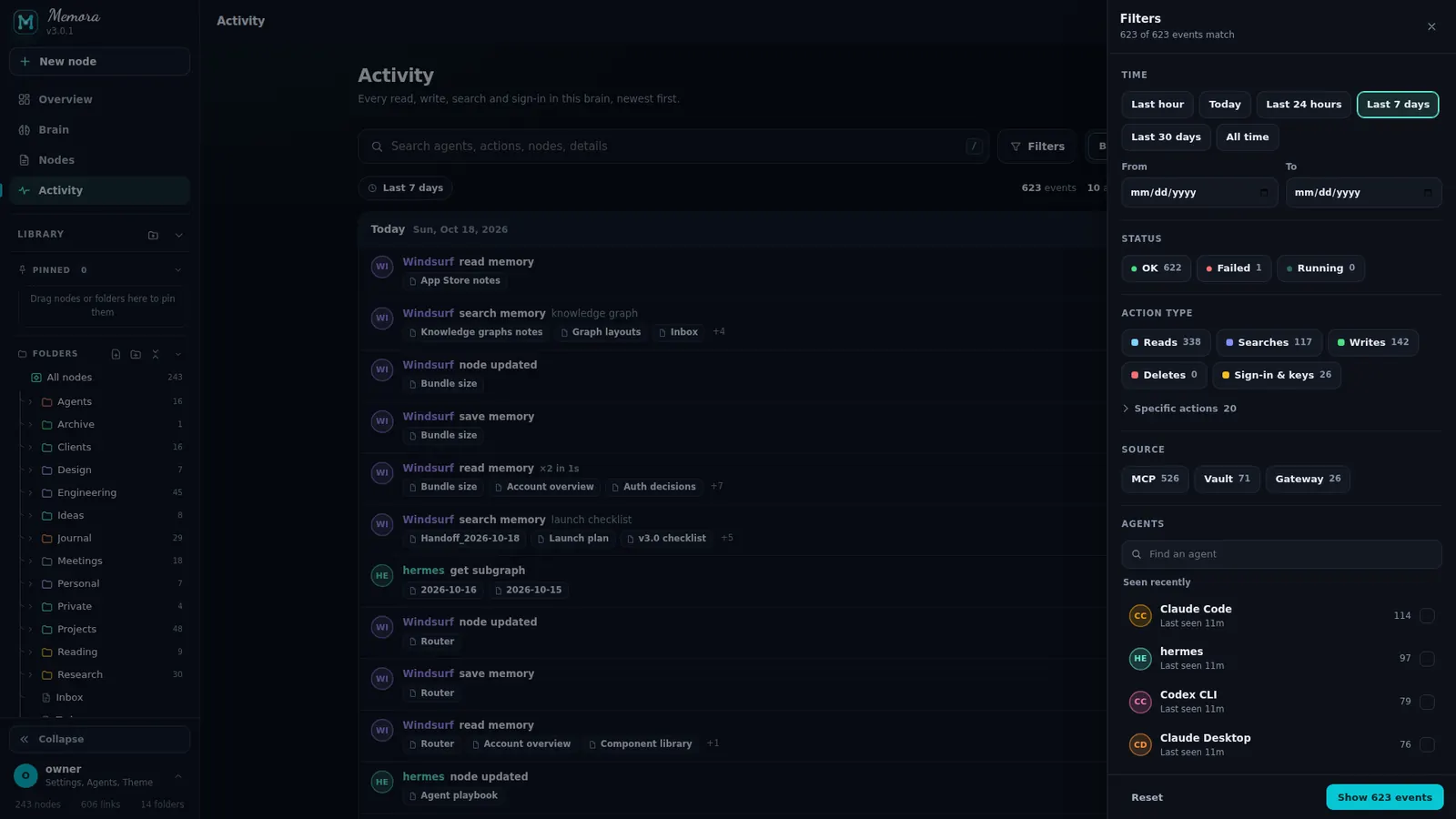
Who did what. Live.
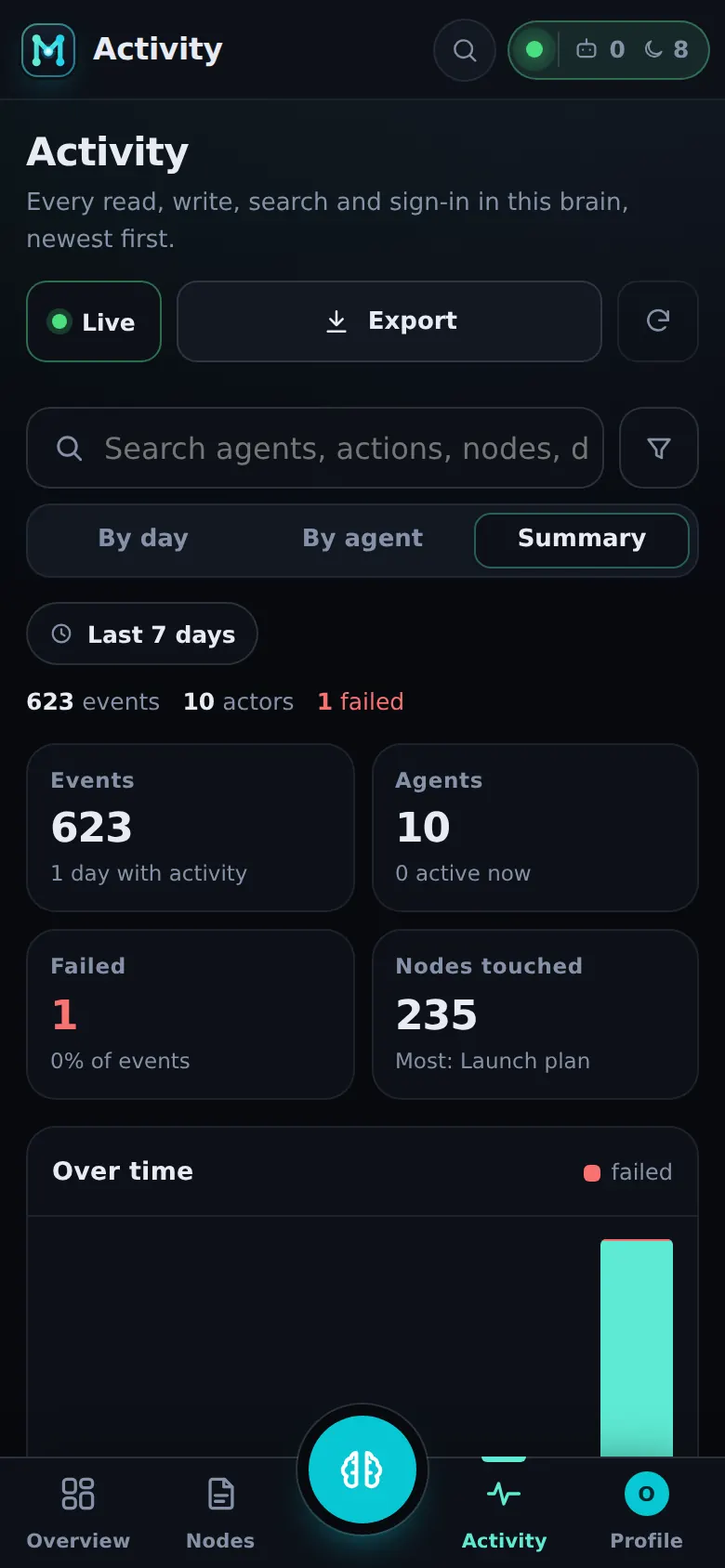
Every read, write, search and sign-in in this brain, newest first.
- Live / Paused · N new, Export (JSON / CSV), Reload; search across agents, actions, nodes and details
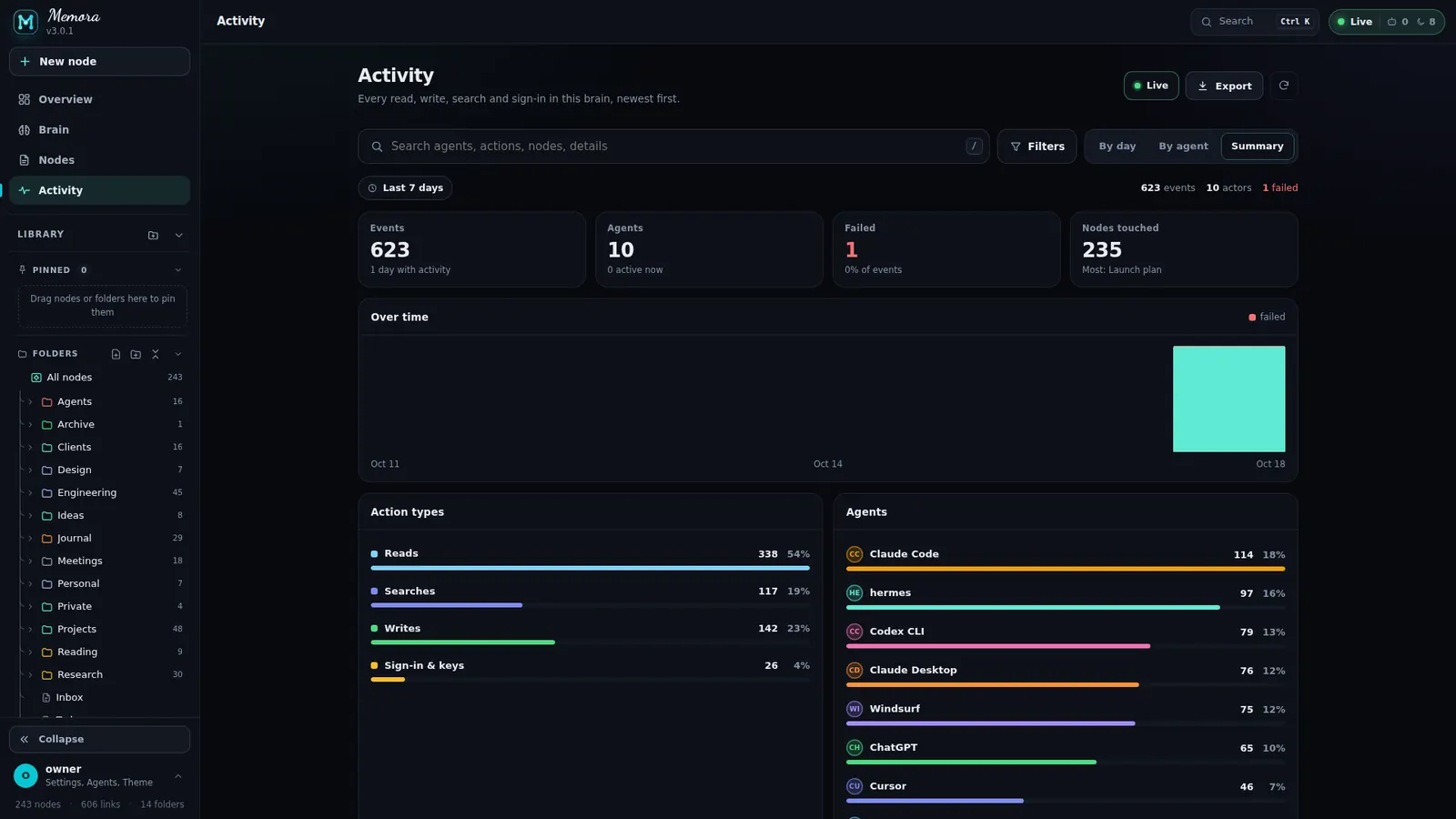
- Views: By day (infinite Show more), By agent (cards), Summary (over time, action types, top actions, sources, most touched nodes)
- Filters: time (hour … 30 d, all, custom), status, action type, source (MCP / Vault / Gateway), agents; Group repeats
- Event drawer: status, duration, action, source, time, raw JSON with Copy
One page per agent.
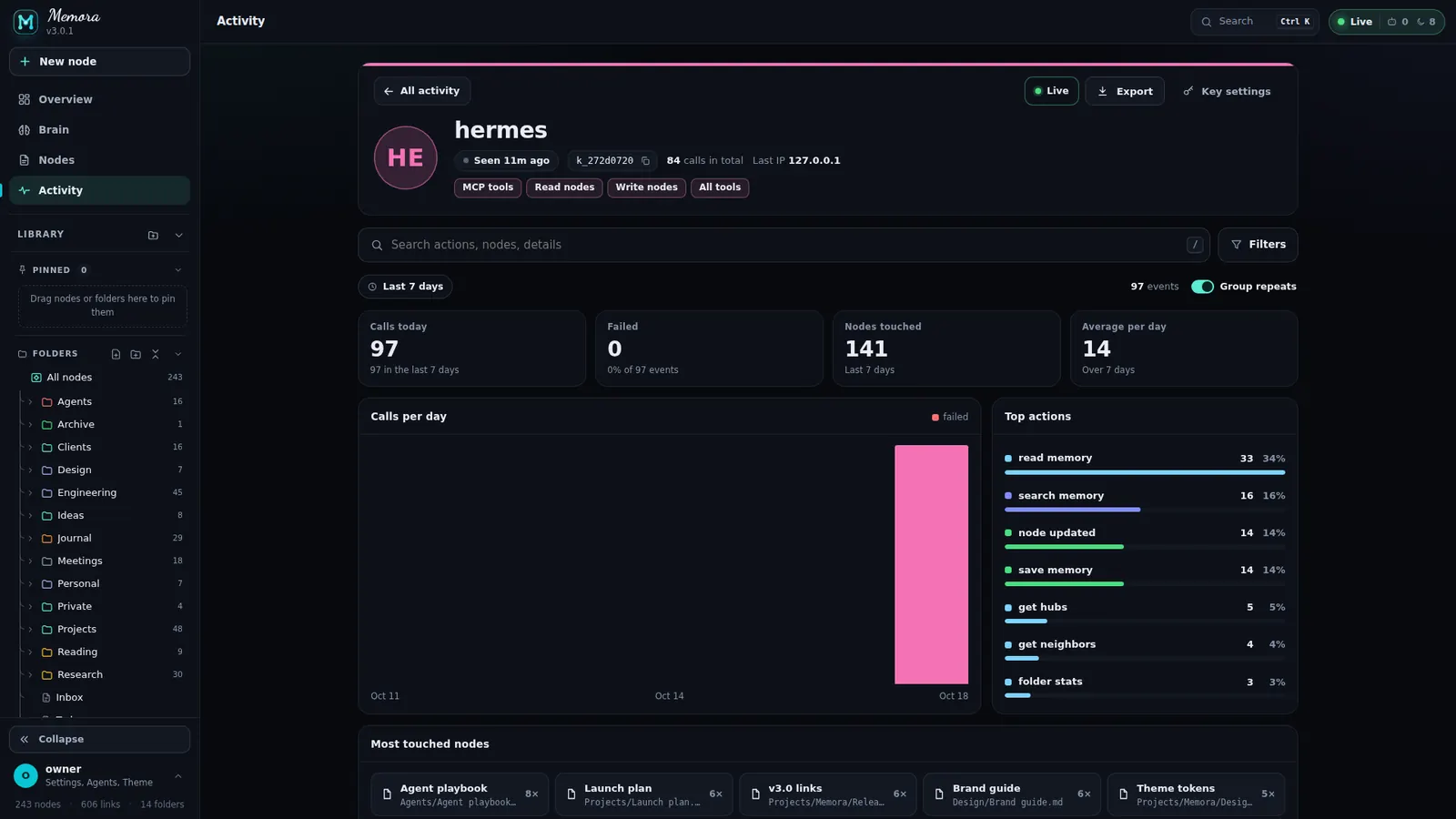
Open any agent from Activity to see what it has been doing.
- Hero: avatar, status, permission pills, key id, last IP
- KPIs, calls per hour or day, top actions, most touched nodes
- Timeline with its own filters; sticky header
One key per agent. Its name everywhere.
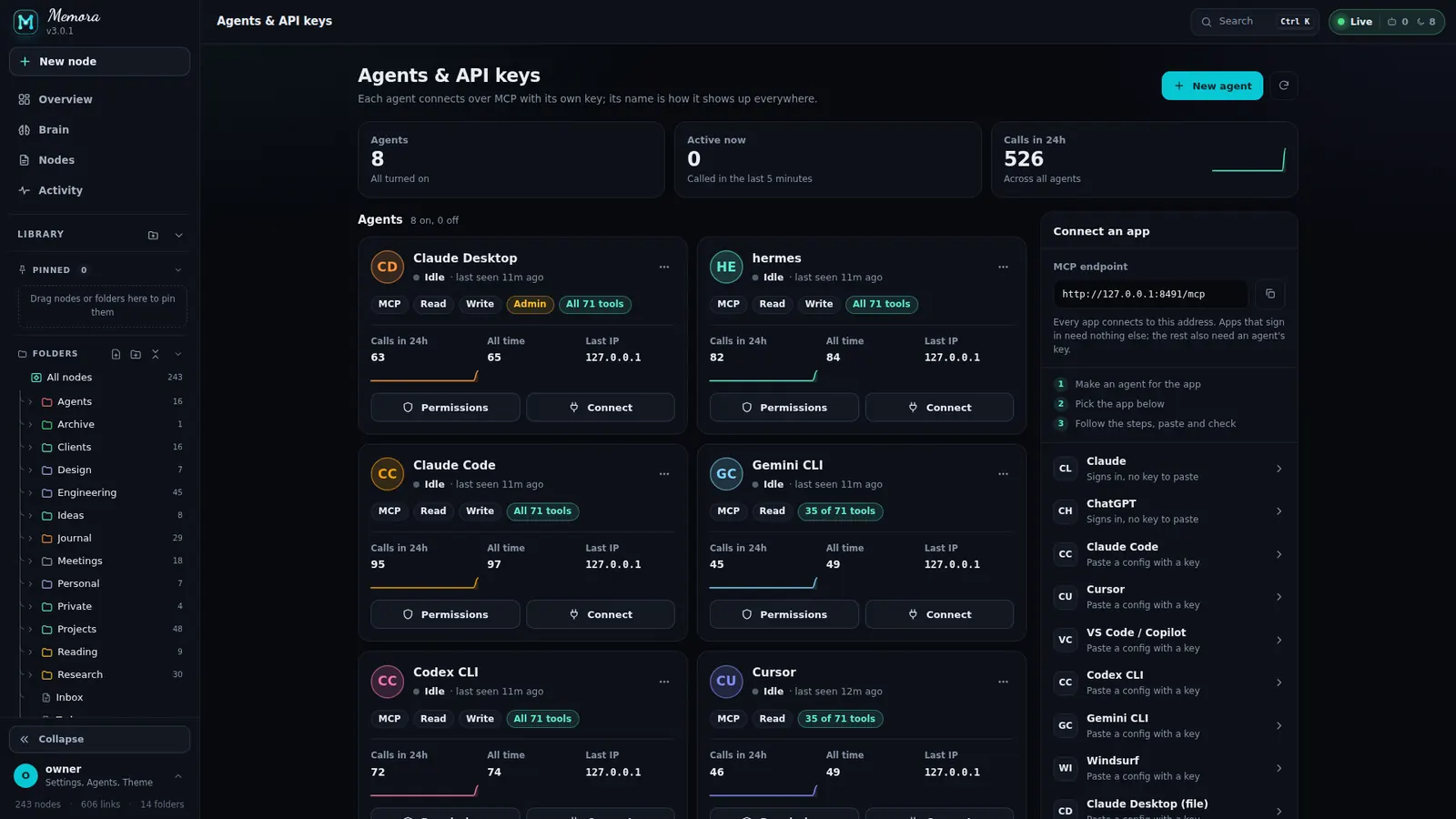
Each agent connects over MCP with its own key; its name is how it shows up everywhere.
- Stats: Agents, Active now, Calls in 24h with sparklines
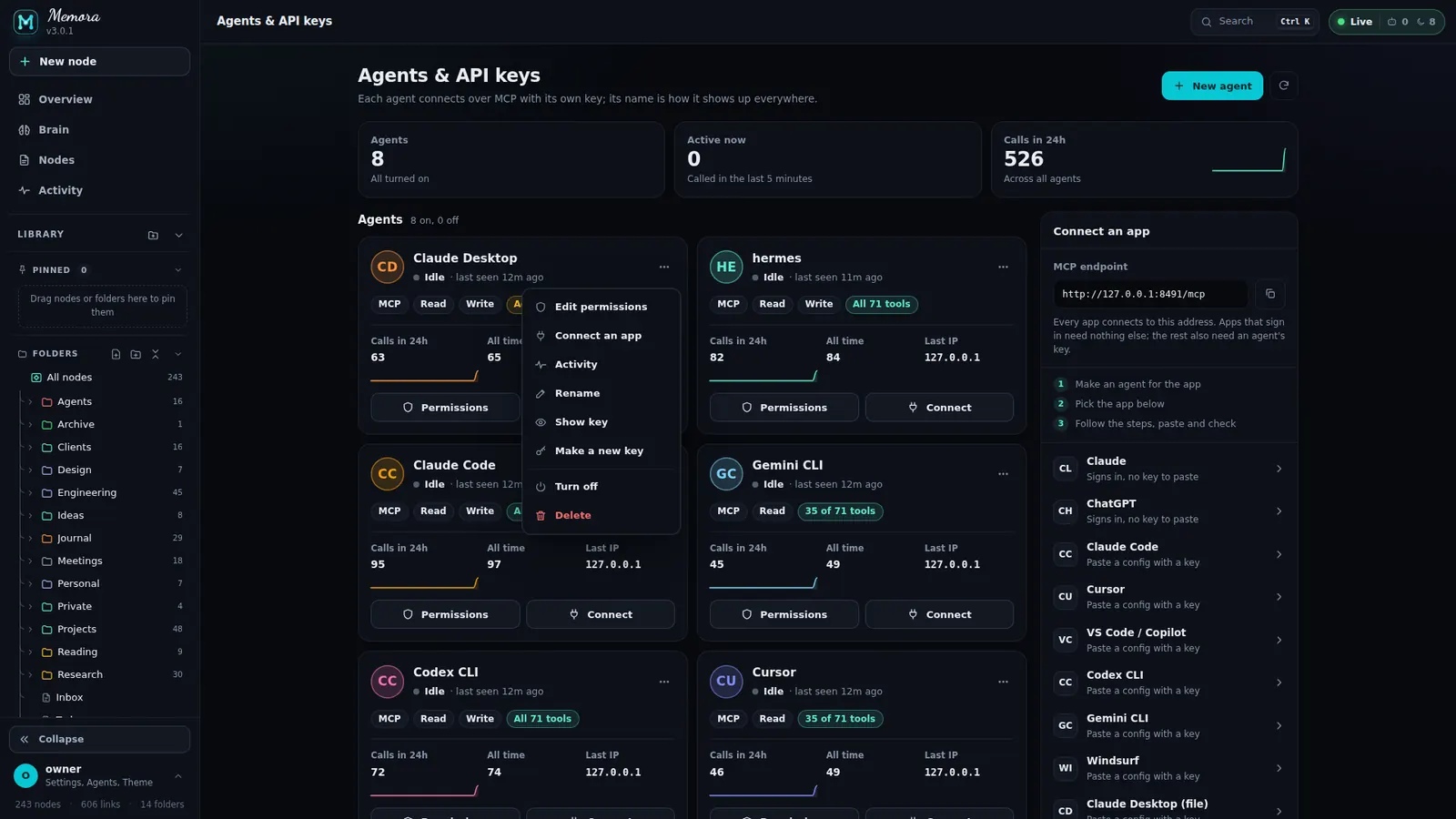
- Agent card: status (Active, Idle, Never used, Off), pills MCP / Read / Write / Admin / Signed in, uses, last IP
- Menu: edit permissions, connect, activity, rename, show key (asks for your password), make a new key, turn off/on, delete
- New agent: name, colour, permissions; the key is shown once. Deleted agents can be restored until reload
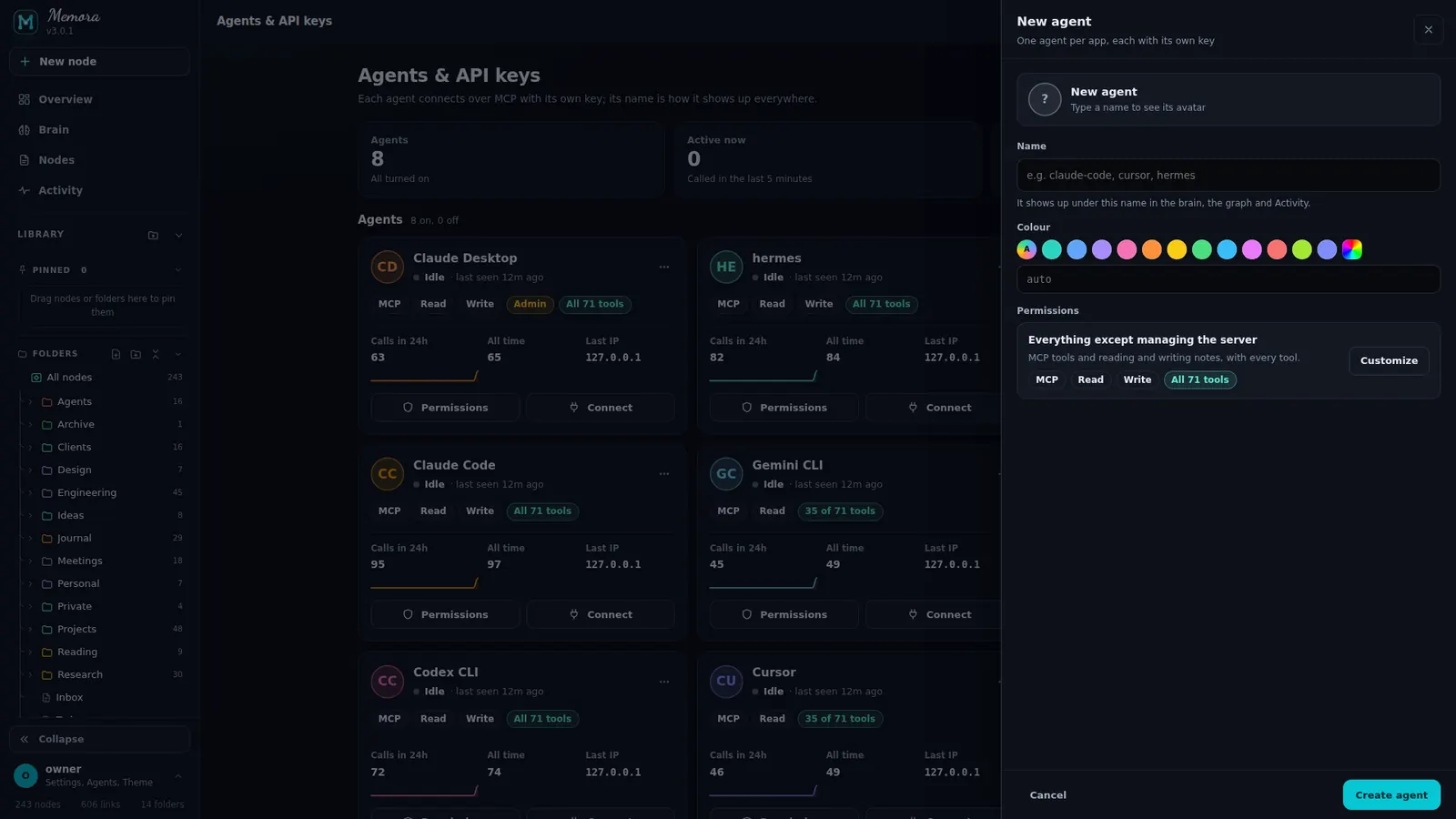
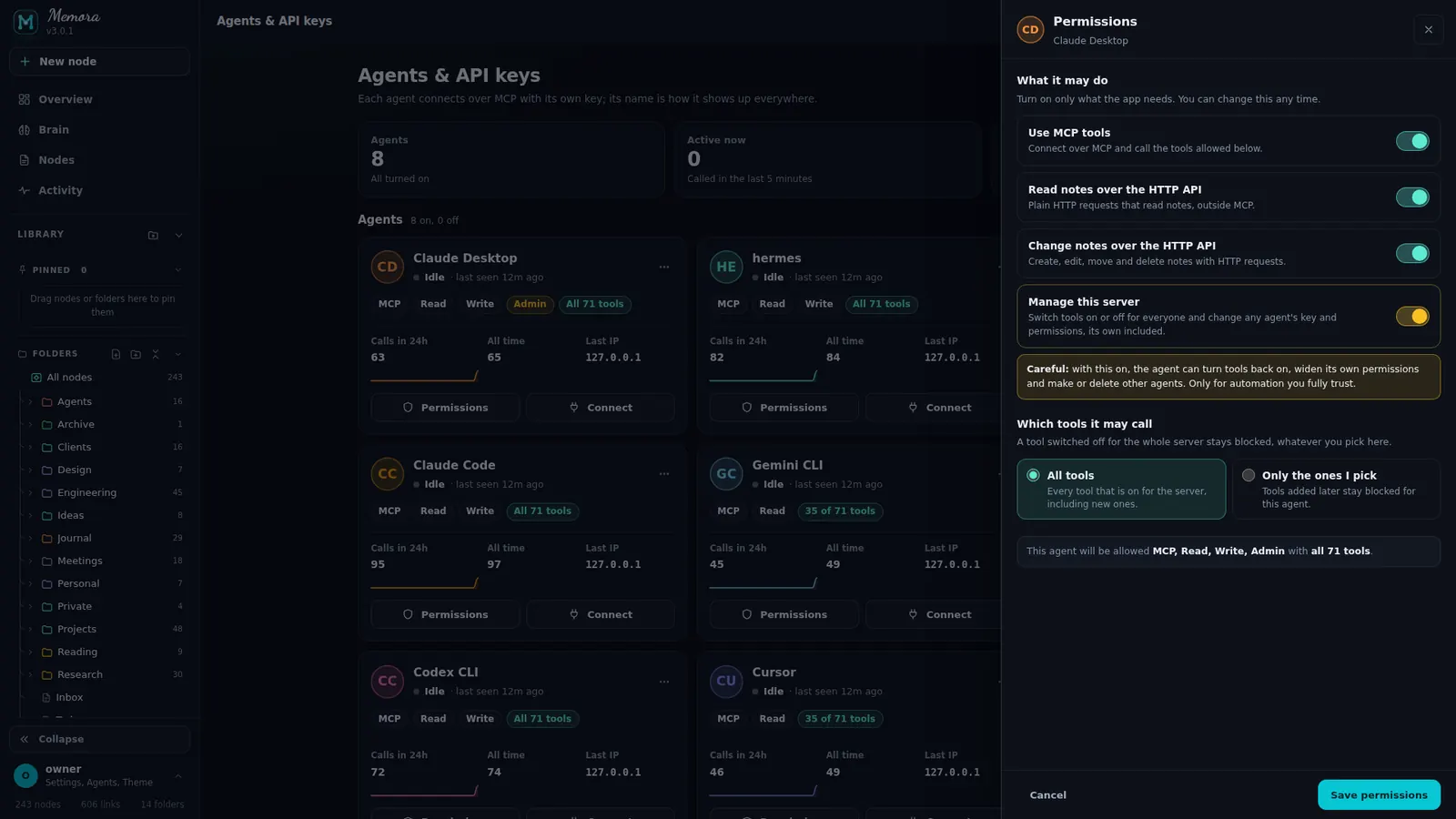
Exactly what each agent may do.
The Permissions sheet sets capabilities and tools per key.
- Capabilities: MCP, Read HTTP, Write HTTP, Manage server
- Tools: all of them, or a pick list by category
- A read-only agent simply gets "tool not allowed" for writes
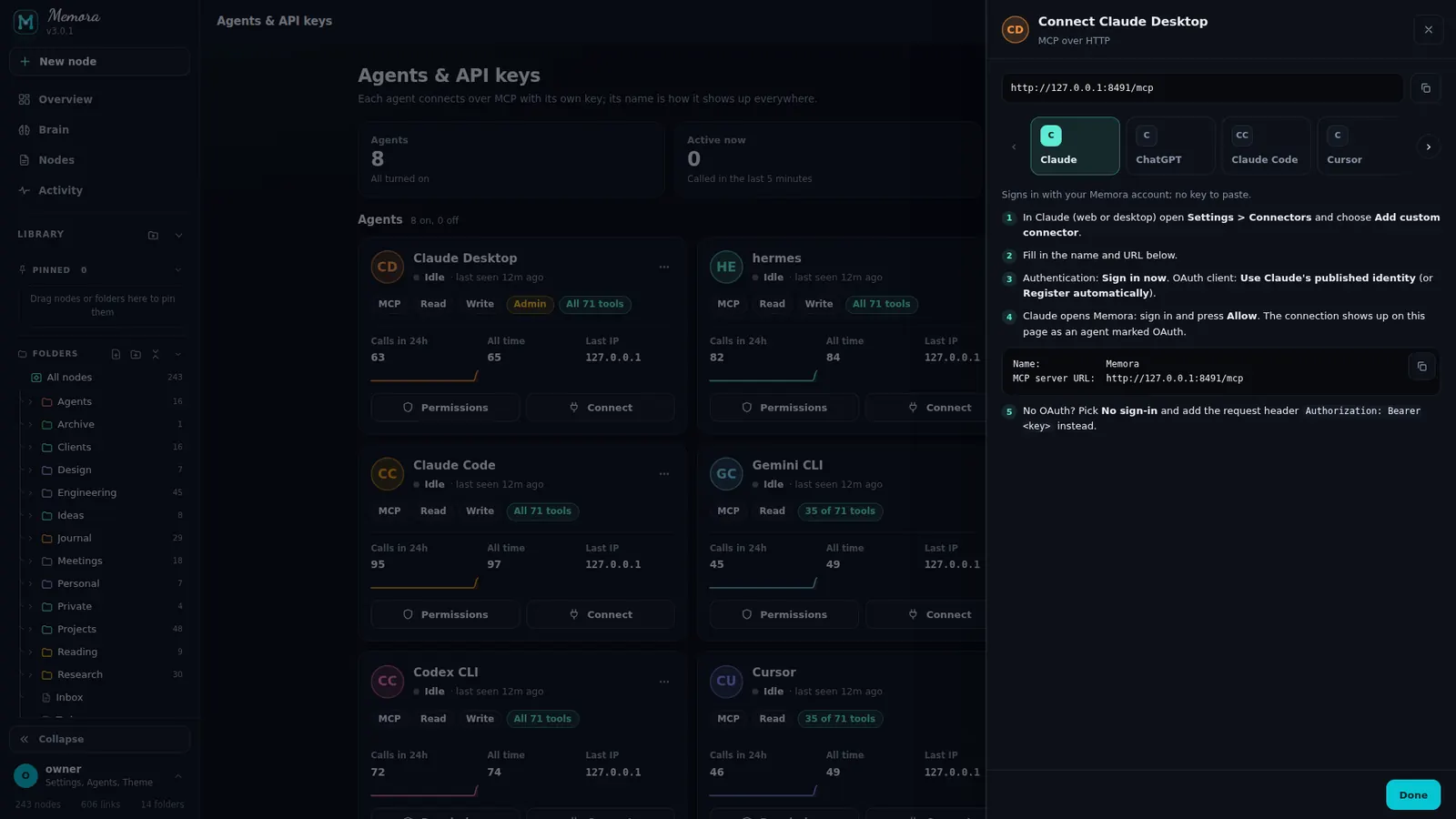
A ready-made config for every client.
The Connect carousel prints the exact steps and config, with your endpoint and key filled in.
- Claude and ChatGPT sign in with OAuth: nothing to paste
- Claude Code, Cursor, VS Code / Copilot, Codex CLI, Gemini CLI, Windsurf: HTTP + Bearer key
- Claude Desktop (file) through mcp-remote, and a curl test for any client
74 MCP tools. Your switches.
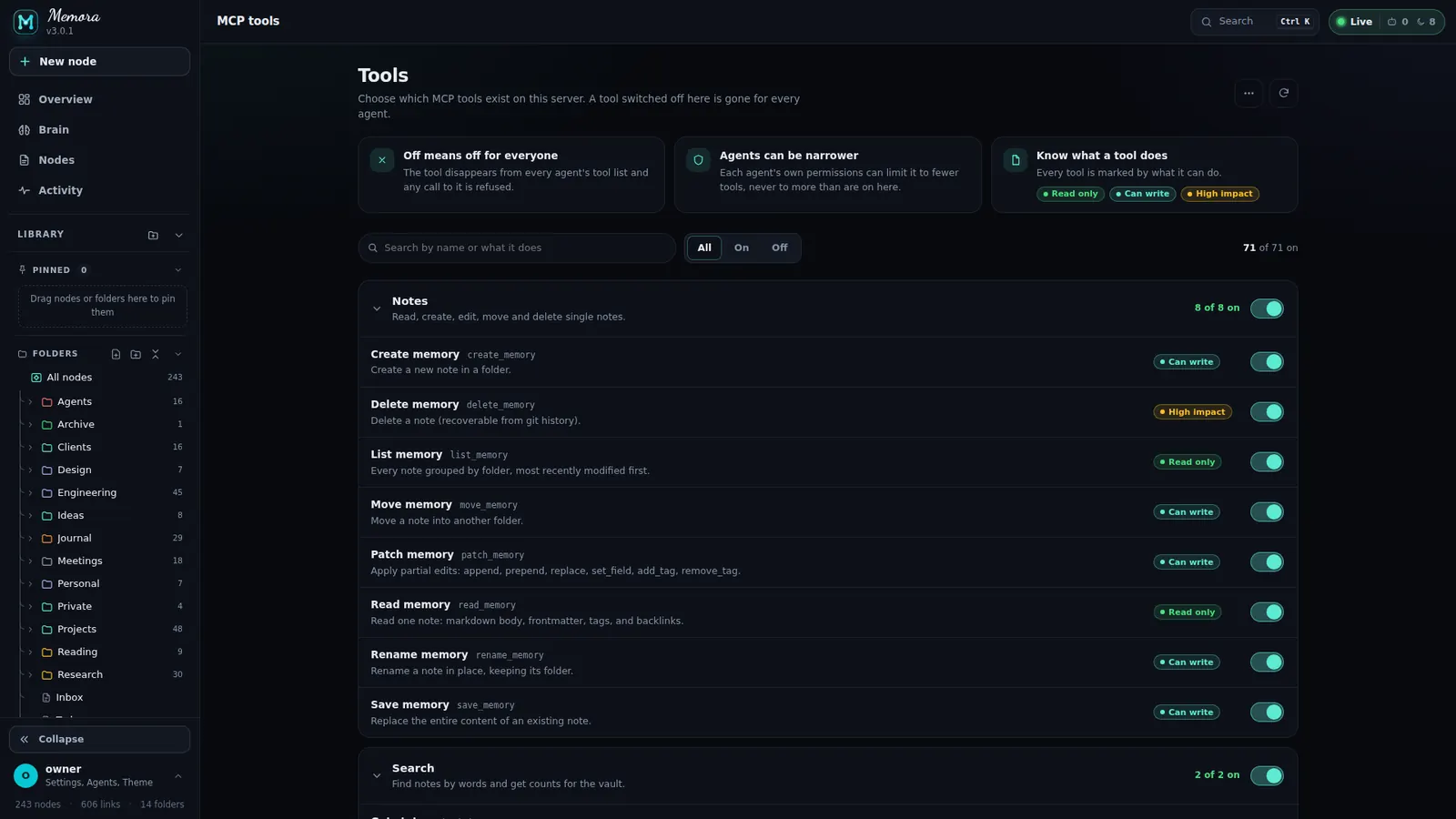
Switch a tool off and it disappears for every agent and every key, on the next request.
- 13 categories with an "All" switch each: search, note, graph, tag, folder, query, version, write, collab, ops, identity, interop, ux
- Rows: name, code, risk chip (Read only / Can write / High impact), switch
- Search, Show All / On / Off, all on or off from the header menu
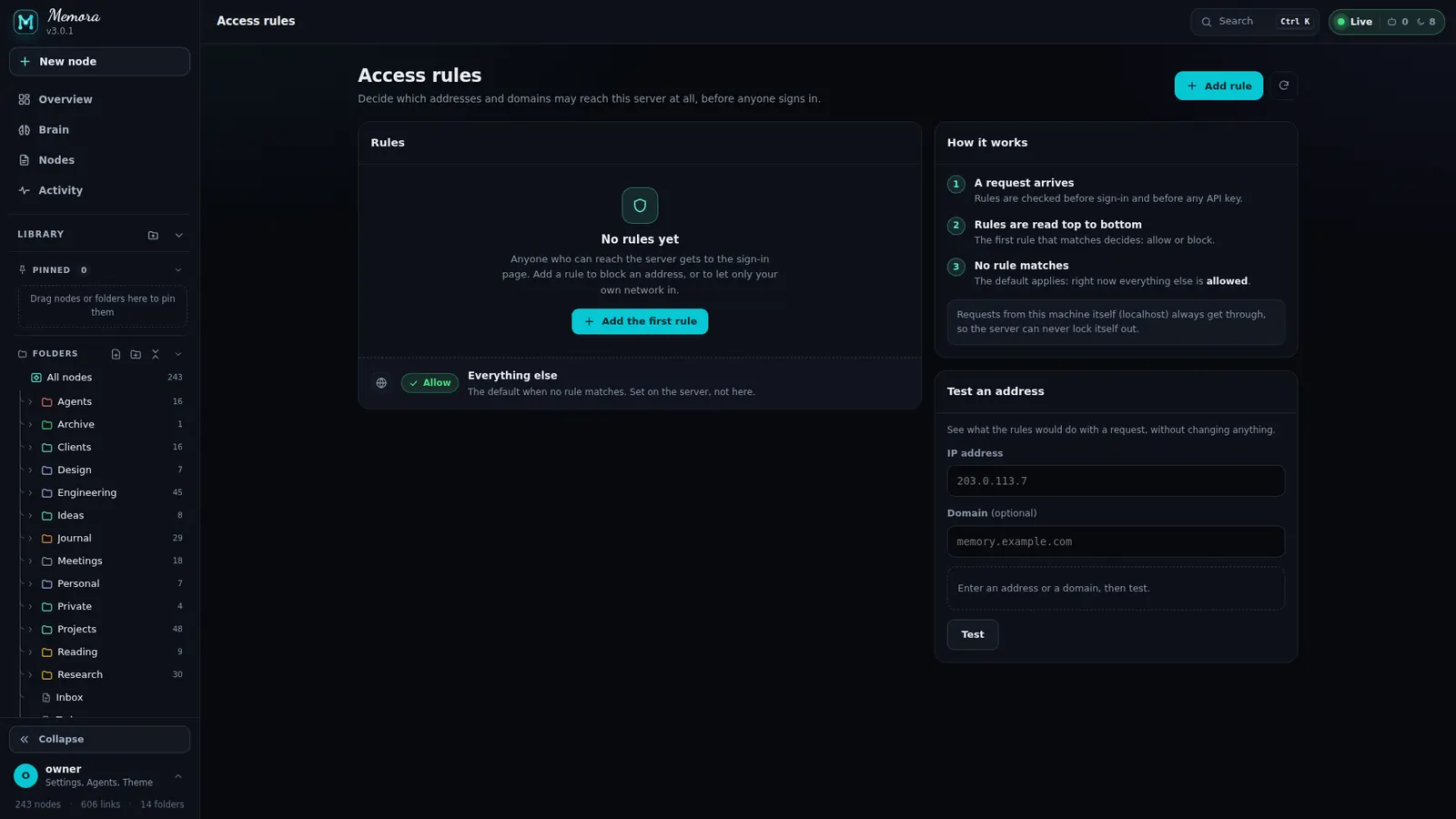
Decide who can even knock.
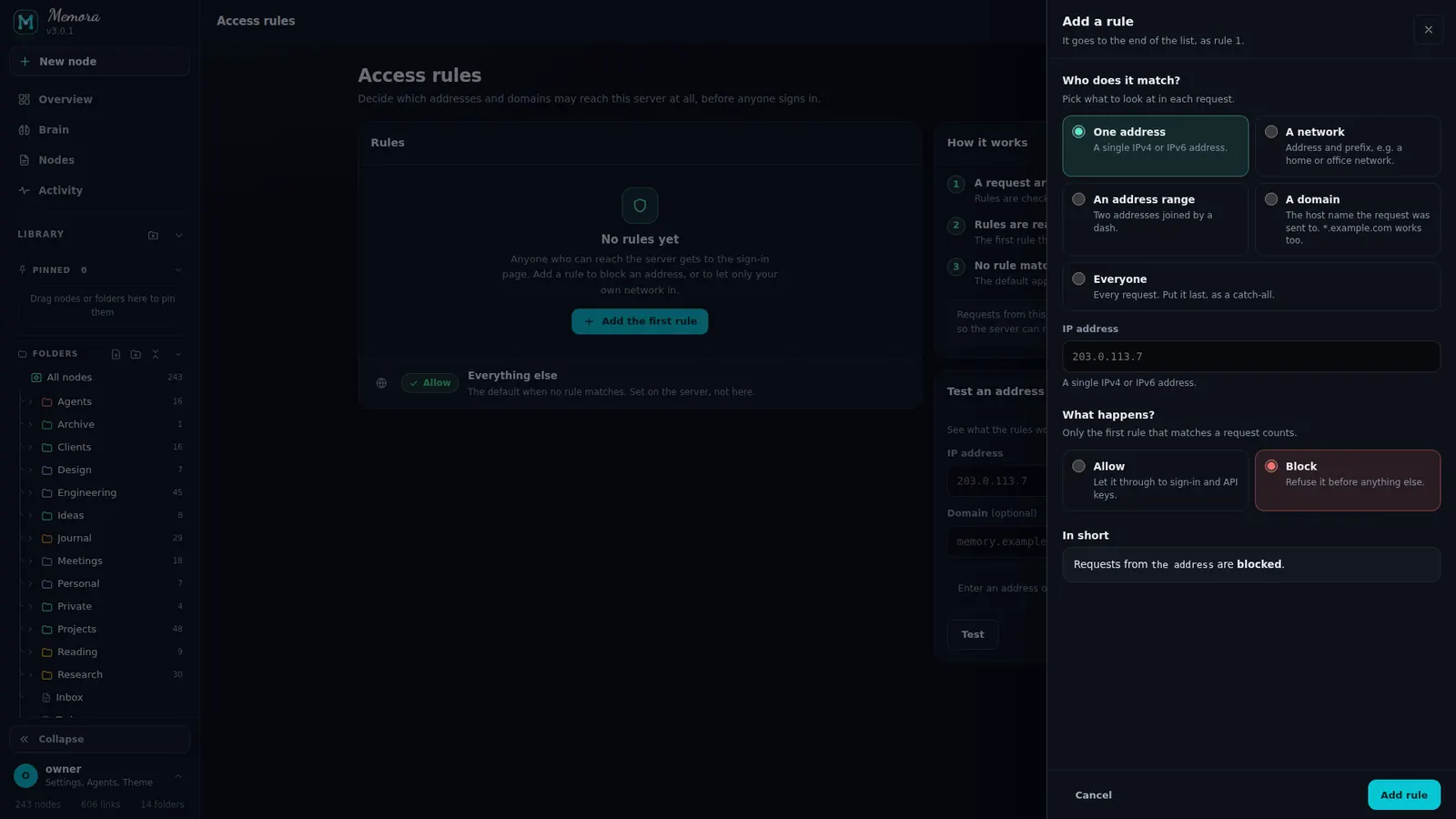
Numbered rules, an "Everything else" default, a How it works card and a tester.
- Kinds: Address, CIDR, Range, Domain (*.), Everyone
- Allow or Block, with an "In short" preview
- Test an address; menu per rule: Edit, Test this address, Delete
Search, live status, settings, onboarding and the phone app.
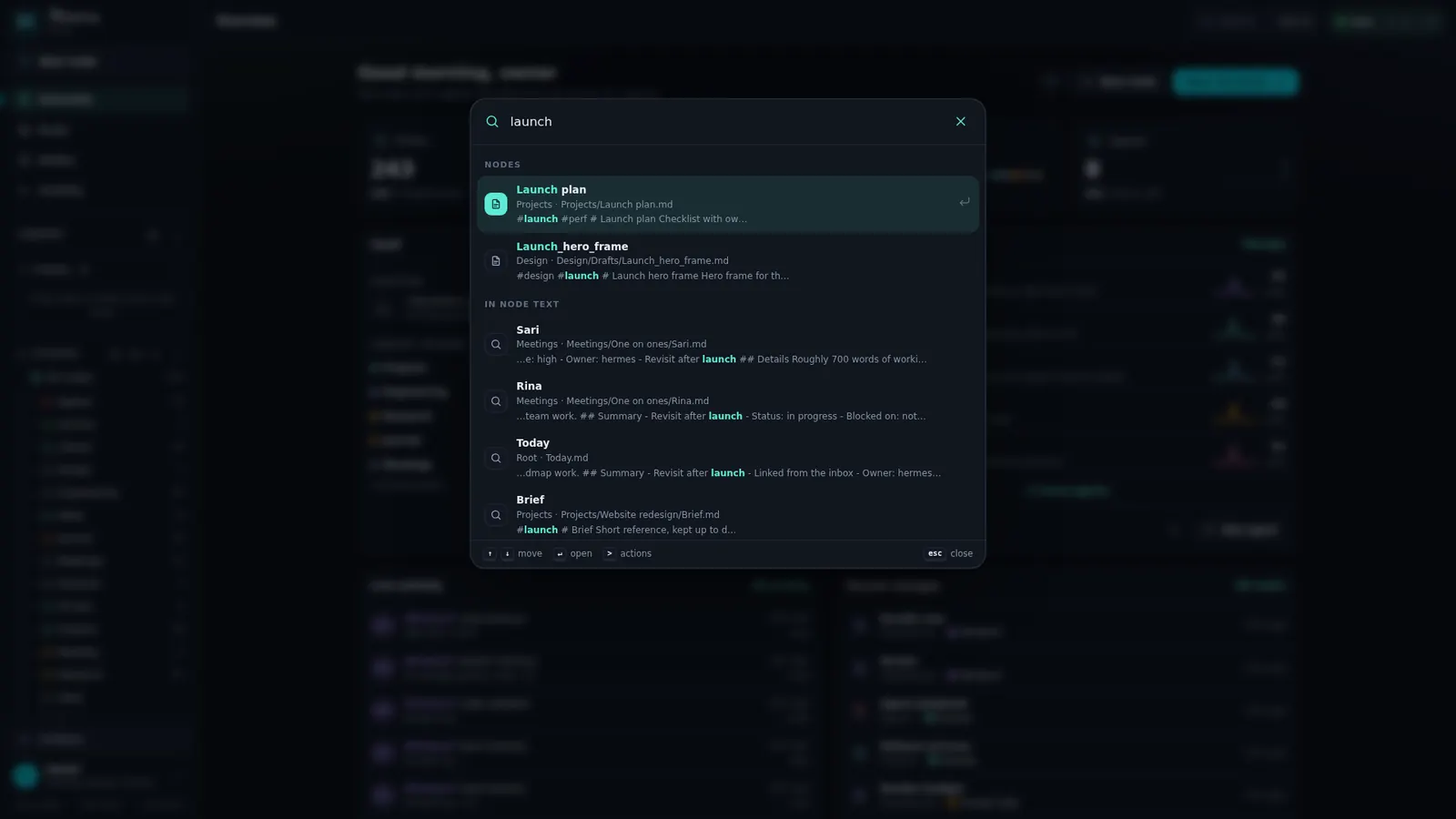
Find anything. Even with typos.
Open it with Ctrl K or /. Full screen on phones.
- Empty: 5 recent nodes, actions and every page
- Typed: Go to, Actions, Nodes (fuzzy), "In node text" (server search), did-you-mean
- A leading > limits results to actions: new node, open brain, connect an agent, theme, reload, install, sign out …

Always know who is working.
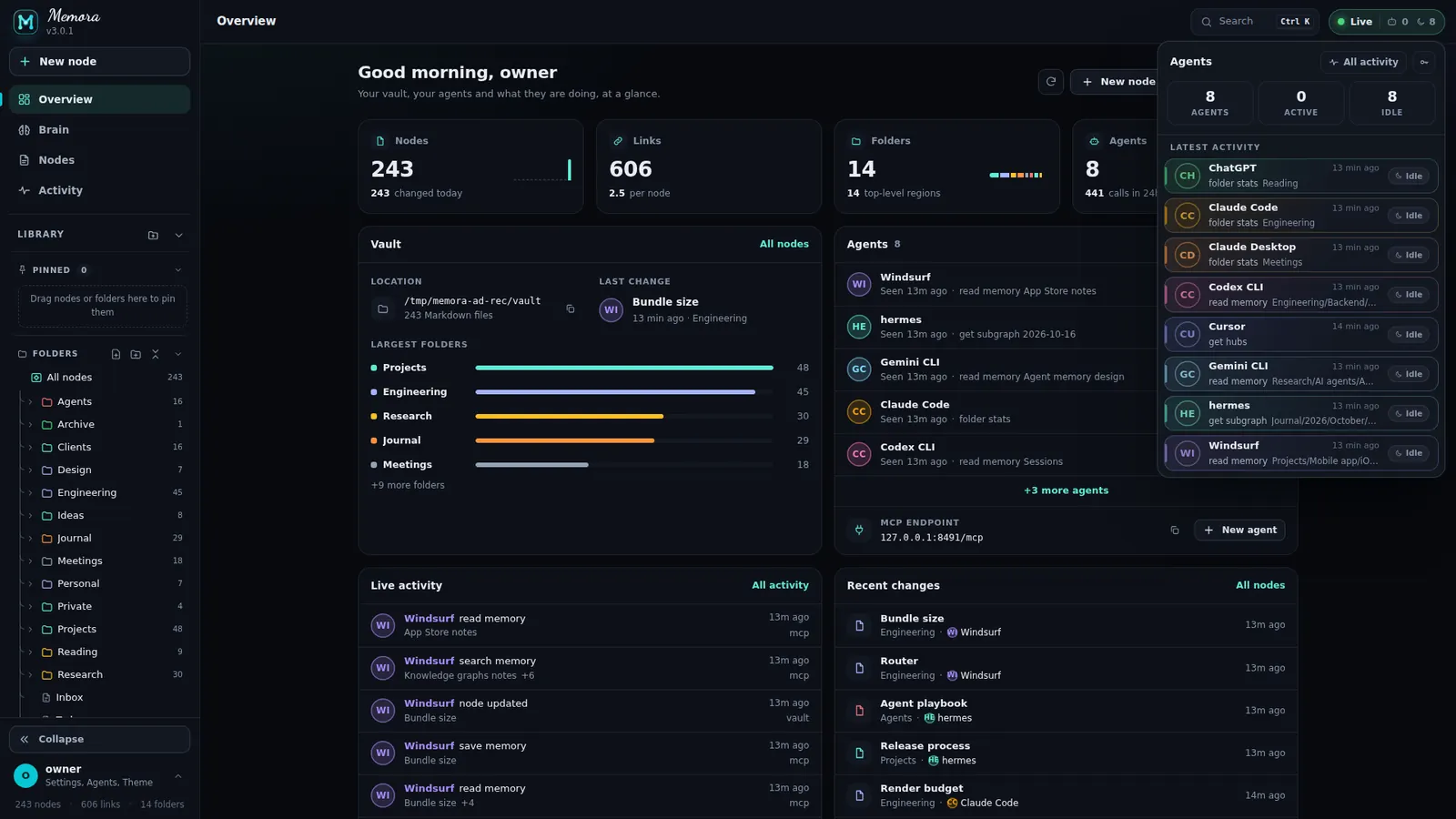
The top bar shows the page title, a search button and the Live pill.
- Live / Connecting / Offline with active and idle agent counts
- Live popover: Agents / Active / Idle tiles, latest activity with Working or Idle chips, Reconnect
- Per-agent drill-in: calls 24h, failed, last action, last 15 events, Manage key
- Toasts: ok / warn / error / info, progress bar, pause on hover, swipe to dismiss, Undo
Keyboard first, mouse welcome.
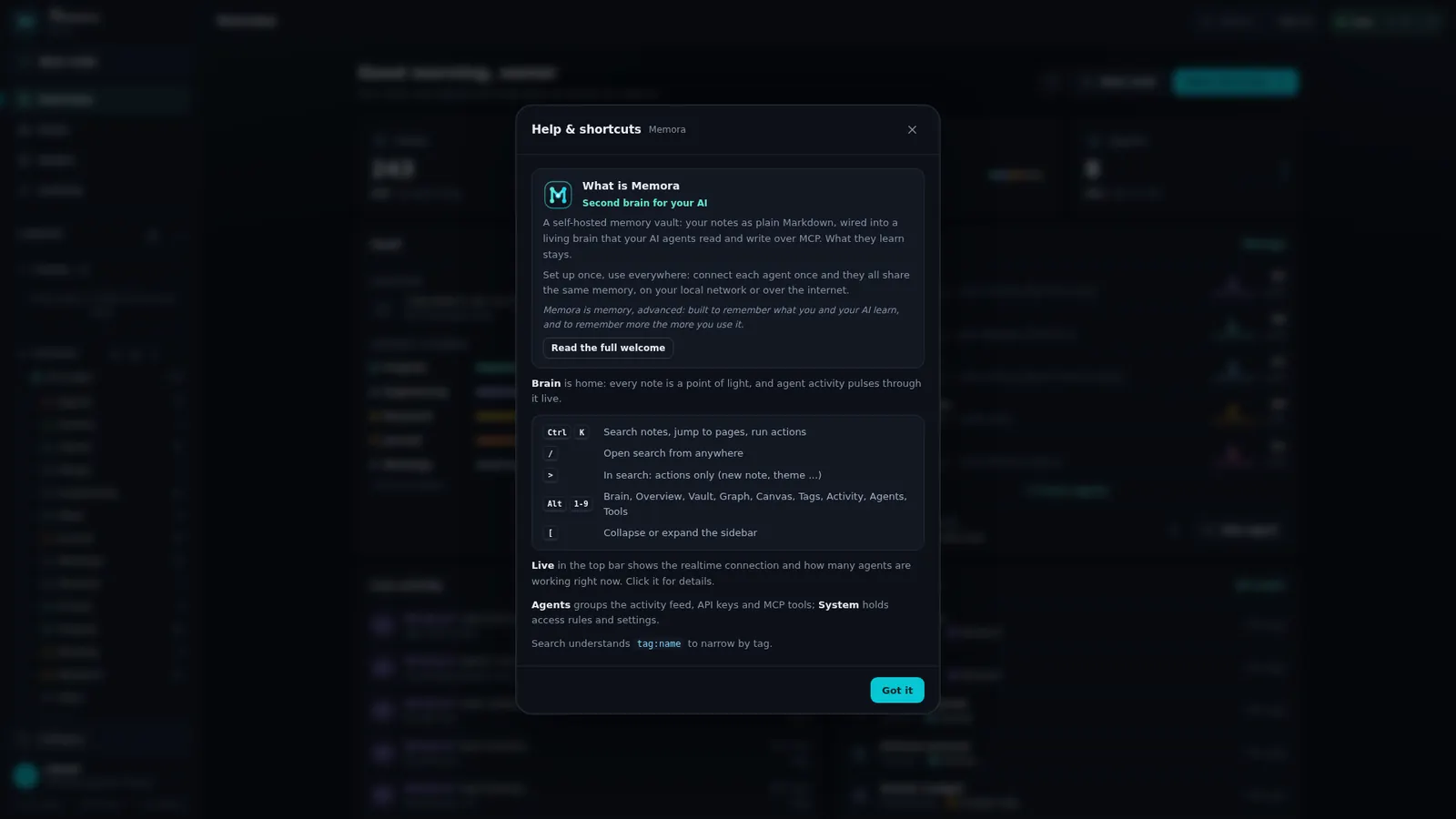
A help modal with the about text, the welcome and every shortcut.
- Alt + 1…9: Overview, Brain, Nodes, Graph, Canvas, Tags, Activity, Agents, Tools
- [ toggles the sidebar, ? opens help, Ctrl K or / opens search
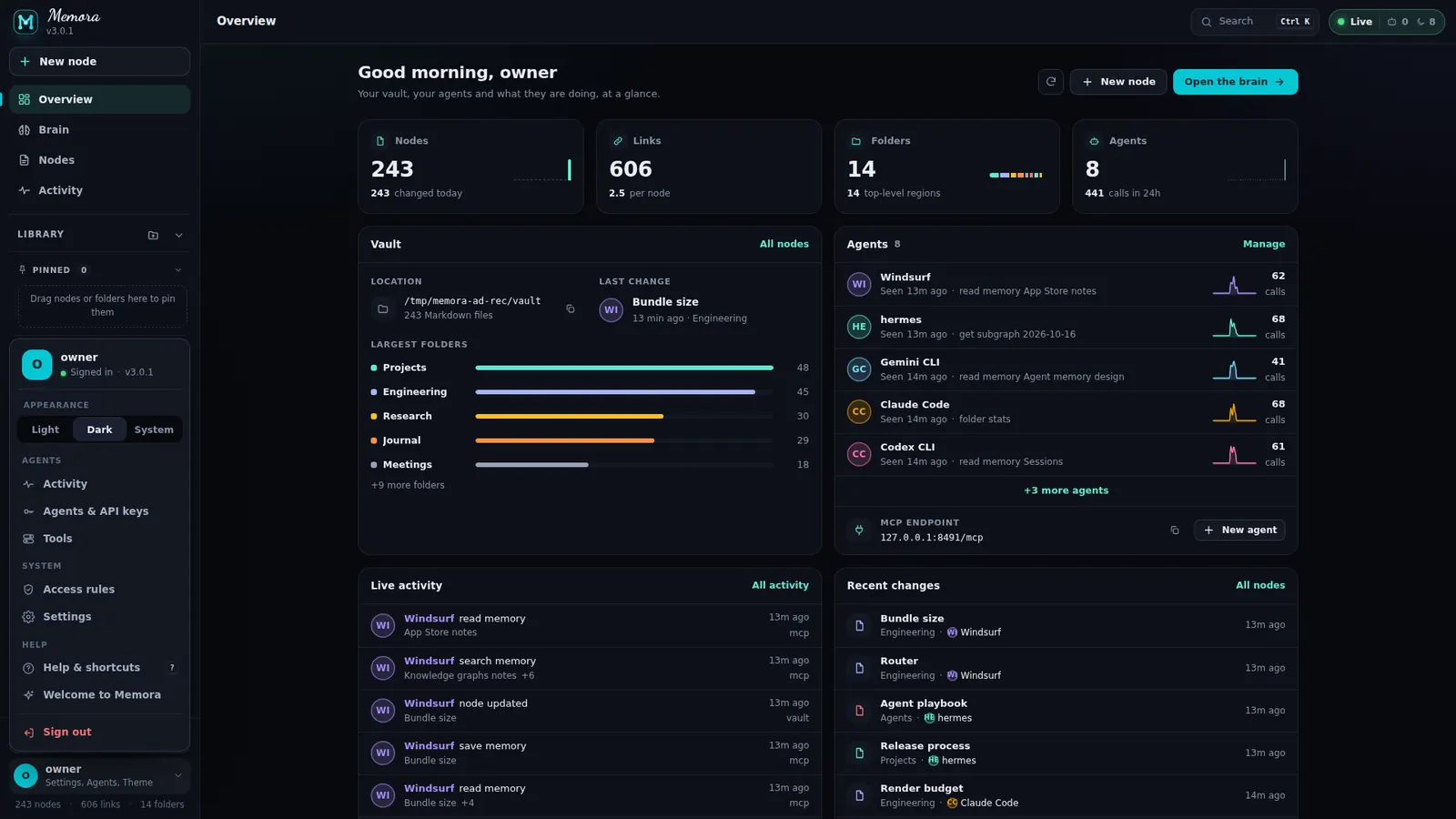
- Profile menu: appearance, activity, agents, tools, access rules, settings, help, welcome, install, sign out
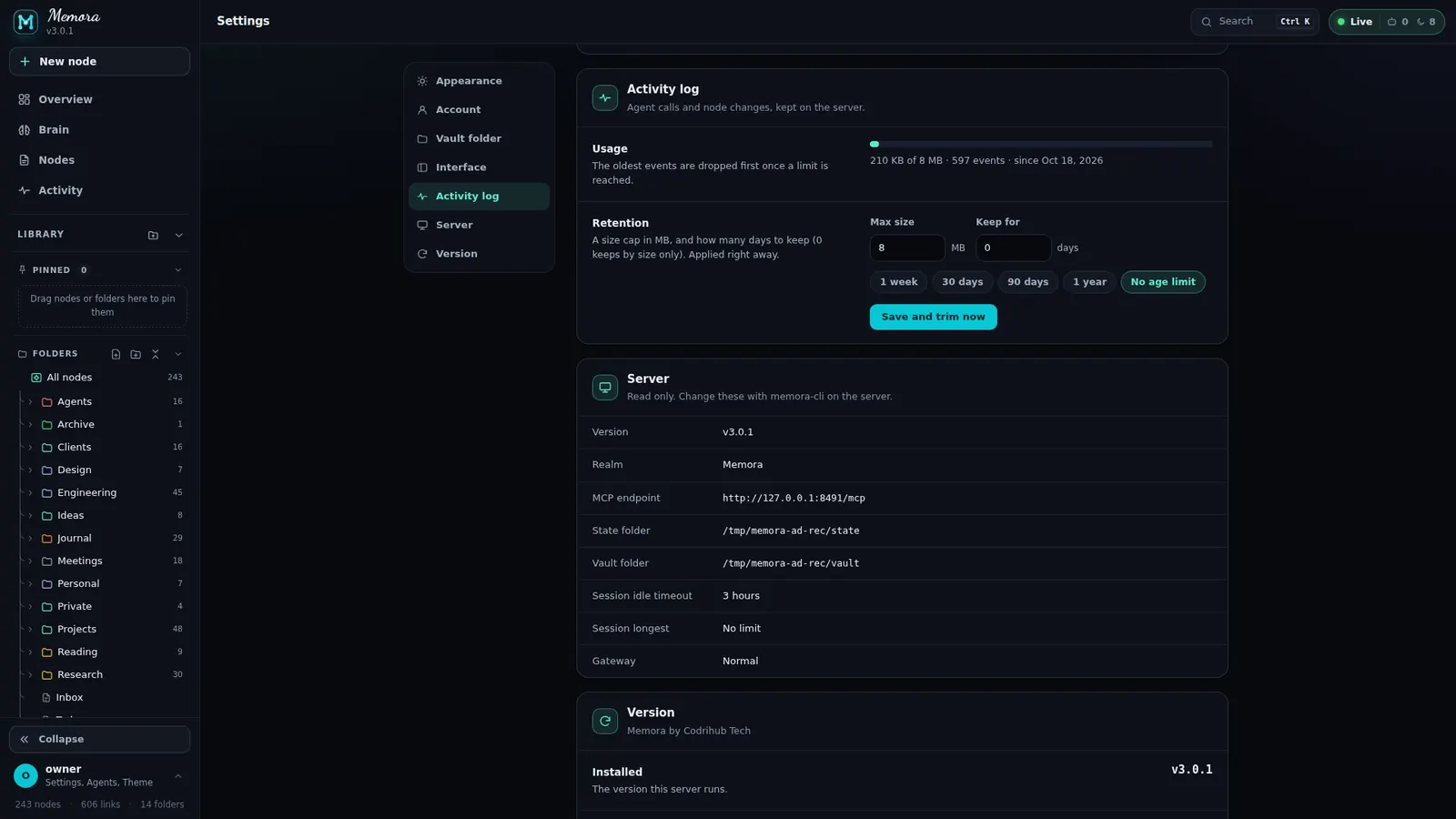
Every setting, one page.
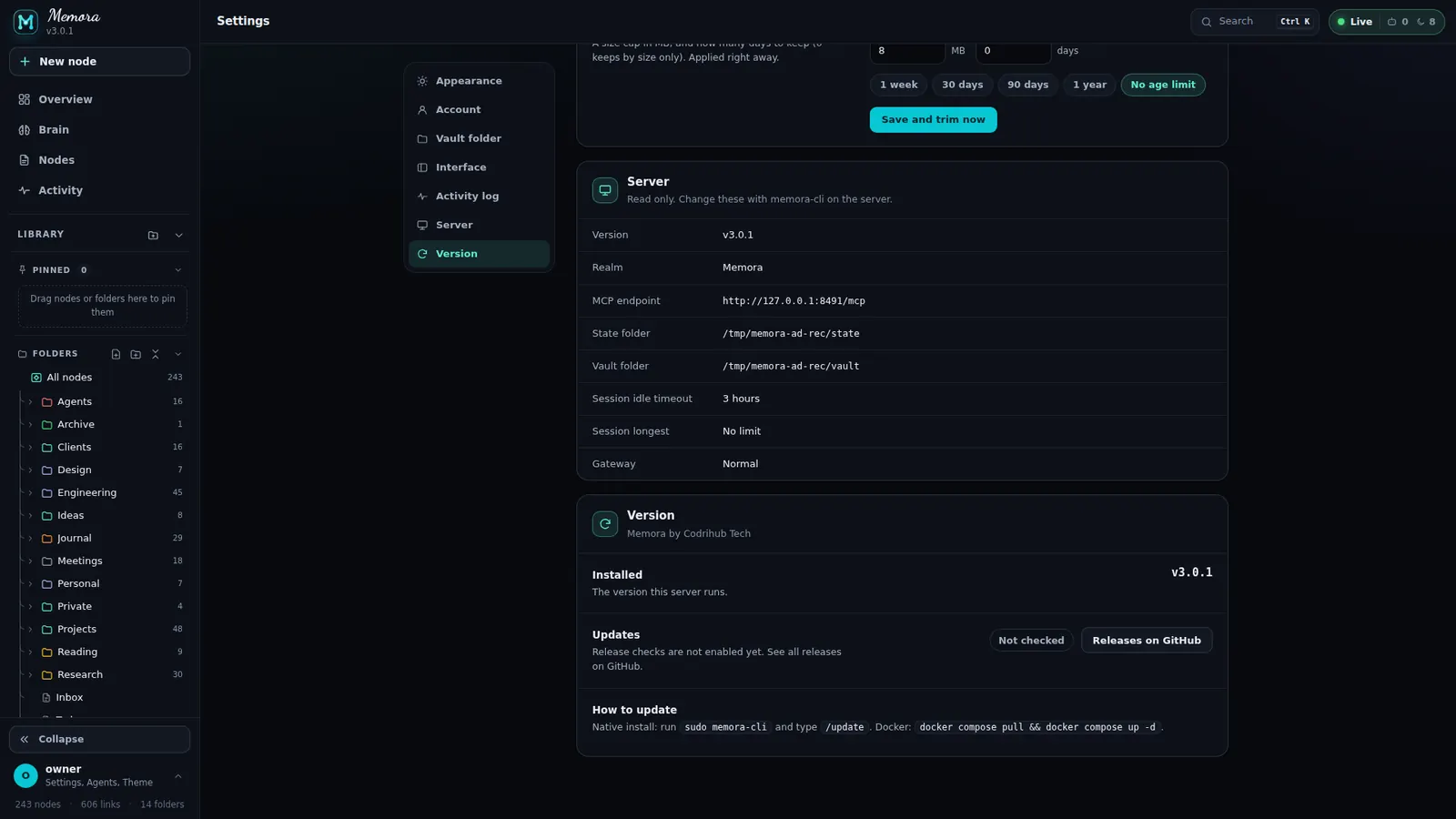
Section nav with scroll-spy (a sticky chip row on small screens).
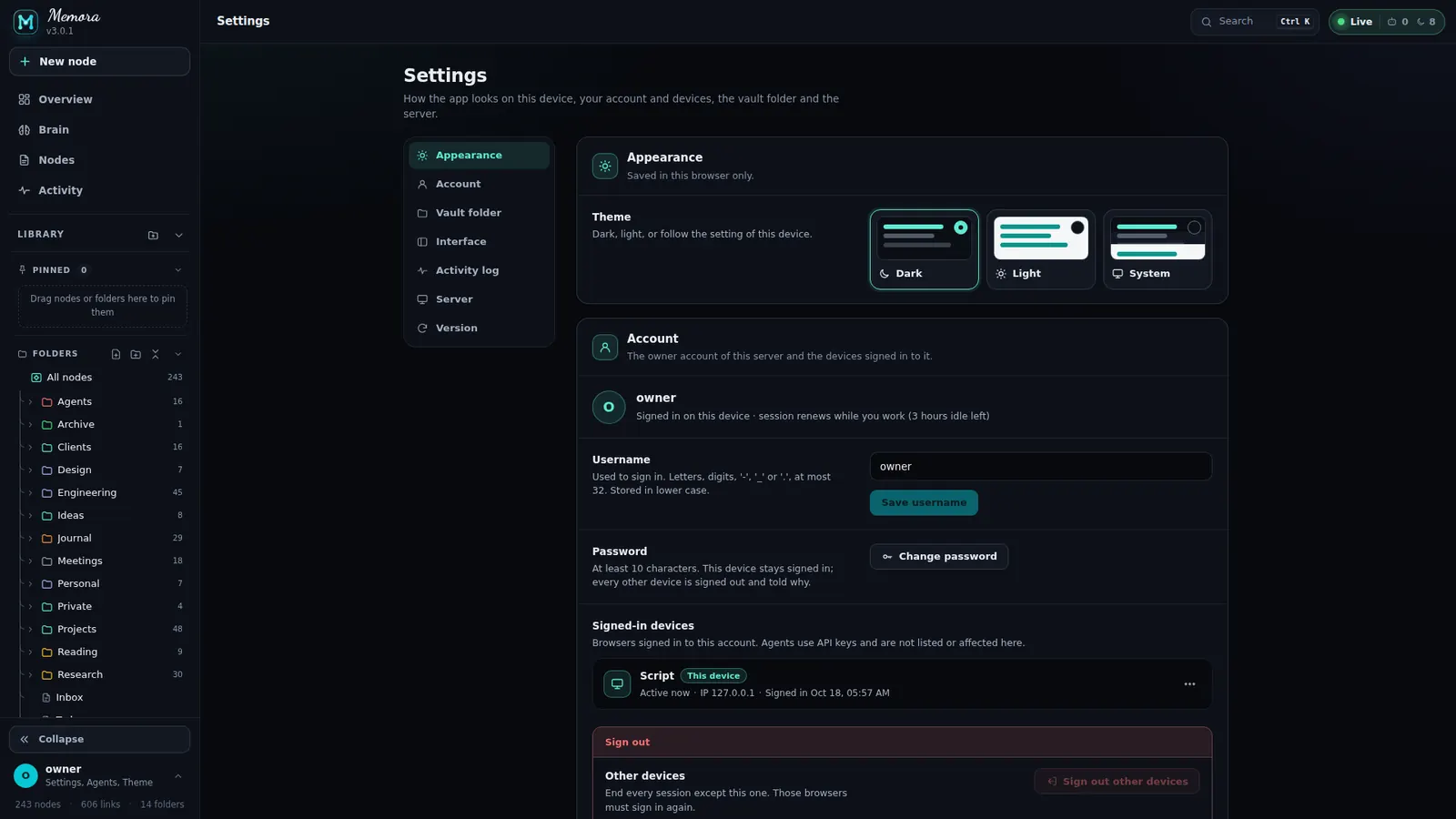
- Appearance: Dark, Light, System. Account: username, password (signs out other devices), devices, sign out
- Vault folder: current path with a Writable / Read only pill; switch folder, use suggested, create if missing
- Interface: collapsed sidebar, remove all pins, clear the tag cache. Activity log: size 1–512 MB, keep 0–3650 days, trim now
- Server (read only): version, MCP endpoint, folders, session timeouts, gateway. Version: update status, how to update
Light, dark or system.
Switch from the profile menu, the palette or Settings. The brain follows.
- Dark, Light and System appearance
- Six reading themes in the reader
- Respects reduced motion
A first run that explains itself.
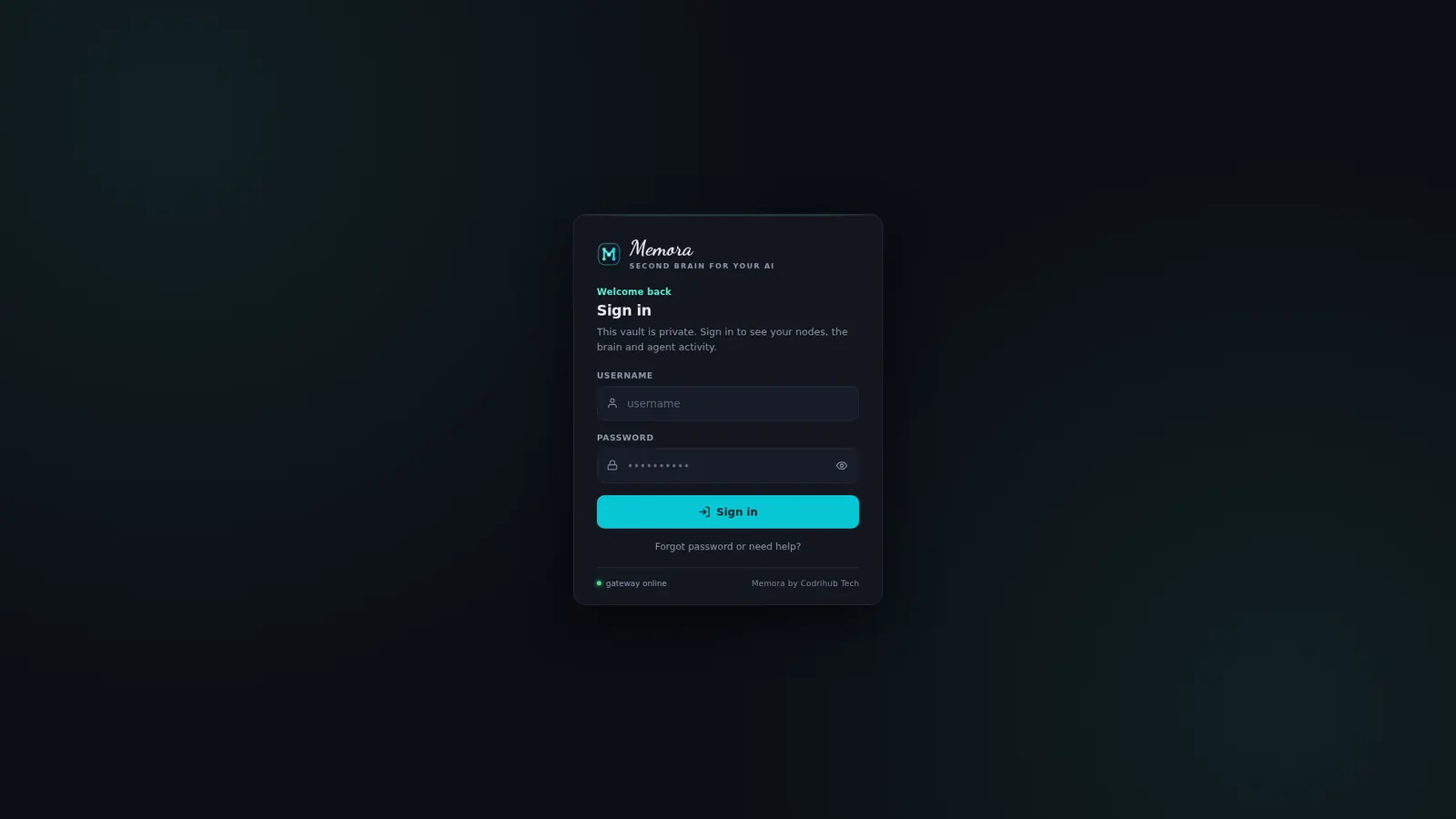
A multi-step welcome and a sign-in page that covers every state.
- Welcome: dots, Back / Next / Skip, arrow keys; ends with Write your first node, Connect an agent, Open the brain
- Sign in: password eye, one-time code, create owner account with a strength bar
- States for instance not ready, access held, too many attempts, and the OAuth consent "Allow access?"
- "Choose your vault folder" when none is configured

The whole brain in your pocket.
A real phone layout, not a shrunk desktop. Install it as an app.
- Tab bar: Overview, Nodes, Brain (raised), Activity (live badge), Profile
- Bottom sheets for popovers, a drawer for the library, pull to refresh
- PWA: offline page "Connection lost", update checks every 15 min and on focus, auto-reload unless you are editing
- Friendly 404: Page not found or Node not found, back to Overview
Give your AI
a memory that stays.
Self-host Memora in minutes. Your notes stay Markdown, your agents share one memory, and you decide who sees what.